
Ghosteel Terminal


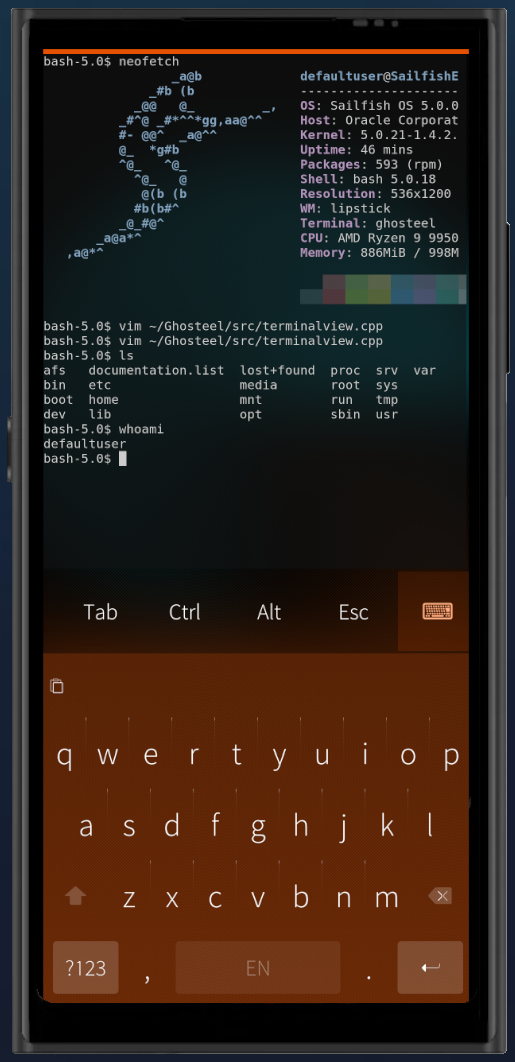
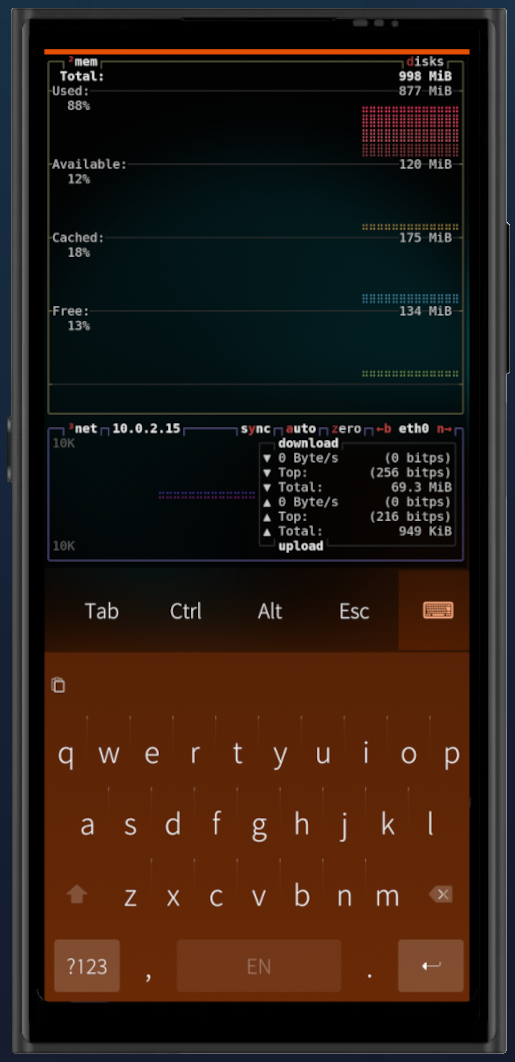
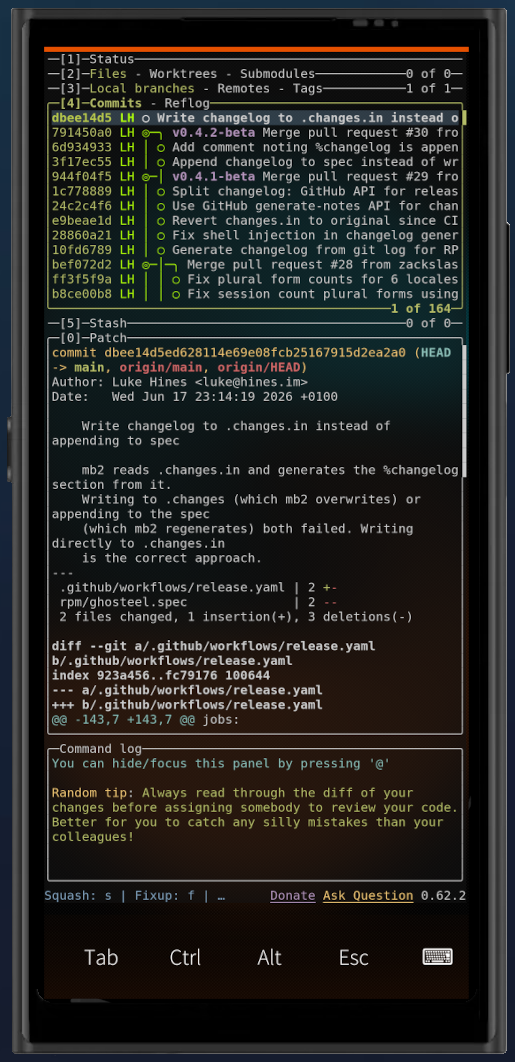
Ghosteel brings a modern terminal engine to SailfishOS. Most mobile terminals use legacy VT parsers that struggle with complex TUI apps. Ghosteel uses the same engine that powers Ghostty, giving you accurate rendering for tmux, neovim, htop, and other TUI applications.
- Ghostty VT engine with full escape sequence support, 24-bit truecolor, alternate screen buffer
- GPU rendering via OpenGL ES 2.0/3.0 with cursor trail shaders
- Launch TUI apps from desktop shortcuts (ghosteel -e htop)
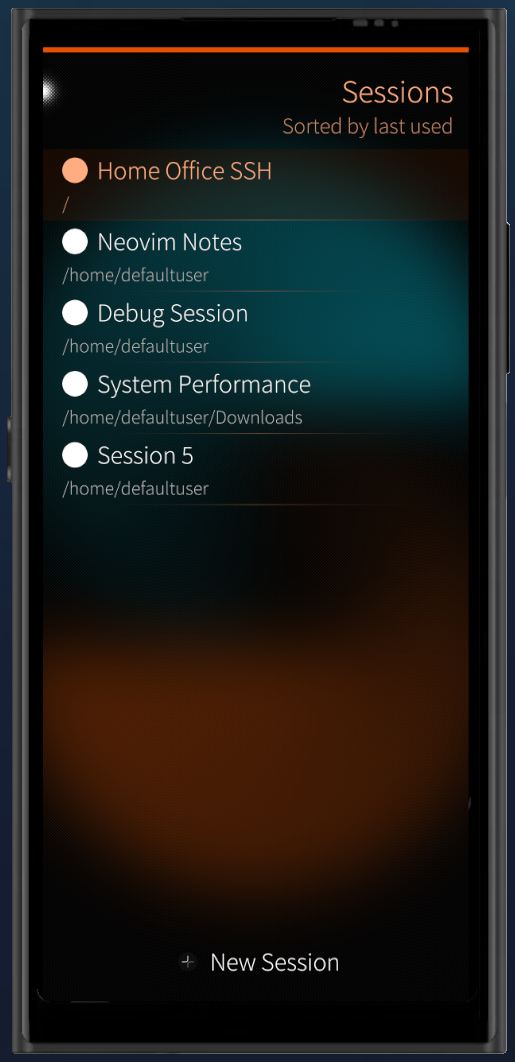
- Multi-session support with named sessions, switching, and persistence
- Touch text selection with Sailfish-style magnifier and double/triple tap
- Configurable extra keys bar with sticky Ctrl/Alt modifiers, arrow keys, F1-F12, PgUp/PgDn
- Automatic URL detection and hyperlinks, tap to open in browser
- Inline images via Kitty Graphics Protocol with PNG decoding
- Encrypted scrollback via Sailfish Secrets (configurable 7-365 day retention)
- Dark and Light color schemes with adjustable opacity
Source code: github.com/zackslash/Ghosteel
License: MIT
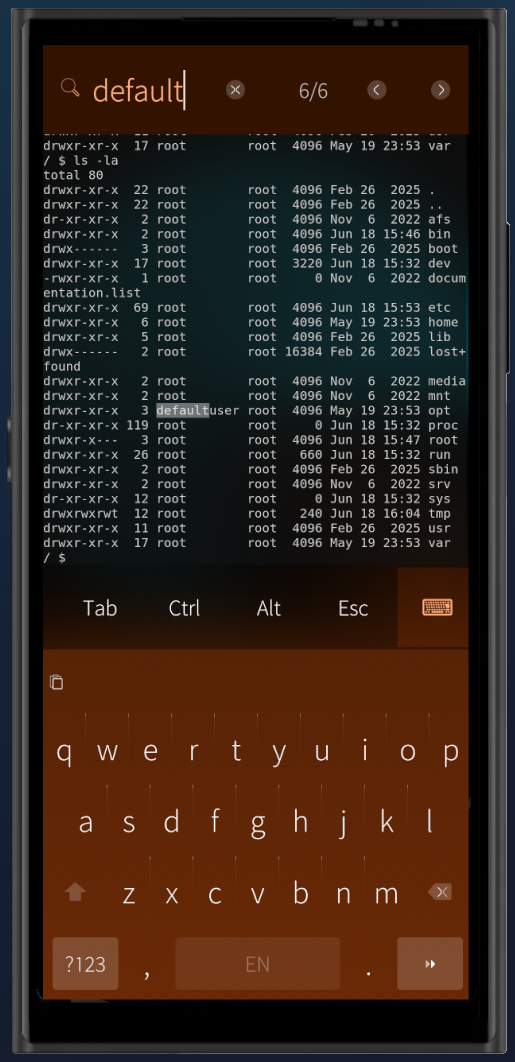
Screenshots:
Category:
Application versions:
| Attachment | Size | Date |
|---|---|---|
 ghosteel-1.5.0-1.i486.rpm ghosteel-1.5.0-1.i486.rpm | 1.49 MB | 03/10/2026 - 16:35 |
| ghosteel-1.5.0-1.armv7hl.rpm | 1.41 MB | 03/10/2026 - 16:35 |
| ghosteel-1.5.0-1.aarch64.rpm | 1.36 MB | 03/10/2026 - 16:35 |
Changelog:
v1.5.0:
- Add -r/--restart arg so exec launchers can re-run on every launch
- Bump ghostty submodule to f523504ea
v1.4.0:
- Preserve Ctrl and Alt modifiers in kitty keyboard protocol apps & shells
- Map F13 to F24, Help, and Menu keys for hardware keyboards
- Ensure new sessions start in the home directory
- Display full truecolor instead of the 256-color palette
- Control key handling improvements
- Bump ghostty submodule to b32f20f3e
v1.3.0:
- Launch shells as login shells (so ~/.profile loads)
- Reset inherited signal handlers in PTY children before exec
Comments
mive
Thu, 2026/10/01 - 18:07
Permalink
Is it possible to open another terminal and start a python script if ghosteel is already open?
I send a file to a python script and use a .desktop file and ghosteel to see the output.
This only works if ghosteel isn't already open. If it's already open nothing happens and the script wont run.
Best regards, really nice terminal app.
zackslash
Sat, 2026/10/03 - 16:36
Permalink
Hey, this is now possible in v1.5.0. Adding -r to your .desktop args (e.g. ghosteel -r -e python script.py) will re-run the script on every launch, even when Ghosteel is already open. Thanks again!
zackslash
Thu, 2026/10/01 - 18:27
Permalink
That's a good point, you're right; currently it would re-open the same terminal and not re-run the script (if Ghosteel is already running). It would be useful to have a flag we could set in the .desktop args so that it executes every time it opens. I will look into this. Thank you for the feedback.
mive
Fri, 2026/09/18 - 10:50
Permalink
Thx for the quick change. Best regards
mive
Wed, 2026/09/16 - 16:33
Permalink
I have a weird issue, regarding env. It seems .profile isnt used. Not sure whats causing this:
~ $ cat .profile > /dev/null; echo $?
0
~ $ source .profile
/bin/bash: source: .profile: not found
~ $ printenv|grep PATH
MOZ_GMP_PATH=/usr/lib64/gmp-droid/0.1/
PATH=/usr/local/sbin:/usr/local/bin:/usr/sbin:/usr/bin:/sbin:/bin
~ $
edit: e.g. souce command wont work at all
$ echo 'TEST=TEST' > TEST
~ $ source TEST
/bin/bash: source: TEST: not found
~ $
??
zackslash
Thu, 2026/09/17 - 23:40
Permalink
Hey, this should be resolved in v1.3.0, thanks again
zackslash
Wed, 2026/09/16 - 17:28
Permalink
Hey, thanks for the report.
Ghosteel currently spawns non-login shells and since the SailfishOS default shell only reads .profile for login shells, that means it never loads.
I think you're right that Ghosteel should spawn login shells, this would result in .profile being used. I'll look at fixing this in an upcoming release.
Boshtannik
Wed, 2026/09/09 - 13:29
Permalink
By the way,my native(ru) keyboard doesn't have question mark: (. English layout has it.but this is not useful to switch languages all the time because i wasn't to ask a question.
zackslash
Wed, 2026/09/09 - 13:43
Permalink
I think there is a solution to this that I could add to Ghosteel: we could expand the customisable keys in the keybar above the keyboard, so you can add your own keys (like '?', but also '|', '{', '}'). The keybar buttons are available no matter which layout is active. I could aim to include this in a future version if it would be useful.
Boshtannik
Wed, 2026/09/09 - 13:15
Permalink
Just have received an update.way of scrolling of tui apps became much much better.
zackslash
Wed, 2026/09/09 - 13:16
Permalink
Glad to hear it, thank you for the confirmation!
Boshtannik
Tue, 2026/09/08 - 01:37
Permalink
Good application, but i want one more optional feature. Add please sailfish ui scroll bar on left or right side which will scroll content of window (by emitting mouse wheel event )i use open code framework which is tui - and this is a disaster. when scrolling. When i scroll - it throws me onto home screen by opening temporary window which immediately closes just right after i release scrolling, and then i have to go to the application back again after each scroll. And i use fito keyboard which has buttons like escape, control, etc.so leave please ability to have only one additional button of opening /closing keyboard in it's own small square, so it wouldn't eat while row of interface just for that single button. In all other aspects - this app is awesome!
zackslash
Tue, 2026/09/08 - 19:31
Permalink
Hi, I was able to replicate the issue you were having in the TUI the "Phantom click" issue has been addressed in v1.2.1 and so scrolling should be fixed in your open code. The other features you have mentioned are also in consideration for future versions. Thanks again!
zackslash
Tue, 2026/09/08 - 01:44
Permalink
Hi, thank you for the feedback! I will investigate these issues and aim to address them in a future release.
kan
Tue, 2026/08/25 - 13:50
Permalink
I have found another two issues that could be improved. The first is that I miss automoving cursor after long press left/right arrows. The second is support for that terrible JP2 notch that covers upper terminal rows. Thank you for your work.
zackslash
Sat, 2026/08/29 - 18:46
Permalink
Hi, These have now been addressed in v1.2.0. Thanks again!
kan
Mon, 2026/08/31 - 22:59
Permalink
Works great. Thank you.
zackslash
Tue, 2026/08/25 - 13:58
Permalink
Those are both good points, thank you for the feedback. I need to read up on how to handle the 'notch' but I will aim to address both of these points in the next release.
duskull
Thu, 2026/08/13 - 03:32
Permalink
Great app, thanks a lot for making it!
zackslash
Thu, 2026/08/13 - 11:22
Permalink
Thank you. It's very nice to hear that you are finding it useful!
Pemek
Sun, 2026/06/28 - 16:54
Permalink
Hi, thanks for this terminal app. Works like a charm. But 2 things I miss to make it my default sfos terminal.
1. Ctrl/alt combination does not work with keypad items.
2. No sticky ctrl/alt.
zackslash
Sun, 2026/06/28 - 17:34
Permalink
Thanks for the feedback, both good points. Sticky keys for both 'ALT' and 'CTRL' should be available in the keybar above the keyboard that can be scrolled horizontally. Is this not working for you? This should be enabled by default, If you can provice more information. I can aim to address these in the next release later this week.
toastal
Fri, 2026/06/26 - 23:25
Permalink
If your average Sailfisd OS user is trying to seek refuge from US megacorporate control of their devices, why host code/bug tracker/contributions on Microsoft GitHub?
zackslash
Fri, 2026/06/26 - 23:31
Permalink
Fair point, I agree with the sentiment, that's part of why i'm building for Sailfish in the first place. GitHub is a pragmatic choice for now! PRs and contributions are welcome wherever it lives, the code is under MIT licence and that won't change.
ziellos
Mon, 2026/06/22 - 15:43
Permalink
Great terminal with some really useful features.
What I am missing is the possibility to scroll the terminal's output. What am I doing wrong?
zackslash
Mon, 2026/06/22 - 15:54
Permalink
Hey Ziellos,
Thanks for the kind words!
Scrolling through terminal output is supported; use a two-finger drag on the terminal area. However, if you run into any issues with that working, please open a bug report on the GitHub repo (please include your device model) and I will ensure to take a look.
ziellos
Fri, 2026/06/26 - 08:22
Permalink
Scrolling works now as expected, thanks a lot!
kan
Mon, 2026/06/22 - 12:12
Permalink
Is there any way to run Ghosteel terminal with a parameter?
zackslash
Thu, 2026/06/25 - 22:07
Permalink
Hey, This is now availalbe in v0.6.1 release, i.e. `ghosteel -e top`
kan
Fri, 2026/06/26 - 17:00
Permalink
Great, thank you. I have spotted one another issue. I have another app that uses terminal, it is btop++ and there is a problem with terminal size that must big enough. There is no size settings in ghosteel directly but changing font size. I can change font size in Settings od ghosteel and it is not respected when using "-e" switch. It looks like Large font size is always used despite of settings in Settings.
Pages