
Cargo Dock


The classic two paned file manager returns updated for newer phones
Features
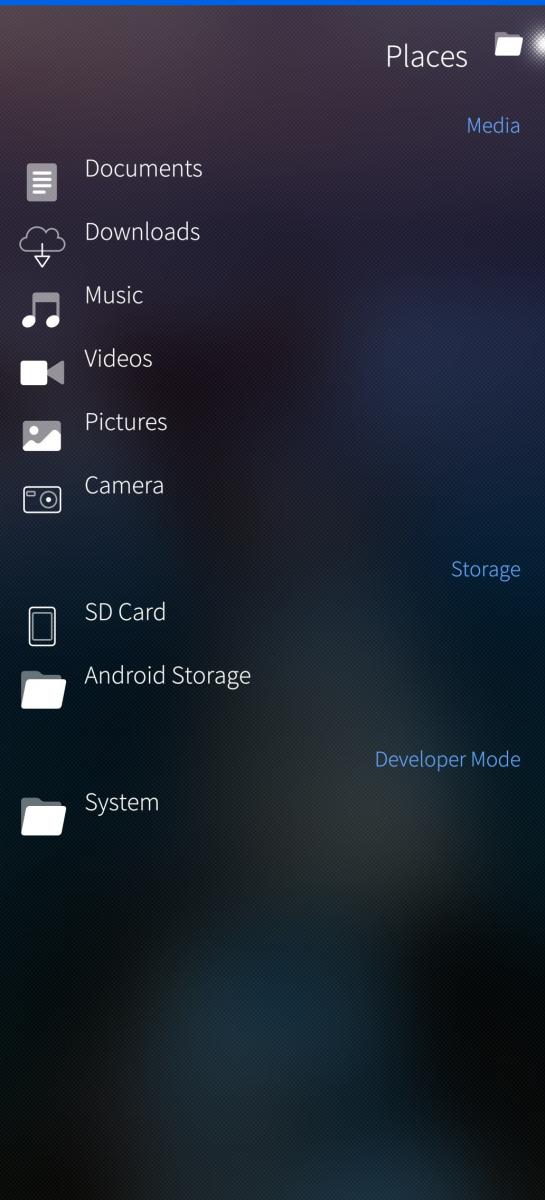
- Access the Sailfish media locations, the SD card, and the Android storage
- Access the complete filesystem
- Copy/link/delete files and directories
- Rename files
- Edit file permissions
- Create new directories
- Access network and cloud services
- Preview images and music
keep in mind that sandbox has been removed to make it see the SD card
thanks to rounded rectangle who helped me on this
if you like my work you can offer me a spuma bionda at paypal.me/legacychimera247
Screenshots:
Category:
Application versions:
| Attachment | Size | Date |
|---|---|---|
 harbour-cargodock-0.2.14-1.aarch64.rpm harbour-cargodock-0.2.14-1.aarch64.rpm | 271.58 KB | 15/08/2026 - 13:22 |
| harbour-cargodock-0.2.14-1.armv7hl.rpm | 249.89 KB | 15/08/2026 - 13:22 |
| harbour-cargodock-0.2.14-1.i486.rpm | 285.39 KB | 15/08/2026 - 13:22 |
Changelog:
[FIX] Updated SD card path for newer and older users [FIX] Disabled sandbox so SD card can be seen [NEW] Italian translation added by @legacychimera247
Comments
eson
Sat, 2026/08/15 - 14:12
Permalink
Thanks for trying to take care of this gem. Root mode would be nice too! ;)
I'm doing it already by terminal, but a more convenient way would be prefered.
247
Sat, 2026/08/15 - 18:22
Permalink
Thank you, i guess it's a bit too much for my abilities but i'll see in the future
No promises anyway...