 harbour-whatsapp-0.9.183-1.armv7hl.rpm harbour-whatsapp-0.9.183-1.armv7hl.rpm | 6.99 MB | 31/07/2026 - 18:56 |
| harbour-whatsapp-0.9.183-1.i486.rpm | 7.26 MB | 31/07/2026 - 18:56 |
| harbour-whatsapp-0.9.183-1.aarch64.rpm | 6.83 MB | 31/07/2026 - 18:56 |
| harbour-whatsapp-0.9.184-1.i486.rpm | 7.26 MB | 31/07/2026 - 19:09 |
| harbour-whatsapp-0.9.184-1.armv7hl.rpm | 6.99 MB | 31/07/2026 - 19:09 |
| harbour-whatsapp-0.9.184-1.aarch64.rpm | 6.83 MB | 31/07/2026 - 19:09 |
| harbour-whatsapp-0.9.188-1.aarch64.rpm | 6.84 MB | 31/07/2026 - 22:22 |
| harbour-whatsapp-0.9.188-1.armv7hl.rpm | 6.99 MB | 31/07/2026 - 22:22 |
| harbour-whatsapp-0.9.188-1.i486.rpm | 7.27 MB | 31/07/2026 - 22:22 |
| harbour-whatsapp-0.9.189-1.armv7hl.rpm | 7 MB | 31/07/2026 - 23:27 |
| harbour-whatsapp-0.9.189-1.i486.rpm | 7.27 MB | 31/07/2026 - 23:27 |
| harbour-whatsapp-0.9.189-1.aarch64.rpm | 6.84 MB | 31/07/2026 - 23:27 |
| harbour-whatsapp-0.9.193-1.i486.rpm | 7.28 MB | 01/08/2026 - 00:52 |
| harbour-whatsapp-0.9.193-1.armv7hl.rpm | 7.01 MB | 01/08/2026 - 00:52 |
| harbour-whatsapp-0.9.193-1.aarch64.rpm | 6.85 MB | 01/08/2026 - 00:52 |
| harbour-whatsapp-0.9.195-1.armv7hl.rpm | 7.02 MB | 01/08/2026 - 01:24 |
| harbour-whatsapp-0.9.195-1.i486.rpm | 7.29 MB | 01/08/2026 - 01:24 |
| harbour-whatsapp-0.9.195-1.aarch64.rpm | 6.86 MB | 01/08/2026 - 01:24 |
| harbour-whatsapp-0.9.196-1.i486.rpm | 7.29 MB | 01/08/2026 - 01:24 |
| harbour-whatsapp-0.9.196-1.armv7hl.rpm | 7.02 MB | 01/08/2026 - 01:24 |
| harbour-whatsapp-0.9.196-1.aarch64.rpm | 6.86 MB | 01/08/2026 - 01:24 |
| harbour-whatsapp-0.9.198-1.aarch64.rpm | 6.87 MB | 01/08/2026 - 10:39 |
| harbour-whatsapp-0.9.198-1.armv7hl.rpm | 7.03 MB | 01/08/2026 - 10:39 |
| harbour-whatsapp-0.9.198-1.i486.rpm | 7.3 MB | 01/08/2026 - 10:39 |
| harbour-whatsapp-0.9.199-1.i486.rpm | 7.3 MB | 01/08/2026 - 11:46 |
| harbour-whatsapp-0.9.199-1.armv7hl.rpm | 7.03 MB | 01/08/2026 - 11:46 |
| harbour-whatsapp-0.9.199-1.aarch64.rpm | 6.87 MB | 01/08/2026 - 11:46 |
| harbour-whatsapp-0.9.201-1.i486.rpm | 7.3 MB | 01/08/2026 - 14:33 |
| harbour-whatsapp-0.9.201-1.armv7hl.rpm | 7.03 MB | 01/08/2026 - 14:33 |
| harbour-whatsapp-0.9.201-1.aarch64.rpm | 6.88 MB | 01/08/2026 - 14:33 |
| harbour-whatsapp-0.9.206-1.i486.rpm | 7.31 MB | 01/08/2026 - 15:37 |
| harbour-whatsapp-0.9.206-1.armv7hl.rpm | 7.04 MB | 01/08/2026 - 15:37 |
| harbour-whatsapp-0.9.206-1.aarch64.rpm | 6.88 MB | 01/08/2026 - 15:37 |
| harbour-whatsapp-0.9.207-1.i486.rpm | 7.31 MB | 01/08/2026 - 20:12 |
| harbour-whatsapp-0.9.207-1.armv7hl.rpm | 7.04 MB | 01/08/2026 - 20:12 |
| harbour-whatsapp-0.9.207-1.aarch64.rpm | 6.88 MB | 01/08/2026 - 20:12 |
| harbour-whatsapp-0.9.214-1.i486.rpm | 9.66 MB | 02/08/2026 - 01:05 |
| harbour-whatsapp-0.9.214-1.armv7hl.rpm | 9.39 MB | 02/08/2026 - 01:05 |
| harbour-whatsapp-0.9.214-1.aarch64.rpm | 9.24 MB | 02/08/2026 - 01:05 |
| harbour-whatsapp-0.9.215-1.i486.rpm | 9.67 MB | 02/08/2026 - 04:55 |
| harbour-whatsapp-0.9.215-1.armv7hl.rpm | 9.39 MB | 02/08/2026 - 04:55 |
| harbour-whatsapp-0.9.215-1.aarch64.rpm | 9.24 MB | 02/08/2026 - 04:55 |
| harbour-whatsapp-0.9.217-1.armv7hl.rpm | 9.39 MB | 04/08/2026 - 17:55 |
| harbour-whatsapp-0.9.217-1.i486.rpm | 9.67 MB | 04/08/2026 - 17:55 |
| harbour-whatsapp-0.9.217-1.aarch64.rpm | 9.24 MB | 04/08/2026 - 17:55 |
| harbour-whatsapp-0.9.229-1.i486.rpm | 9.69 MB | 07/08/2026 - 19:24 |
| harbour-whatsapp-0.9.229-1.armv7hl.rpm | 9.42 MB | 07/08/2026 - 19:24 |
| harbour-whatsapp-0.9.229-1.aarch64.rpm | 9.26 MB | 07/08/2026 - 19:24 |
| harbour-whatsapp-0.9.230-1.i486.rpm | 9.7 MB | 07/08/2026 - 19:42 |
| harbour-whatsapp-0.9.230-1.armv7hl.rpm | 9.42 MB | 07/08/2026 - 19:42 |
| harbour-whatsapp-0.9.230-1.aarch64.rpm | 9.27 MB | 07/08/2026 - 19:42 |
| harbour-whatsapp-0.9.245-1.i486.rpm | 9.72 MB | 11/08/2026 - 22:14 |
| harbour-whatsapp-0.9.245-1.armv7hl.rpm | 9.44 MB | 11/08/2026 - 22:14 |
| harbour-whatsapp-0.9.245-1.aarch64.rpm | 9.29 MB | 11/08/2026 - 22:14 |
| harbour-whatsapp-0.9.255-1.i486.rpm | 9.74 MB | 13/08/2026 - 14:41 |
| harbour-whatsapp-0.9.255-1.armv7hl.rpm | 9.47 MB | 13/08/2026 - 14:41 |
| harbour-whatsapp-0.9.255-1.aarch64.rpm | 9.31 MB | 13/08/2026 - 14:41 |
| harbour-whatsapp-0.9.263-1.i486.rpm | 9.75 MB | 15/08/2026 - 20:45 |
| harbour-whatsapp-0.9.263-1.armv7hl.rpm | 9.48 MB | 15/08/2026 - 20:45 |
| harbour-whatsapp-0.9.263-1.aarch64.rpm | 9.32 MB | 15/08/2026 - 20:45 |
| harbour-whatsapp-0.9.264-1.i486.rpm | 9.75 MB | 15/08/2026 - 22:51 |
| harbour-whatsapp-0.9.264-1.armv7hl.rpm | 9.48 MB | 15/08/2026 - 22:51 |
| harbour-whatsapp-0.9.264-1.aarch64.rpm | 9.32 MB | 15/08/2026 - 22:51 |
| harbour-whatsapp-0.9.272-1.i486.rpm | 9.76 MB | 20/08/2026 - 21:12 |
| harbour-whatsapp-0.9.272-1.armv7hl.rpm | 9.49 MB | 20/08/2026 - 21:12 |
| harbour-whatsapp-0.9.272-1.aarch64.rpm | 9.34 MB | 20/08/2026 - 21:12 |
| harbour-whatsapp-0.9.278-1.i486.rpm | 9.77 MB | 20/08/2026 - 23:29 |
| harbour-whatsapp-0.9.278-1.armv7hl.rpm | 9.5 MB | 20/08/2026 - 23:29 |
| harbour-whatsapp-0.9.278-1.aarch64.rpm | 9.34 MB | 20/08/2026 - 23:29 |
| harbour-whatsapp-0.9.279-1.i486.rpm | 9.77 MB | 22/08/2026 - 04:59 |
| harbour-whatsapp-0.9.279-1.armv7hl.rpm | 9.5 MB | 22/08/2026 - 04:59 |
| harbour-whatsapp-0.9.279-1.aarch64.rpm | 9.35 MB | 22/08/2026 - 04:59 |
| harbour-whatsapp-0.9.304-1.i486.rpm | 11.05 MB | 30/08/2026 - 10:07 |
| harbour-whatsapp-0.9.304-1.armv7hl.rpm | 10.79 MB | 30/08/2026 - 10:07 |
| harbour-whatsapp-0.9.304-1.aarch64.rpm | 10.6 MB | 30/08/2026 - 10:07 |
| harbour-whatsapp-0.9.307-1.i486.rpm | 11.06 MB | 04/09/2026 - 18:53 |
| harbour-whatsapp-0.9.307-1.armv7hl.rpm | 10.8 MB | 04/09/2026 - 18:53 |
| harbour-whatsapp-0.9.307-1.aarch64.rpm | 10.61 MB | 04/09/2026 - 18:53 |
| harbour-whatsapp-0.9.309-1.i486.rpm | 11.08 MB | 27/09/2026 - 23:23 |
| harbour-whatsapp-0.9.309-1.armv7hl.rpm | 10.82 MB | 27/09/2026 - 23:23 |
| harbour-whatsapp-0.9.309-1.aarch64.rpm | 10.62 MB | 27/09/2026 - 23:23 |






Comments
aviarus
Sun, 2026/07/19 - 11:02
Permalink
Good news hidden in your log: the Python part is fixed — 0.9.96 imports cleanly on your device now. What fails is the next stage: the backend program itself doesn't come up. Three lines will show exactly why:
ls -la ~/.local/share/harbour/harbour-whatsapp/
tail -40 ~/.local/share/harbour/harbour-whatsapp/backend.log
cd ~/.local/share/harbour/harbour-whatsapp && /usr/share/harbour-whatsapp/wa-backend
The third one runs the backend directly in your terminal — whatever it prints in the first seconds (or the way it exits) is the answer; stop it with Ctrl+C afterwards. Paste what you see and the next fix will be precise.
rdomschk
Sun, 2026/07/19 - 09:53
Permalink
Unfortunately not, I test all from terminal, desktop, openrespos.... Every time I got “Backend did not start in time. This can happen on the first launch right after a reboot. Tap Retry, or see ~/.local/share/harbour/harbour-whatsapp/backend.log"
rdomschk
Sat, 2026/07/18 - 20:15
Permalink
To use sfos-upgrade to repair the pythonplugin "pyOtherside" is too risk for me. I will wait at the next SFOS Version now. The rest at my phone works perfect.
aviarus
Sun, 2026/07/19 - 00:30
Permalink
Completely understandable — and good news: you may not need to repair anything at all. Forget sfos-upgrade for now; that suggestion was based on my earlier Chum theory, which your package list has since weakened. The only step I'd still suggest is risk-free: update just the app to 0.9.96 in Storeman and start it once. The error you pasted was a bug in the app's own error display (0.9.95), fixed in 0.9.96 — so there's a real chance the app simply works and your system was never broken. If it still fails, the message that appears after ~6 seconds is the true cause — tap it, paste it here, and I'll know exactly what to fix. Either way, nothing about your OS gets touched.
rob_k
Sat, 2026/07/18 - 14:25
Permalink
I came across an interesting feature: an edited message.
In a group, someone asked "Can I borrow...?"
Ten minutes later, he has edited the message. The original question is still there, but in strike-through. He added new lines to the message: "Thanks...!"
Strike-through is not shown in the app, the added lines neither. The new, edited time is correct, the mark "Edited" isn't there. So, I still see the original question in the app.
I'd say this is an edge case, normal stuff is great.
aviarus
Sat, 2026/07/18 - 14:42
Permalink
Feature is a good joke here.^^ i hope it is now visible if a message is edited
rdomschk
Sat, 2026/07/18 - 13:42
Permalink
Here are my false protocoll:
>Python module failed to load:
Function not found: 'start_backend.installed_version' (Traceback (most recent call last):
File "", line 1, in
NameError: name 'start_backend' is not defined
)
Please report this text.<
aviarus
Sat, 2026/07/18 - 14:30
Permalink
Okay it seems that you are still on 0.9.95 and 0.9.96 should fix this exact issue. Once you're on 0.9.96: either it just works, or the message that appears after ~6 seconds is the real cause — that one would be interesting.
kempertom
Sat, 2026/07/18 - 13:18
Permalink
Is this an issue with the deamon. Had the same Problem this morning. I'll try to run it without daenom...
aviarus
Sat, 2026/07/18 - 13:35
Permalink
Probably not the daemon itself — the likely culprit for "stopped working this morning" (especially after a reboot) is a desktop-file key from 0.9.90 that broke launching from the app icon; 0.9.91+ removes it automatically during the update. Just update to the latest version, then start the app normally — no need to disable the daemon. If it still won't start from the icon afterwards, tell me and we'll dig.
rdomschk
Sat, 2026/07/18 - 12:53
Permalink
Now I could test it:
[defaultuser@Xperia10III ~]$ cat /etc/sailfish-release
NAME="Sailfish OS"
ID=sailfishos
VERSION="5.0.0.76 (Tampella)"
VERSION_ID=5.0.0.76
PRETTY_NAME="Sailfish OS 5.0.0.76 (Tampella)"
SAILFISH_BUILD=76
SAILFISH_FLAVOUR=release
HOME_URL="https://sailfishos.org/"
[defaultuser@Xperia10III ~]$ python3 -c "import ast; ast.parse(open('/usr/share/harbour-whatsapp/start_backend.py').read()); print('syntax ok on', __import__('sys').version)"
syntax ok on 3.8.18 (default, Mar 19 2024, 00:00:00)
[GCC 10.3.1 20210621 (Sailfish OS gcc 10.3.1-1)]
[defaultuser@Xperia10III ~]$ devel-su zypper se -si 'python3*' pyotherside\* | grep -i chum
Password:
i | python3-brotli | Paket | 1.0.9+git9-1.1.1.bso | aarch64 | sailfishos-chum
i | python3-cairocffi | Paket | 1.3.0-1.1.1.bso | noarch | sailfishos-chum
i+ | python3-cairosvg | Paket | 2.5.2+git2-1.2.1.bso | noarch | sailfishos-chum
i | python3-cssselect2 | Paket | 0.4.1-1.1.1.bso | noarch | sailfishos-chum
i | python3-defusedxml | Paket | 0.7.1+git1-1.1.1.bso | noarch | sailfishos-chum
i+ | python3-html5lib | Paket | 1:1.1-1.1.1.bso | noarch | sailfishos-chum
i+ | python3-mpmath | Paket | 1.2.1-1.2.1.bso | noarch | sailfishos-chum
i+ | python3-mutagen | Paket | 1.47.0-1.1.1.bso | noarch | sailfishos-chum
i | python3-numpy | Paket | 1.18.5-1.1.1.bso | aarch64 | sailfishos-chum
i+ | python3-opencv | Paket | 4.8.1-1.2.1.bso | aarch64 | sailfishos-chum
i+ | python3-packaging | Paket | 21.3+master.20230409154829.4.gd515213-1.2.1.bso | noarch | sailfishos-chum
i+ | python3-pycryptodomex | Paket | 3.23.0-1.2.1.bso | aarch64 | sailfishos-chum
i | python3-pyparsing | Paket | 2.4.7+master.20230409155124.3.g503310b-1.2.1.bso | noarch | sailfishos-chum
i | python3-tinycss2 | Paket | 1.1.1+git1-1.1.1.bso | noarch | sailfishos-chum
i | python3-webencodings | Paket | 0.5.1+git1-1.1.1.bso | noarch | sailfishos-chum
i+ | python3-websockets | Paket | 13.1-1.1.1.bso | aarch64 | sailfishos-chum
i+ | python3-yt-dlp | Paket | 2023.12.30+obs2-1.4.1.bso | noarch | sailfishos-chum
[defaultuser@Xperia10III ~]$
aviarus
Sat, 2026/07/18 - 13:34
Permalink
Thank you — that output helps a lot, and no trouble at all, enjoy your holiday first! Your system Python parses the app's module fine, and your Chum list contains only add-on libraries (none of which the app uses) — so my earlier Chum theory is weakened. Better yet: the NameError in your terminal log turned out to be a startup race in the app itself (fast devices won it, your 10 III lost it) — fixed in 0.9.96. Whatever the remaining blocker on your device is, 0.9.96 will show the exact error on the pairing screen, and tapping the message copies it to the clipboard. Whenever you're back: update, start the app, and paste whatever it shows. No rush.
rdomschk
Sat, 2026/07/18 - 12:42
Permalink
Thank youvery much and sorry for the trouble with me. I will test it but I am in holiday and can make it only later with my notbook.
rdomschk
Sat, 2026/07/18 - 10:41
Permalink
Ter inal:
[D] unknown:0 - Using Wayland-EGL
library "libui_compat_layer.so" not found
library "libutils.so" not found
library "libcutils.so" not found
library "libhardware.so" not found
library "android.hardware.graphics.mapper@2.0.so" not found
library "android.hardware.graphics.mapper@2.1.so" not found
library "android.hardware.graphics.mapper@3.0.so" not found
library "android.hardware.graphics.mapper@4.0.so" not found
library "libc++.so" not found
library "libhidlbase.so" not found
library "libgralloctypes.so" not found
library "android.hardware.graphics.common@1.2.so" not found
library "libion.so" not found
library "libz.so" not found
library "libhidlmemory.so" not found
library "android.hidl.memory@1.0.so" not found
library "vendor.qti.qspmhal@1.0.so" not found
[D] unknown:0 - Got library name: "/usr/lib64/qt5/qml/io/thp/pyotherside/libpyothersideplugin.so"
[W] NemoConfigurationValuePlugin::registerTypes:52 - org.nemomobile.configuration import is deprecated. Suggest migrating to Nemo.Configuration
[W] unknown:134 - file:///usr/lib64/qt5/qml/Sailfish/Silica/PullDownMenu.qml:134: ReferenceError: lipstickSettings is not defined
[D] unknown:0 - "PyOtherSide error: Traceback (most recent call last):\n\n File \"\", line 1, in \n\nNameError: name 'start_backend' is not defined\n"
[D] onError:78 - Python error: Function not found: 'start_backend.installed_version' (Traceback (most recent call last):
File "", line 1, in
NameError: name 'start_backend' is not defined
)
[D] :59 - Backend failed to start
[D] rescanBackendPort:434 - Backend lost entirely - respawning child backend
[D] :59 - Backend failed to start
[defaultuser@Xperia10III ~]$
aviarus
Sat, 2026/07/18 - 11:14
Permalink
Thanks for the report — your Chum hint is the best lead: the app's Python module fails to load, so the backend never starts and the deleted folder is never recreated. But I don't know for certain yet what exactly broke on your device — let's find out before fixing anything. Please post the output of these three lines:
cat /etc/sailfish-release
python3 -c "import ast; ast.parse(open('/usr/share/harbour-whatsapp/start_backend.py').read()); print('syntax ok on', __import__('sys').version)"
devel-su zypper se -si 'python3*' pyotherside\* | grep -i chum
The first tells me your OS release, the second whether your Python can read the app's module at all, the third whether any Python/pyotherside packages come from Chum. Even easier: update the app to 0.9.95 — it now shows the exact error on the pairing screen, and tapping the message copies it to the clipboard, so you can paste it here directly.
IF the third command lists Chum packages, a clean way to recover (no version change) is the sfos-upgrade tool from OpenRepos: run sfos-upgrade --verify — it verifies and re-aligns your installed packages with your current release — then reboot. Afterwards the app starts and you can pair freshly. But diagnosis first — one paste from you and we'll know instead of guessing.
rdomschk
Sat, 2026/07/18 - 10:40
Permalink
Hey aviarus, today I updated some pytbon respos from Chum an now your nice app not work. What can I do? I delete also the share folder but red test if I will new pair. No new folder under share.
rob_k
Sat, 2026/07/18 - 10:19
Permalink
Hey, you're faster than your shadow :) Yes, this works again!
aviarus
Sat, 2026/07/18 - 10:31
Permalink
Thanks. Glad to read
rob_k
Sat, 2026/07/18 - 10:16
Permalink
Latest version 0.9.90-1 crashes on my Xiii on Pispala 5.1.0.11
aviarus
Sat, 2026/07/18 - 10:18
Permalink
yes for me it didn't even start. it should be fixed now, if not just tell me .
kempertom
Fri, 2026/07/17 - 22:52
Permalink
How to unarchive chats?
aviarus
Fri, 2026/07/17 - 23:08
Permalink
I thought i have to program again^^, but this is already implemented thankfully. Archived chats are not hidden — they move to the very bottom of the chat list, dimmed and marked "· archived". Scroll down to find them, then long-press the chat and choose "Unarchive" from the menu (the same long-press menu also has Archive, Pin and Mute). The state syncs to your other WhatsApp devices via app state, so unarchiving here unarchives everywhere.
kempertom
Fri, 2026/07/17 - 22:01
Permalink
It gets more and more perfect. Thank you !!!
rob_k
Fri, 2026/07/17 - 15:45
Permalink
Idea: add empty file .nomedia to Whatsapp folders, or the content will clutter the Gallery. I'm really happy that this app exists, AAS is now off by default and this saves battery! Thanks again!
aviarus
Fri, 2026/07/17 - 21:00
Permalink
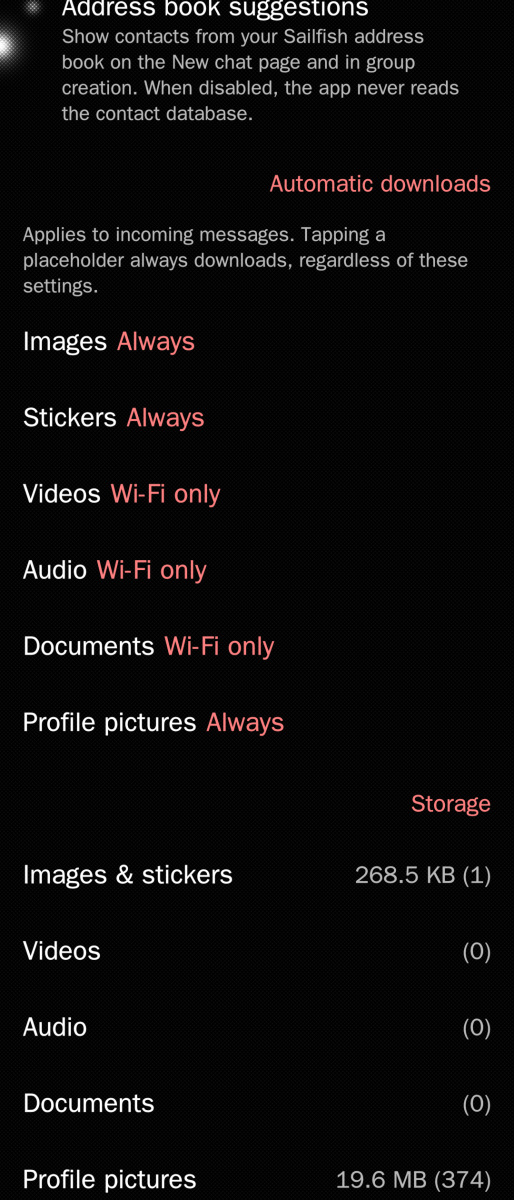
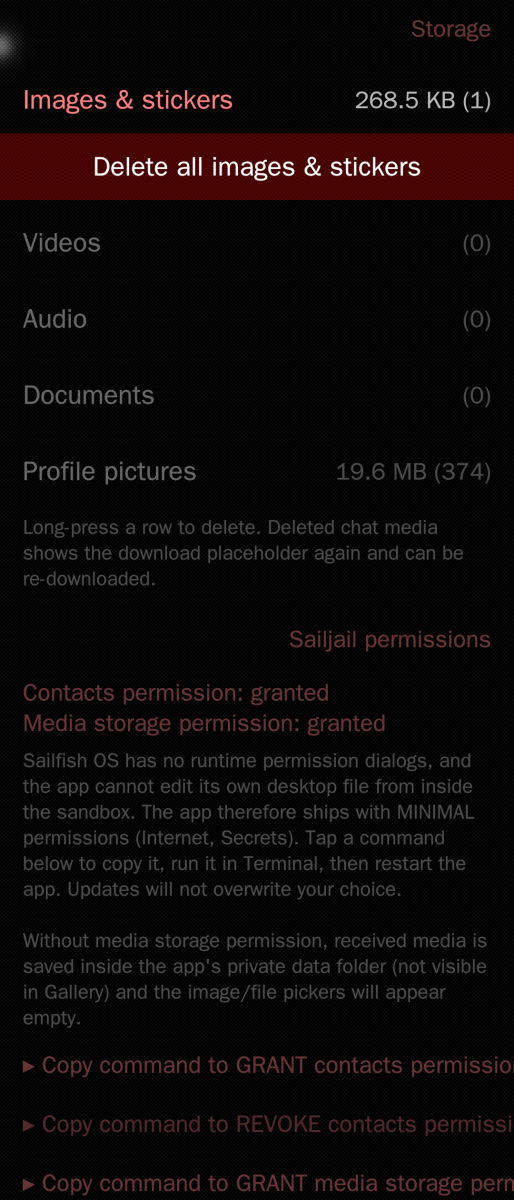
It's a good suggestion, if media access is enabled you have the option to put .nomedia files for different media types
kempertom
Fri, 2026/07/17 - 14:28
Permalink
Sorry, but all permissions are granted. I did the process. But the mic doesn't turn into a timer and on the main page is a message saying: Recording failed ([Errno 13] no permission: 'gst-launch-1.0) grant the microphone permission in Settings and restsart the app
I did before and reststarted the app...even SFOS>Settings>Apps>whatsapp is showing that it has mic permission .... Very strange.
Your App is a micrometer away from being perfect!!!
aviarus
Fri, 2026/07/17 - 20:59
Permalink
Okay it could be that gstreamer1.0-tools wasn't installed. I added it as a dependency and it should install now if you update
kempertom
Fri, 2026/07/17 - 12:17
Permalink
Permissions are granted, but returning to main screen a message is shown, that says that it has no permission
kempertom
Fri, 2026/07/17 - 12:05
Permalink
How to record a voice note?
kempertom
Thu, 2026/07/16 - 22:54
Permalink
I just turned my Motorola G7 Power into my daily driver with SFOS - without Android - because of your work. Only thing missing are Voicenotes
Pages