
ArcaneChat TUI


The first and the only SFOS native DeltaChat client.
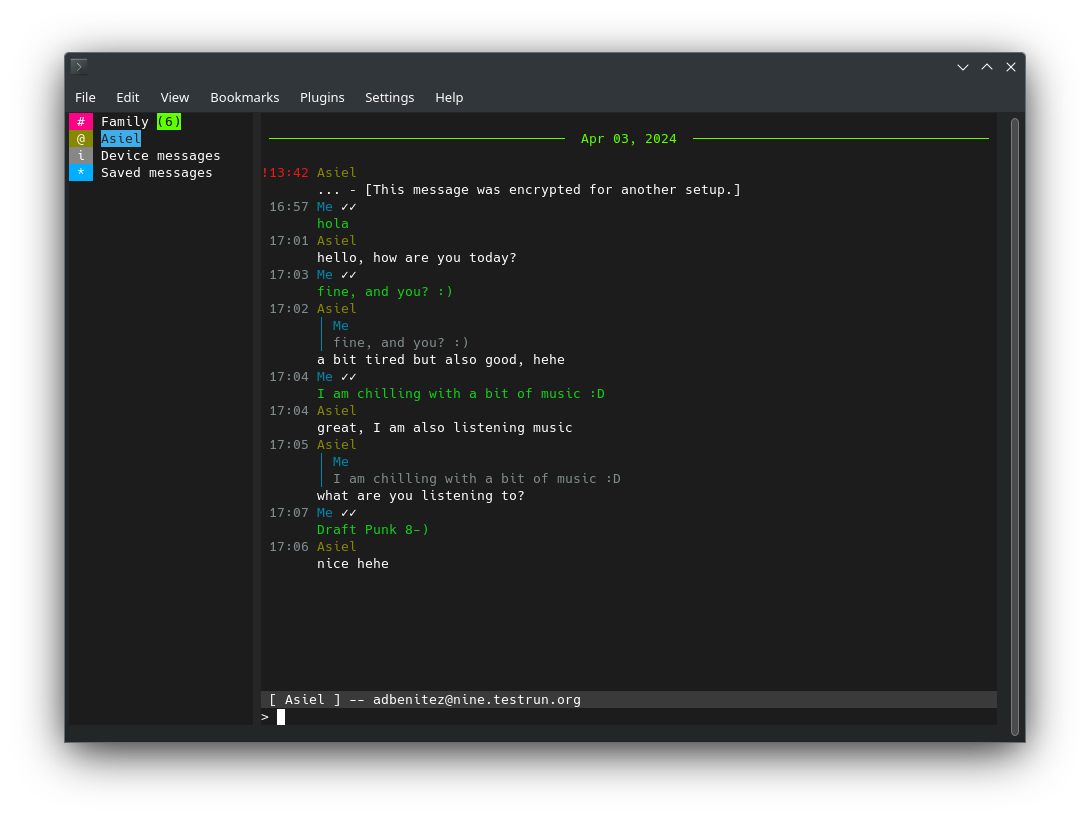
ArcaneChat TUI is a ncurses Delta Chat client developed in Python with the urwid library. Fast decentralized encrypted messenger compatible with email, a lightweight ArcaneChat client for the command line.
https://github.com/ArcaneChat/arcanechat-tui
How-to:
The esiest way is to create a profile (as primary or secondary device) using DeltaChat desktop client and copy ~/.config/DeltaChat directory to /home/defaultuser/.config/DeltaChat destination.
Installing Ghosteel Terminal is advised for using as terminal. Otherwise fingerterm wil be used.
Tweaks for fingerterm:
1. Set keyboard as FIXED.
2. Increase fonts size.
Screenshots:
Category:
Keywords:
Application versions:
| Attachment | Size | Date |
|---|---|---|
 harbour-arcanechat-tui-0.12.0-0.aarch64.rpm harbour-arcanechat-tui-0.12.0-0.aarch64.rpm | 12.23 MB | 13/06/2026 - 18:05 |
| harbour-arcanechat-tui-0.12.0-1.armv7hl.rpm | 11.03 MB | 23/06/2026 - 00:59 |
| harbour-arcanechat-tui-0.12.0-1.aarch64.rpm | 12.23 MB | 23/06/2026 - 00:59 |
| harbour-arcanechat-tui-0.12.0-2.armv7hl.rpm | 11.03 MB | 27/06/2026 - 14:17 |
| harbour-arcanechat-tui-0.12.0-2.aarch64.rpm | 12.23 MB | 27/06/2026 - 14:17 |
Changelog:
* 2026-06-13 kan 0.12.0-2
 - runner for choosing terminal
* 2026-06-13 kan 0.12.0-1
- version for armv7hl SFOS > 5.1
- delta-chat-server update to 2.53

* 2026-06-13 kan 0.12.0-0
- version bump
- version for SFOS > 5.1
Comments
broncheoli
Fri, 2026/02/06 - 18:02
Permalink
Hi #kan,
maybe e stupid question but:
I installed DC on my phone. When trying to backup I get asked for a pin (Android Pin? I did not set a DC pin) I don´t have one. When trying to setup the destop version of DC to get the /.config for setting up ArcaneChat I again was asked for the pin which I don´t have. Do I have to setup the Desktop App as primary DC to do all these things and to get around the pin problem? Do you have any clue?
Thx, broncheolus.
edit:
1) I made Desktop-DC as primary and copied the folder "chat.delta.desktop" (there is no folder "DeltaChat" on Linux) to /home/defaultuser/.config/DeltaChat - still "Error: No account configured yet"
2) ! renamed "chat.delta.desktop" to "DeltaChat" - - still "Error: No account configured yet"
3) I coppied the content of "chat.delta.desktop" to /home/defaultuser/.config/DeltaChat - still "Error: No account configured yet"
For your info - the content of "chat.delta.desktop" is: data, config, cache, .local, .ld.so
kan
Fri, 2026/02/06 - 22:56
Permalink
Do not install DeltaChat on your phone (I supposse AAS). You have to install DeltaChat on Linux Desktop PC and then copy /.config/DeltaChat directory from Home of linux desktop PC.
Maybe other systems desktop version of DeltaChat works but you have to find their config locations.
satoshi_nakamoto
Mon, 2025/09/15 - 11:31
Permalink
[defaultuser@Xperia10III ~]$ /usr/bin/arcanechat -f /home/defaultuser/.
config/DeltaChat
Error: No account configured yet
[defaultuser@Xperia10III ~]$
kan
Mon, 2025/09/15 - 12:59
Permalink
Then, please read description above.
kan
Mon, 2025/09/15 - 08:53
Permalink
Could you show the result of
/usr/bin/arcanechat -f /home/defaultuser/.config/DeltaChatrun in terminal?
satoshi_nakamoto
Sun, 2025/09/14 - 22:31
Permalink
It crashes on the Xperia 10 III