
xmatic


Native Matrix client built on matrix-rust-sdk with a Silica UI.
FEATURES
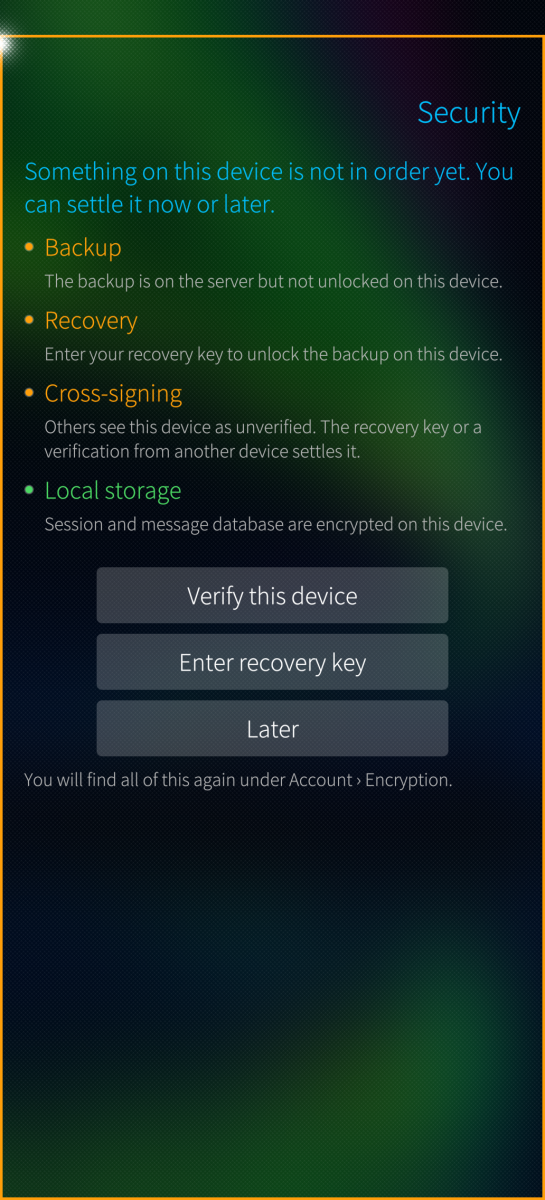
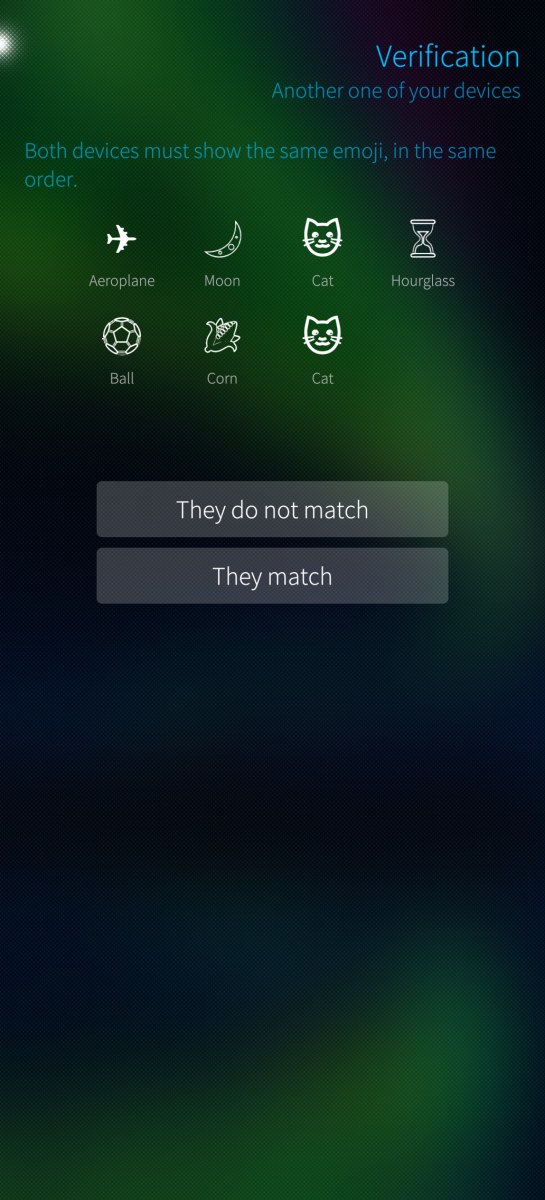
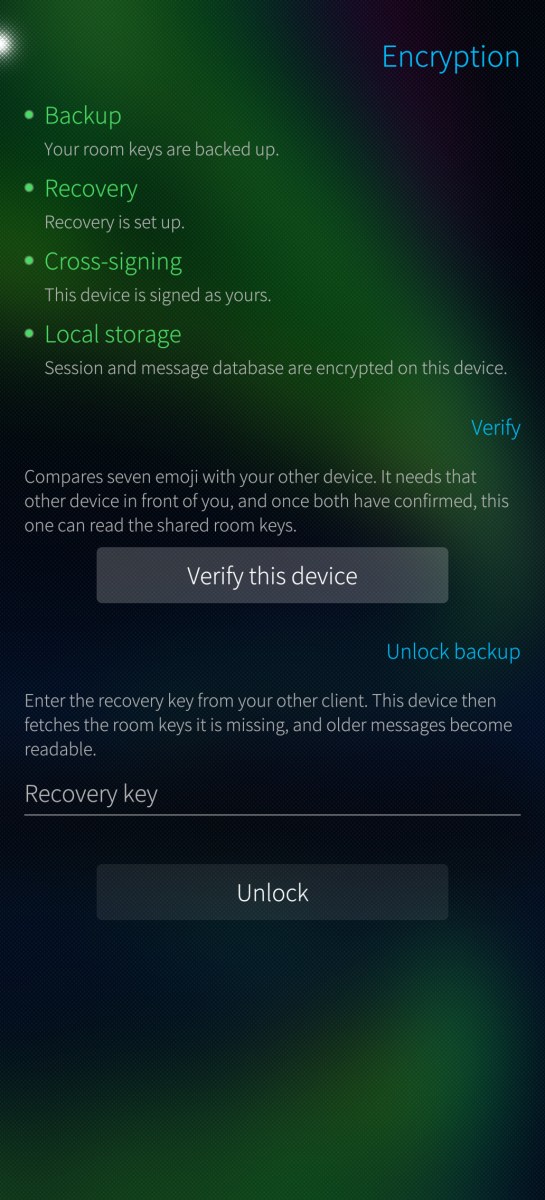
- Sliding sync, end-to-end encryption, cross-signing, device verification, key backup and recovery
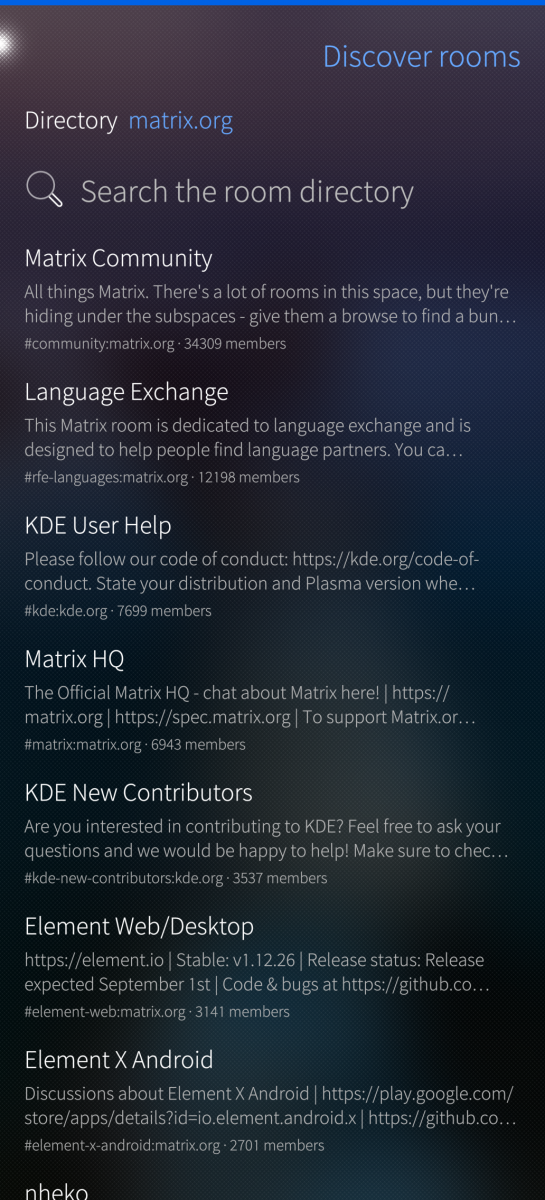
- Rooms, spaces (nested), direct chats, threads, room directory search
- Create rooms, invite, leave; member list and profiles with moderation
- Send, edit, delete, reply and paginate in encrypted rooms
- Search a conversation; the index stays on the device, the query never leaves it
- Formatted messages, written as well as read: bold, italic, struck through, underlined, monospace
- Polls: vote with a tap, take it back with another; create your own with several answers allowed or the results kept closed until the end. Only the creator can end a poll, and the app checks that itself
- Link previews, off by default: your homeserver fetches the page and the message shows its host, title and description. The setting says what the server learns and can limit previews to unencrypted rooms
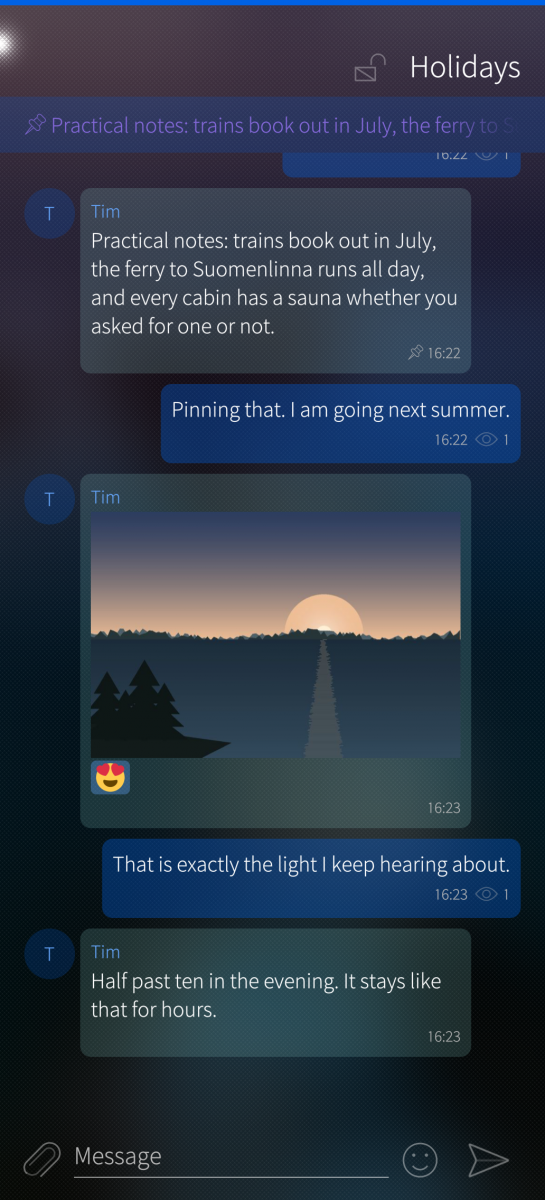
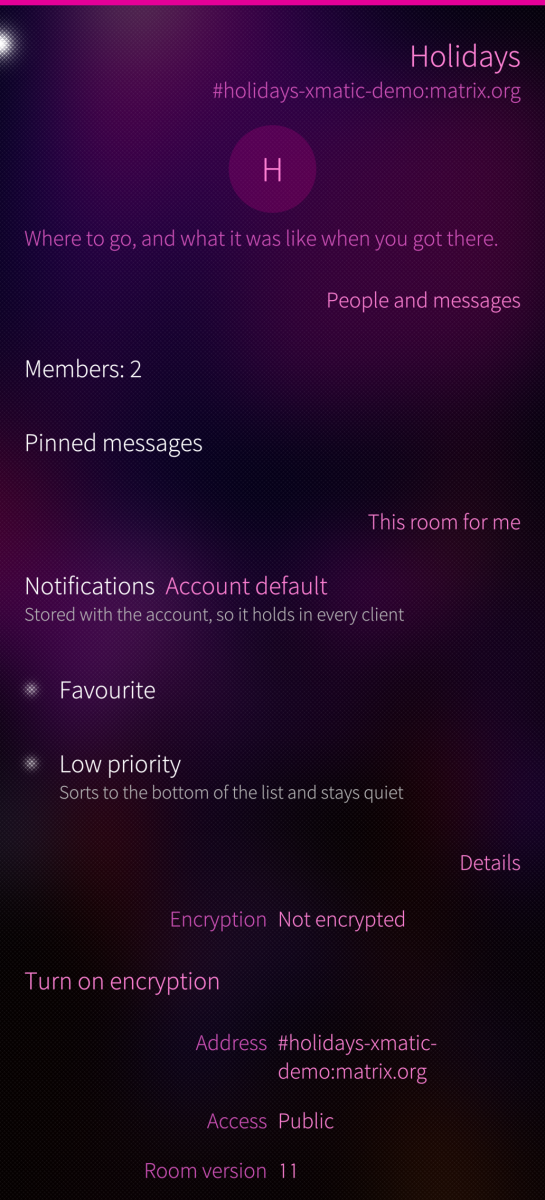
- Pinned messages, favourites, low priority, mute, ignore list
- A line marks where reading stopped, and who has read what
- Four coloured lines for backup, recovery, cross-signing and local storage
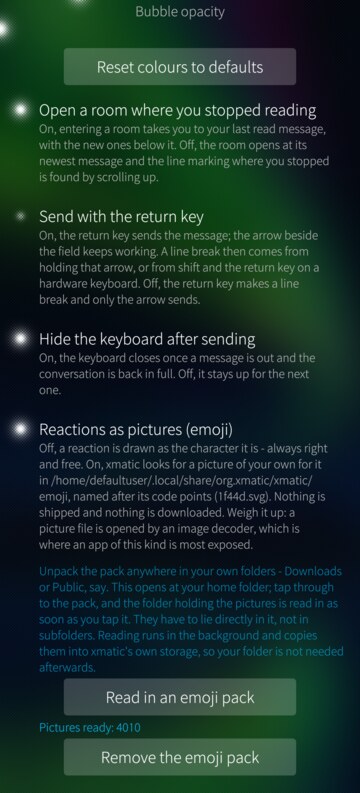
- Reactions from a picker whose first tab you fill yourself, as characters or as your own emoji pictures
- Pictures, files, sharing, share target from Gallery and file manager
- One picker for attachments, with the gallery and the file system side by side and several files at once
- Pictures are made smaller before they go out and lose their metadata with them, the place a photograph was taken included; the original resolution stays one tap away
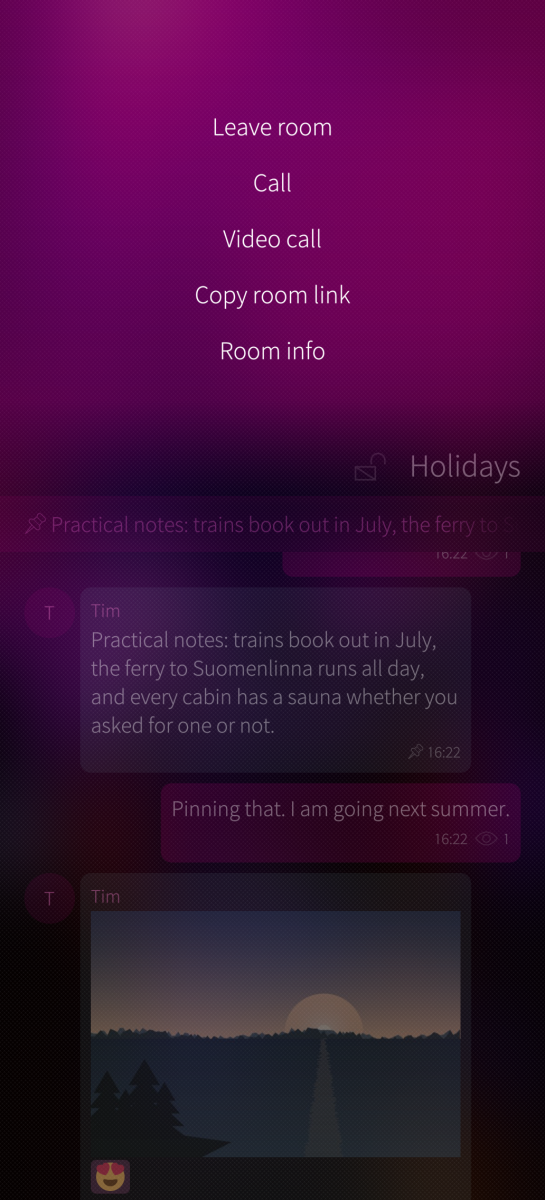
- Voice messages; voice and video calls (classic 1:1 VoIP)
- Notifications, offline send queue, encrypted local storage
- Optional push notifications, off by default
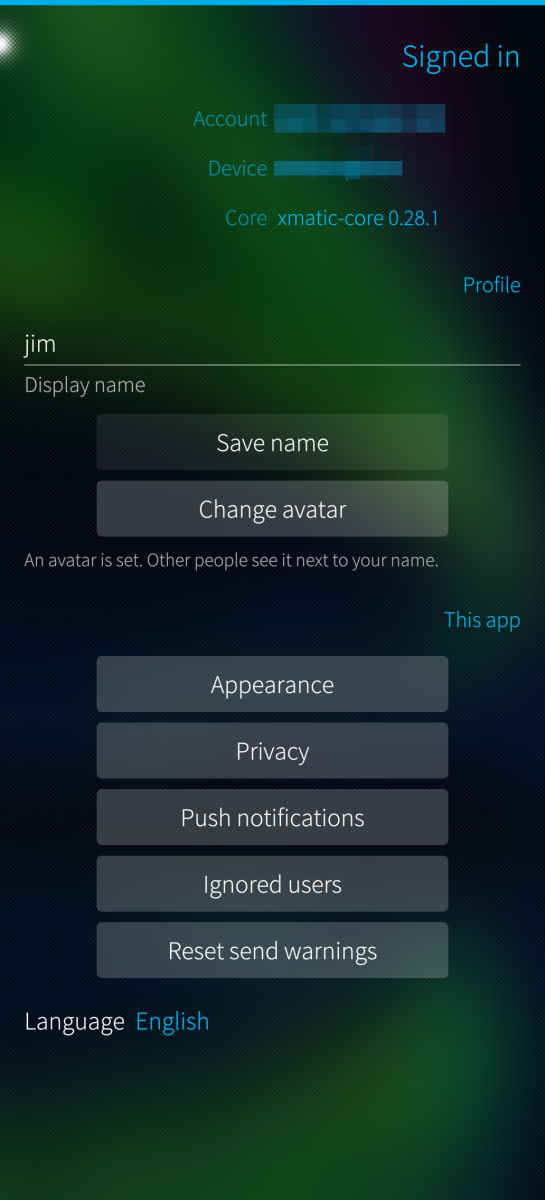
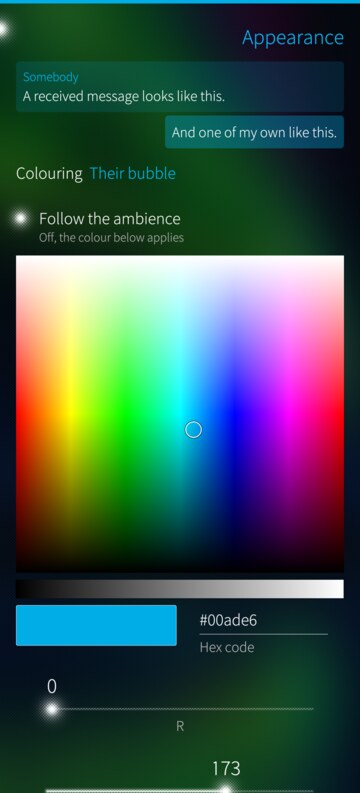
- Bubble and text colours of your own or the ambience's, the return key as send key, the keyboard's behaviour after sending
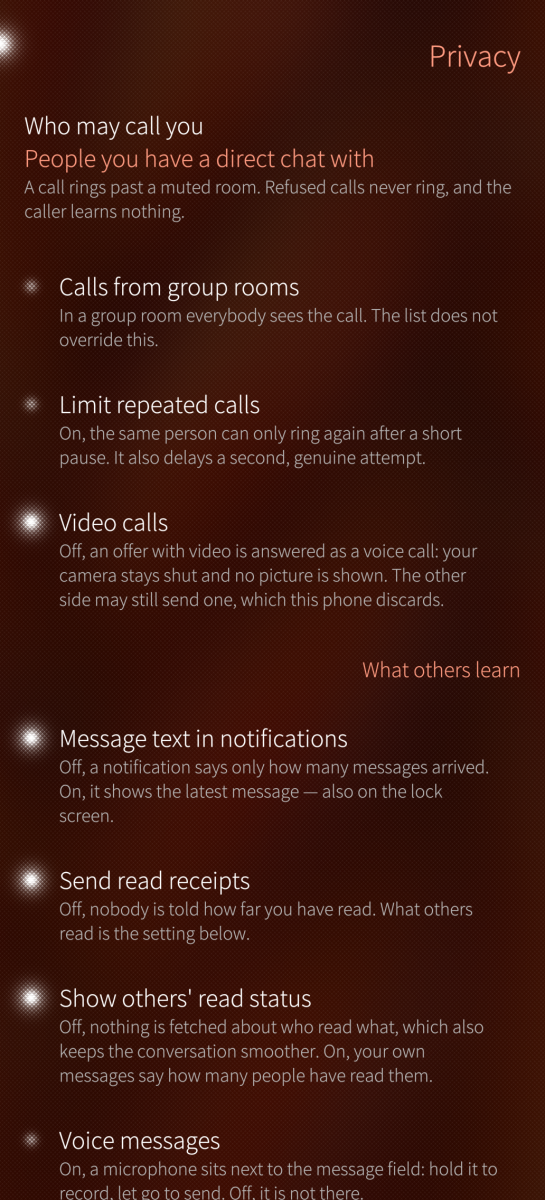
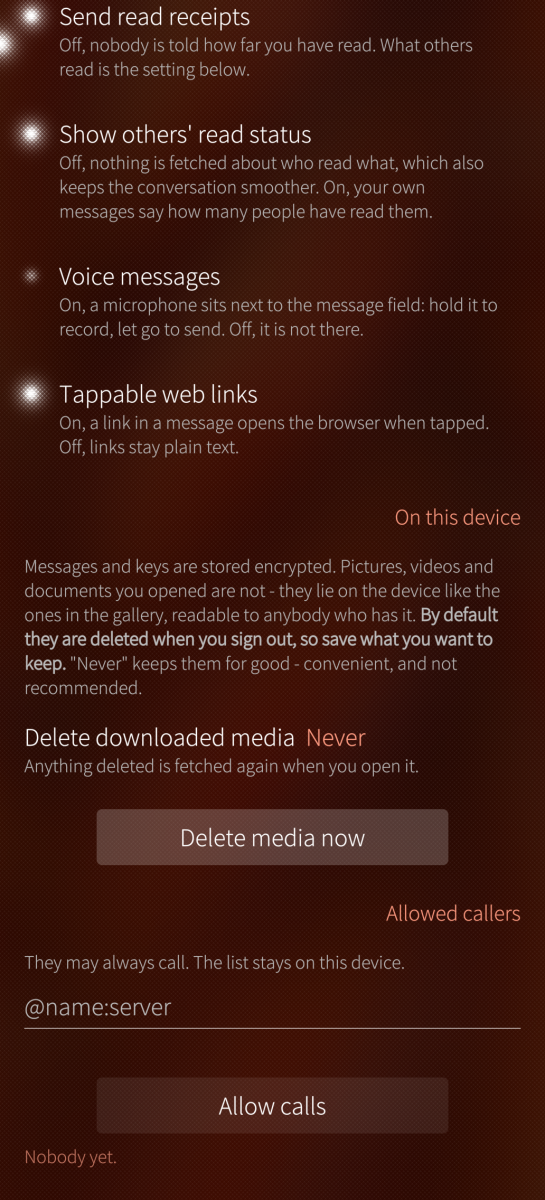
- One page for what others learn: read receipts, message text in notifications, who may call, when pictures load, when downloaded media is deleted again
- An error log to read and copy when something goes wrong
- OAuth (MAS), device-code and password sign-in
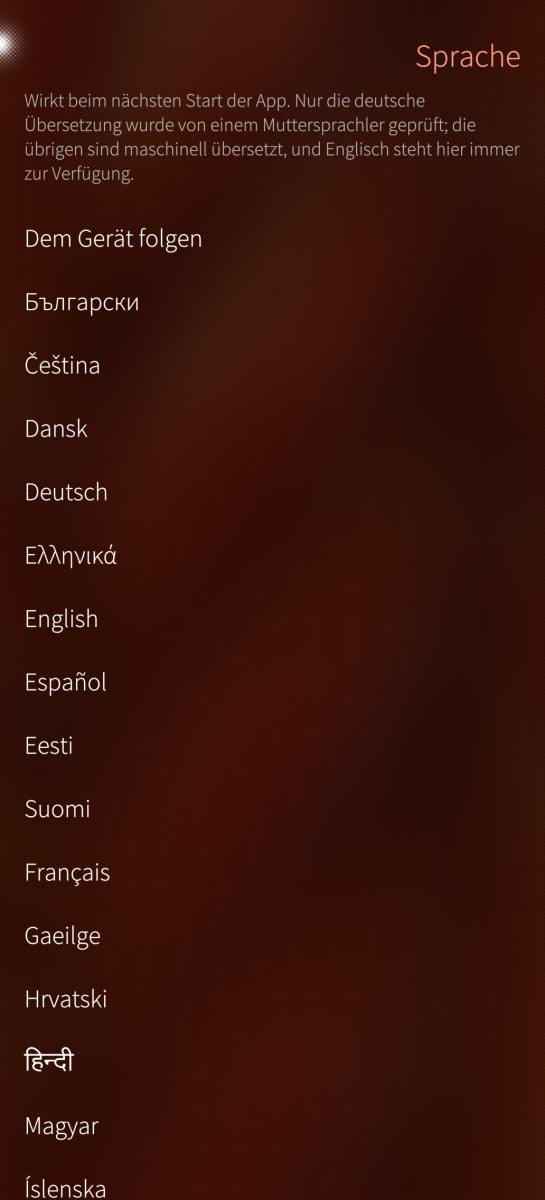
- 32 interface languages, switchable in the app
LANGUAGES
The 24 official languages of the European Union plus Russian, Norwegian,
Icelandic, Simplified Chinese, Hindi, Japanese, Persian and Arabic. German is the project language and
Norwegian came from a Norwegian speaker; the rest are machine translations,
usable but unchecked. The language is set in the app and applies at the next
start.
Corrections are welcome at the repository below: translations/harbour-xmatic-
<language>.ts, and translations/STATUS.md says which have been read.
LOCAL STORAGE
Session tokens and the message database are encrypted with a key from Sailfish
Secrets. Without that key service nothing is written at all: the app says what
is missing and how to install it. A database that predates the key can be
re-created encrypted from the encryption page, which costs one sign-out and
your recovery key.
WHY IS THE PACKAGE SO BIG?
The complete Matrix stack ships statically: matrix-rust-sdk, E2EE, sliding
sync, rustls, an HTTP runtime and SQLite. None of it exists as a system library
here, and Qt 5.6 is too old for the C++ alternatives. Installed ~60 MB,
RPM ~18 MB.
NO BACKGROUND DAEMON
Messages arrive while the app is running; the cover is enough. A closed app
does not receive, unless push notifications are switched on.
ARCHITECTURES
aarch64 (Sailfish OS 5.0+), armv7hl (Sailfish OS 4.6+).
REQUIREMENTS
Your homeserver must support simplified sliding sync (MSC4186), the same
mechanism Element X uses. To check, open
https://YOUR-SERVER/_matrix/client/versions
and look for "org.matrix.simplified_msc3575": true
ROOMS MISSING FROM THE LIST
Bridged chats missing, but visible in other clients with the same account?
Then your server does not support sliding sync completely: some hosted
services keep bridged rooms on a separate backend that their sliding sync
does not deliver, although the flag above is set. The SDK's room list has no
classic /sync fallback, so xmatic cannot show those rooms; clients built on
sliding sync show the same gap. Since 0.46.5 xmatic compares both counts
itself and says above the room list how many of your rooms arrive.
To check a server yourself, compare the rooms you are in with the count its
sliding sync reports (replace SERVER and TOKEN, never post the token):
curl -s -H "Authorization: Bearer TOKEN" https://SERVER/_matrix/client/v3/joined_rooms | jq '.joined_rooms | length'
curl -s -X POST -H "Authorization: Bearer TOKEN" -H "Content-Type: application/json" "https://SERVER/_matrix/client/unstable/org.matrix.simplified_msc3575/syn..." -d '{"lists":{"all":{"ranges":[[0,999]],"timeline_limit":0,"required_state":[]}}}' | jq '.lists.all.count'
If the second number is clearly lower (for example 318 and 14), the server
does not support sliding sync completely.
Sign-in: OAuth 2.0 / Matrix Authentication Service, device code, or username
and password on servers without OAuth. The SSO redirect (SAML, CAS) is not
supported.
AI assisted development; the protocol core is upstream matrix-rust-sdk.
Source, issues, releases:
https://github.com/JimKnopfIoT/harbour-xmatic
Screenshots:


Category:
Application versions:
| Attachment | Size | Date |
|---|---|---|
 harbour-xmatic-0.46.19-1.aarch64.rpm harbour-xmatic-0.46.19-1.aarch64.rpm | 20.22 MB | 21/10/2026 - 11:22 |
| harbour-xmatic-0.46.19-1.armv7hl.rpm | 20.73 MB | 21/10/2026 - 11:22 |
Changelog:
- Link previews: tapping the picture opens it in the image viewer - the copy
the card already holds, no second download; a long press opens the
message's menu. The card's picture may weigh at most 5 MiB.
Comments
UnhallowedBeThyName
Tue, 2026/10/13 - 22:39
Permalink
Issue created and log uploaded
UnhallowedBeThyName
Mon, 2026/10/12 - 01:35
Permalink
I've found video calls no longer seem to work, not sure if it was an app update or SFOS update as both occurred around the time i noticed.
Sad, i was stoked to finally have some thing that worked on my JP26 lol
JimKnopfIoT
Mon, 2026/10/12 - 11:20
Permalink
@UnhallowedBeThyName I can't reproduce it here: video calls work in both directions on a Jolla Phone 2026 with SFOS 5.2.0.18 and xmatic 0.46.5. Is the privacy switch / privacy mode enabled? It can disable the camera.
What exactly fails: no call at all, call without picture (on which side), or audio only?
If possible, a journal from the call: devel-su journalctl -f _COMM=harbour-xmatic > /tmp/call.log, start the call, stop with Ctrl+C after ~30 s. The camera driver floods the full journal within seconds, so the filter matters. Please open an issue on github and add the log. The log contains no addresses, IDs or tokens; feel free to look through it before sending.
UnhallowedBeThyName
Tue, 2026/10/13 - 21:22
Permalink
No, I don't really use the switch for now, but even then mine is only set to a silent mode toggle - has never been on when attempting calls or since it started.
It only fails when on data, a call on WIFI will go through just fine.
The UI goes from ringing, to connecting, then to connection lost as a notification, if i have the time later on i'll grab a log and open an issue : )
JimKnopfIoT
Sat, 2026/10/17 - 15:18
Permalink
This issue seems to be fixed in 0.46.16 ( https://github.com/JimKnopfIoT/harbour-xmatic/issues/11#issuecomment-6233051299 ).
ghazouani
Fri, 2026/10/09 - 11:53
Permalink
Hi,
I'm using xmatic 0.45.0-1 on a Fairphone 4 (Sailfish OS 5.1.0.11, aarch64). I'm trying to get push notifications working through Foghorn (UnifiedPush distributor) with ntfy as its push service, and the Matrix gateway https://matrix.gateway.unifiedpush.org/_matrix/push/v1/notify.
What works: registration. Foghorn registers xmatic on ntfy.sh, xmatic gets its endpoint, and a push reaches foghornd and wakes xmatic through the D-Bus service org.unifiedpush.Connector.xmatic while the app is closed.
What doesn't: no notification is shown when the app is closed. The journal showed two bugs in the wake-up process (src/pushwake.cpp), found one after the other:
1) It logged "local storage: store=plain session=none". The wake process uses a plain QCoreApplication, which doesn't know the organization/application name, so AppDataLocation points to an empty directory and it never finds the encrypted session.
2) After that it logged "push.notify failed: not signed in" and "push could not be fetched (not signed in)". The normal app calls matrix.restoreSession() from QML (qml/harbour-xmatic.qml), but the wake process has no QML and never restores the session.
Both are in src/pushwake.cpp only (nothing in the Rust core). A possible fix:
- before creating QCoreApplication: QCoreApplication::setOrganizationName("org.xmatic") and setApplicationName("xmatic"), the pair from the desktop file's [X-Sailjail] section
- call bridge.restoreSession(), and call bridge.refreshPushStatus() only once sessionChanged reports "signed-in", with an 8 second fallback timer so the generic "New message" banner still appears if the restore never completes
I've attached a patched pushwake.cpp with both changes as a reference. I couldn't build or test it, so please treat it as untested.
Could you please fix this and publish an update? I'm happy to test it and send you logs.
Thank you very much!
projectmoon
Fri, 2026/10/09 - 15:03
Permalink
The push implementation has been completed and fixed (I hope), as of 0.46.0.
kempertom
Mon, 2026/10/05 - 20:04
Permalink
Wonderful. Exactly what I ment....
kempertom
Mon, 2026/10/05 - 17:03
Permalink
I am using an Xperis 10 III. It has a narrow display so that wider bubbles would help. Bubbles now squeeze the text so that long words are splitted in two or more lines without sense
JimKnopfIoT
Mon, 2026/10/05 - 19:05
Permalink
@kempertom I added this feature as an option in 0.43. Have a look in Account/Appearance, the very first dropdown menu on top.
kempertom
Mon, 2026/10/05 - 16:51
Permalink
I would move to have wider textbubbles or the possibility to switch off bubbles, so that there are different colored lines instead of bubbles (like Element had)
JimKnopfIoT
Mon, 2026/10/05 - 17:01
Permalink
@kempertom You can already change the textcolor for your own text, text of others, bubble color and opacity in Account/Appearance.
Branja
Sun, 2026/10/04 - 15:09
Permalink
Is there any way to use the app if the device isn't encrypted?
JimKnopfIoT
Sun, 2026/10/04 - 15:38
Permalink
Yes. You can use xmatic without Sailfish's home encryption.
It encrypts its own storage and keeps the key in the system's secrets service. That needs two things:
1. A device lock code: Settings › Device lock. The secrets service unlocks with it at start-up, and without one it stays locked.
2. The secrets service installed (sailfishsecretsdaemon and its plugins). The package pulls these in.
Branja
Sun, 2026/10/04 - 16:29
Permalink
https://imgur.com/a/2Q2FAyB
I got to this page at one point (not sure how), but it didn't allow me to press the checkmark icon.
Branja
Sun, 2026/10/04 - 16:24
Permalink
harbour-xmatic
[I] unknown:0 - xmatic: secrets daemon reachable: 1
[I] unknown:0 - xmatic: no store key yet (10: Collection xmatic in plugin org.sailfishos.secrets.plugin.encryptedstorage.sqlcipher is owned by a different application), creating one
[W] unknown:0 - xmatic: secrets storage unavailable (10: Collection xmatic in plugin org.sailfishos.secrets.plugin.encryptedstorage.sqlcipher is owned by a different application); daemon installed: 1
[W] unknown:0 - xmatic: no store key (state 3, daemon installed: 1): Collection xmatic in plugin org.sailfishos.secrets.plugin.encryptedstorage.sqlcipher is owned by a different application
[I] unknown:0 - xmatic: audio codecs offered: audio/vorbis,audio/speex,audio/PCM,audio/FLAC,audio/opus
[I] unknown:0 - xmatic: recorder levels available
[I] unknown:0 - xmatic: xmatic-core 0.42.1
[D] unknown:0 - Using Wayland-EGL
[W] NemoConfigurationValuePlugin::registerTypes:52 - org.nemomobile.configuration import is deprecated. Suggest migrating to Nemo.Configuration
[I] unknown:0 - xmatic: local storage: store=plain session=none key=missing
[I] unknown:0 - xmatic: no store key yet (10: Collection xmatic in plugin org.sailfishos.secrets.plugin.encryptedstorage.sqlcipher is owned by a different application), creating one
[W] unknown:0 - xmatic: secrets storage unavailable (10: Collection xmatic in plugin org.sailfishos.secrets.plugin.encryptedstorage.sqlcipher is owned by a different application); daemon installed: 1
[I] unknown:0 - xmatic: local storage: store=plain session=none key=missing
JimKnopfIoT
Sun, 2026/10/04 - 17:47
Permalink
Branja Looks like there are two separate things.
1. The "Authorize" page is the system's secrets service, not xmatic. It asks for your device lock code. If no lock code is set, there's nothing to enter and the checkmark stays disabled. Please set one in Settings › Device lock and restart the device.
2. "Collection xmatic … is owned by a different application" means the key store was first created by xmatic running under a different identity, most likely started outside the sandbox (e.g. from a terminal). The sandboxed app isn't allowed to touch it. Did you ever start harbour-xmatic from a terminal or with sandboxing disabled?
Branja
Sun, 2026/10/04 - 18:15
Permalink
https://imgur.com/a/RGjDvwa The device lock was set a long time ago.
I did try to start the app from the terminal so I could show you what's happening. Is there something I need to delete in order to try again (I deleted the app's config, cache, and local/share folders already)?
JimKnopfIoT
Sun, 2026/10/04 - 18:48
Permalink
1. Did you start xmatic from the terminal as defaultuser or as root (devel-su)?
2. If Settings › Keys shows a master lock with its own code, unlock it there and remove that code.
Then reboot either way.
3. After the reboot, start xmatic from the icon, not from a terminal and not as root. If you get to the login page, you're done.
4. If not, open a terminal and run as root journalctl -f | grep xmatic, then tap the xmatic icon. If the output says "owned by a different application", remove the collection as root in a terminal:
devel-su
pkcon install sailfishsecrets-tool
secrets-tool --delete-collection org.sailfishos.secrets.plugin.encryptedstorage.sqlcipher xmatic
Then start xmatic from the app grid again. If it says something else, please send me those lines plus your device and Sailfish OS version.
Branja
Sun, 2026/10/04 - 19:21
Permalink
1) I started the app as a defaultuser, not as root
2) I don't have that option in the settings menu, even after installing everything you suggested
3) Nothing happened since I didn't do anything in step 2
4) Here's the journalctl output: [root@Miami defaultuser]# journalctl -f | grep xmatic
Oct 04 18:10:35 Miami invoker[8599]: warning: enforcing sandboxing for '/usr/bin/harbour-xmatic'
Oct 04 18:10:36 Miami harbour-xmatic[8755]: [I] unknown:0 - xmatic: secrets daemon reachable: 1
Oct 04 18:10:37 Miami harbour-xmatic[8755]: [I] unknown:0 - xmatic: no store key yet (11: Password Agent was unable to verify the authenticity of the user), creating one
Oct 04 18:10:37 Miami harbour-xmatic[8755]: [W] unknown:0 - xmatic: secrets storage unavailable (11: Password Agent was unable to verify the authenticity of the user); daemon installed: 1
Oct 04 18:10:37 Miami harbour-xmatic[8755]: [W] unknown:0 - xmatic: no store key (state 3, daemon installed: 1): Password Agent was unable to verify the authenticity of the user
Oct 04 18:10:37 Miami harbour-xmatic[8755]: [I] unknown:0 - xmatic: audio codecs offered: audio/vorbis,audio/speex,audio/PCM,audio/FLAC,audio/opus
Oct 04 18:10:37 Miami harbour-xmatic[8755]: [I] unknown:0 - xmatic: recorder levels available
Oct 04 18:10:37 Miami harbour-xmatic[8755]: [I] unknown:0 - xmatic: xmatic-core 0.42.1
Oct 04 18:10:37 Miami harbour-xmatic[8755]: [D] unknown:0 - Using Wayland-EGL
Oct 04 18:10:37 Miami harbour-xmatic[8755]: [W] NemoConfigurationValuePlugin::registerTypes:52 - org.nemomobile.configuration import is deprecated. Suggest migrating to Nemo.Configuration
Oct 04 18:10:38 Miami harbour-xmatic[8755]: [I] unknown:0 - xmatic: local storage: store=plain session=none key=missing
Oct 04 18:10:42 Miami harbour-xmatic[8755]: [I] unknown:0 - xmatic: no store key yet (11: Password Agent was unable to verify the authenticity of the user), creating one
Oct 04 18:10:42 Miami harbour-xmatic[8755]: [W] unknown:0 - xmatic: secrets storage unavailable (11: Password Agent was unable to verify the authenticity of the user); daemon installed: 1
Oct 04 18:10:42 Miami harbour-xmatic[8755]: [I] unknown:0 - xmatic: local storage: store=plain session=none key=missing
4.1) Here's what it says after I tried removing it as root: [root@Miami defaultuser]# secrets-tool --delete-collection org.sailfishos.secrets.plugin.encryptedstorage.sqlcipher xmatic
QStandardPaths: XDG_RUNTIME_DIR not set, defaulting to '/tmp/runtime-root'
QStandardPaths: XDG_RUNTIME_DIR not set, defaulting to '/tmp/runtime-root'
Error: Sailfish::Secrets::Result::ErrorCode(PermissionsError) "Collection xmatic is owned by a different application"
The device is a Motorola Edge 30 Neo (Miami), and it's running the latest publicly available SFOS (5.1.0.11).
JimKnopfIoT
Mon, 2026/10/05 - 10:06
Permalink
@Branja Thanks for the device and the port name, that turned out to be the key. Once I knew it was the VerdandiTeam port for the Edge 30 Neo, I could look at its device configuration and the port thread instead of guessing.
I found out, that in June, a user in the port thread reported that pkexec doesn't work on this port. It goes through the same check. That points at the port rather than xmatic.
The step that fails is the system's authorization check (polkit). After every reboot the secrets service asks it to confirm your lock code, and on your device it refuses. That's the "Authorize" screen without a keypad.
Quick test, as defaultuser: pkexec bash. If that fails as well, please add your report to the port thread, so the maintainer sees that it also affects apps using the secrets service:
https://forum.sailfishos.org/t/motorola-edge-30-neo-port-from-verdandite...
I noticed that you also have a problem in Fernschreiber. It is likely that this problem stem from the same root cause, one layer down on your port. Both apps depend on a system service reaching them across the Sailjail sandbox:
xmatic needs secretsd, which unlocks only through the polkit "Authorize" dialog. On your device that
dialog fails with error 11.
Fernschreiber's notification calls the D-Bus name de.ygriega.fernschreiber. If the running instance does not own that name, D-Bus starts a new instance from the app's service file. That is exactly what your screenshot shows.
Branja
Sun, 2026/10/04 - 16:03
Permalink
I do have a lock code set and have installed sailfish-components-secrets-ui-0.1.9-1.3.6.jolla.aarch64 package, but it's not working for me. Well, it's not a problem. Thank you for the swift response.
MrHappy
Mon, 2026/09/28 - 14:57
Permalink
On the account-page (in the app) I get `no relay available: deserialization failed: missing field 'username' at line 1 column 2` at the bottom.
What causes this message (and how can I resolve this)?
JimKnopfIoT
Mon, 2026/09/28 - 15:37
Permalink
Harmless — your homeserver has no TURN (relay) server configured and answers the relay query with an empty object; xmatic reads that as an error and shows it on the account page. Chats are unaffected. Calls work on the same network, but between two devices behind NAT they may connect without audio. Server side: set up coturn and turn_uris/turn_shared_secret in Synapse. Client side: the next release treats "no relay configured" as a normal answer and no longer shows it.
In the next release, xmatic treats a homeserver without a TURN relay as "no relay configured" rather than as an error, so this message no longer appears; calls behave exactly as before, only without the relay.
MrHappy
Mon, 2026/09/28 - 17:02
Permalink
Thanks for the detailed answer :).
I will have a look at it, see if it is of any use to me.
MrHappy
Thu, 2026/09/17 - 16:50
Permalink
This looks great and works fine.
I do however have a question; which emojipack would youy recommend (link perhaps)?
Now I have a pack imported, but the emoji's with fingers/hands (thumbs up i.e.) are mostly black instead of yellow).
JimKnopfIoT
Thu, 2026/09/17 - 18:33
Permalink
I personally use the twemoji set. Just unzip to your Downloads folder and select this folder in xmatic Account/Appearance. You also have to enable "Reactions as pictures (emoji). It's right above the "Read in an emoji pack" button.
MrHappy
Fri, 2026/09/18 - 15:14
Permalink
Thanks.
I had a noto emoji-pack, that worked except for the colors on (i.e.) the thumbs-up. Twemoji looks better in that regard (didn't check the others yet)
kaulian
Wed, 2026/09/02 - 07:21
Permalink
Hello, Same revsiew for me about the new message action page for me
Sharks
Wed, 2026/09/02 - 05:22
Permalink
Thanks for continuing to develop this app.
Unfortunately, the latest update, which moves message actions to a new page rather than a context menu, has broken reactions. Selecting the react option just takes you back to the conversation without being asked for an emoji to react with.
On a personal note, I prefer the previous UI despite the drawbacks documented in the changlog. It's harder to choose what you want to do with the message (reply, react, forward, delete, etc.) when you can't see it onscreen
Pages