
harbour-shadowline


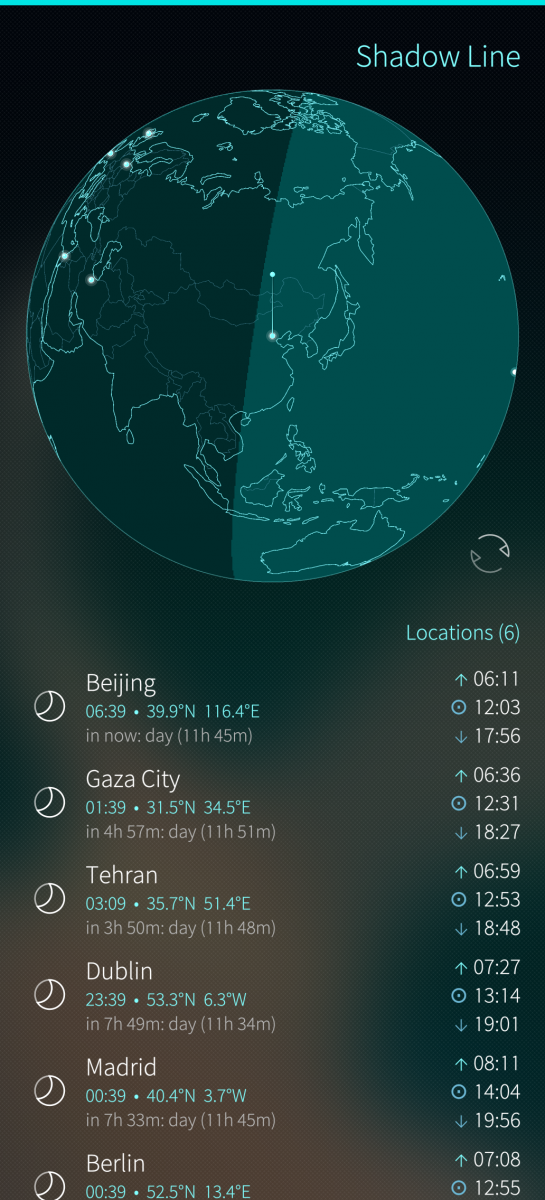
Shadow Line is an interactive globe viewer for Sailfish OS that shows the real-time day/night terminator across Earth. See at a glance where the sun is shining and where darkness has fallen.
Device Support
Known to work:
- Xperia X (armv7hl)
- Xperia 10 III (aarch64)
- Jolla C2 (aarch64)
- Jolla Phone 2026 (aarch64)
Features:
- Interactive 3D globe with coastlines, country borders, and the sun's position
- Real-time day/night shading — the terminator line updates continuously
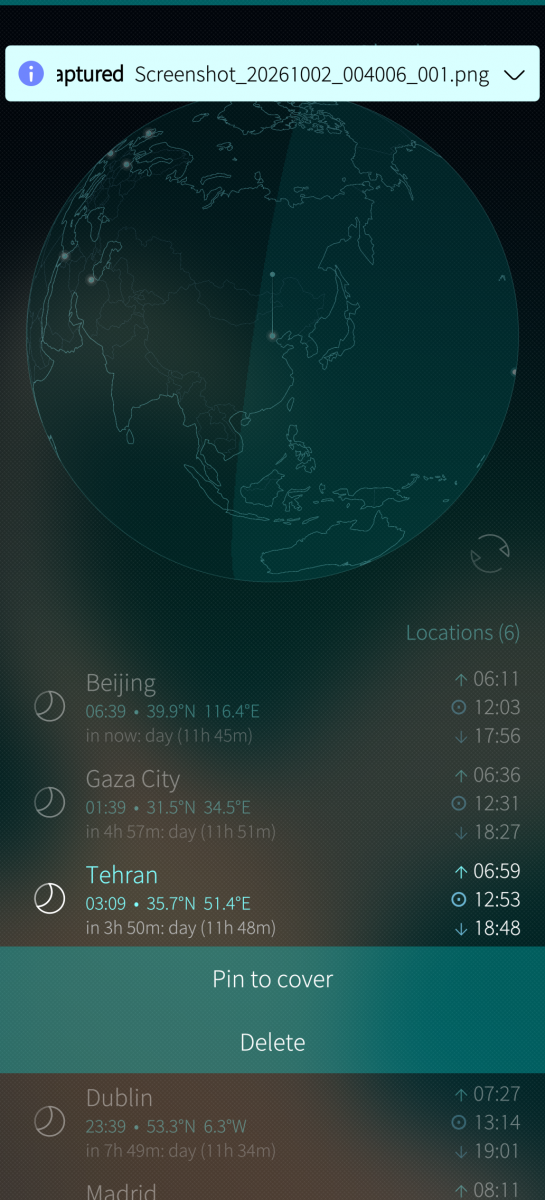
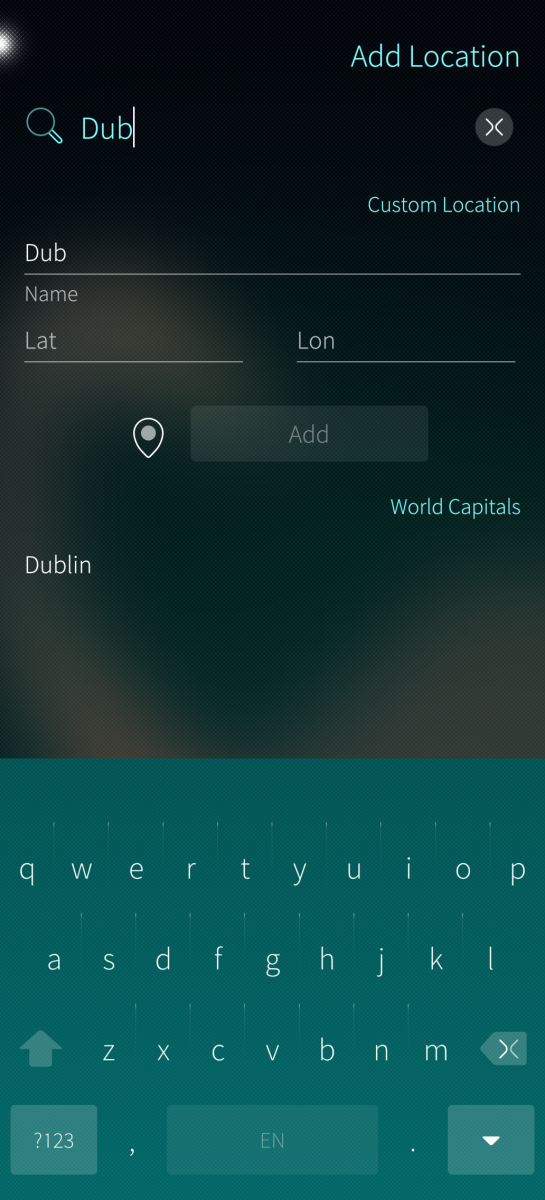
- Add locations from a built-in list of world capitals or enter custom coordinates (including GPS)
- Sunrise and sunset times for each saved location, refreshed every minute
- Tap a location to fly the globe to it; drag to spin freely
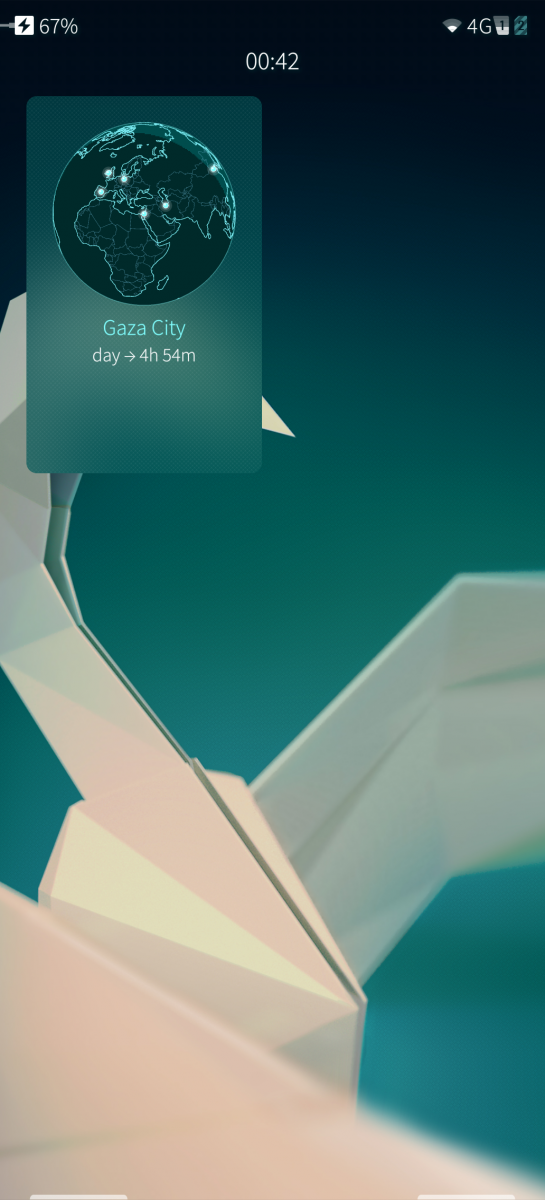
- Cover page shows a mini globe with a countdown to the next sunrise or sunset for a pinned location
- Polar day and polar night detection
- Solar calculations based on the NOAA Solar Calculator algorithm (±1 minute accuracy)
Source: https://github.com/i-love-coffee-i-love-tea/harbour-shadowline
Screenshots:
Category:
Application versions:
| Attachment | Size | Date |
|---|---|---|
 harbour-shadowline-1.0.0-1.i486.rpm harbour-shadowline-1.0.0-1.i486.rpm | 149.23 KB | 02/10/2026 - 02:00 |
| harbour-shadowline-1.0.0-1.aarch64.rpm | 149.83 KB | 02/10/2026 - 02:00 |
| harbour-shadowline-1.1.0-1.i486.rpm | 195.23 KB | 03/10/2026 - 07:32 |
| harbour-shadowline-1.1.0-1.aarch64.rpm | 193.75 KB | 03/10/2026 - 07:32 |
| harbour-shadowline-1.2.0-1.i486.rpm | 204 KB | 03/10/2026 - 15:28 |
| harbour-shadowline-1.2.0-1.aarch64.rpm | 203.02 KB | 03/10/2026 - 15:28 |
| harbour-shadowline-1.2.1-1.i486.rpm | 204.13 KB | 03/10/2026 - 17:04 |
| harbour-shadowline-1.2.1-1.aarch64.rpm | 203.17 KB | 03/10/2026 - 17:04 |
| harbour-shadowline-1.2.2-1.i486.rpm | 204.21 KB | 03/10/2026 - 21:00 |
| harbour-shadowline-1.2.2-1.armv7hl.rpm | 201.3 KB | 03/10/2026 - 21:00 |
| harbour-shadowline-1.2.2-1.aarch64.rpm | 202.93 KB | 03/10/2026 - 21:00 |
Changelog:
v1.2.2
- Fix globe rendering on Xperia X and Xperia 10 III (SFOS < 5.2)
- Improve shader precision and alpha blending for Adreno 3xx/5xx GPUs
- Fix required permission list to only ask for Location permission
v1.2.1
- Fixed location editing to properly persist changes to the database
v1.2.0
- Custom locations auto-detect timezone from coordinates using a bundled timezone boundary grid (IANA database, 0.5-degree resolution)
- UTC offset picker and DST toggle for manual timezone adjustment when adding custom locations
Comments
MartiMasa
Sat, 2026/10/03 - 22:50
Permalink
Thank you, this seems to be best world clock app I have ever seen! Awesome. A few recommendations: the default city list is too small, so it would be good to increase it. Of course I'm happy to do it manually but it's a lot of work. Could we help you with it by contributing to the list on your Github site? Also, there seems to be additional space for adding/pinning at least 2 more cities to the cover. It would be nice. If this app develops further, O could imagine more information such as currency at different places or other useful info.
skremsler
Mon, 2026/10/05 - 03:26
Permalink
Hey! Yes, contributions are welcome. No guarantee for inclusion though. A more complete city list is definitely something it should have. Pinning more cities is something I thought of too. I will implement both eventually. Currencies, I don't know - maybe. Your idea of adding other information made me think about it. While it could be nice to have more info, like emergency numbers or something, I don't know if I want to have to maintain that.
rgsidler
Sat, 2026/10/03 - 19:30
Permalink
Nice app - though I'd prefer a European source for Solar calculations instead of NOAA.
skremsler
Sat, 2026/10/03 - 20:12
Permalink
Thanks for your comment. Could you explain why you would want that? All data is computed on device - it doesn't make calls to NOAA. It's just their algorithm, if that is why you're asking.
wpeberg
Fri, 2026/10/02 - 17:20
Permalink
I also like the app very much. Would be useful to be able to edit llocatiions once they are in the listt. In my case adding lat/long of Barcelona gives me the wrong time (2 hours less)
skremsler
Sat, 2026/10/03 - 17:06
Permalink
Thanks for your comment. I implemented a timezone finding algorithm for custom coordinates. Verson 1.2.1 should fix your timezone problem and also allows to edit existing locations.
projectmoon
Fri, 2026/10/02 - 10:29
Permalink
Looks very pretty, and very convenient to look at multiple clocks! However, there is something seriously wrong with rendering of the globe. Moving it around is very jittery, and the app easily skyrockets to 100% CPU or more (multiple cores I guess). It seems like there is some intense computation (which itself can probably be optimized) being done on GUI thread. The app also crashed, then managed to crash the system UI somehow after restarting it.
Love the design, though, and will definitely replace the worldclocks app with this once it doesn't eat the CPU! This is on the Jolla Phone 2026.
skremsler
Sat, 2026/10/03 - 15:16
Permalink
Thanks for reporting. I would expect this on older phones, but not on the JP26.
It's resource intesitive because it's just canvas based rendering in QML. I was trying to keep it simple and on my JP26 it runs smoothly enough after some optimizations, although at the edge of what is pleasant.
With version 1.1.0 I migrated to GLES. That should fix any performance issues.
PS: nice list of apps you got there. Haven't used KeePassRX yet, but I'm glad you made it.