
Owlfish


Night light and extra dim for Sailfish OS.
Easier on the eyes in the evening: Owlfish tints the display warmer and can make it darker than its lowest brightness, like Android's Night Light and Extra Dim in one.
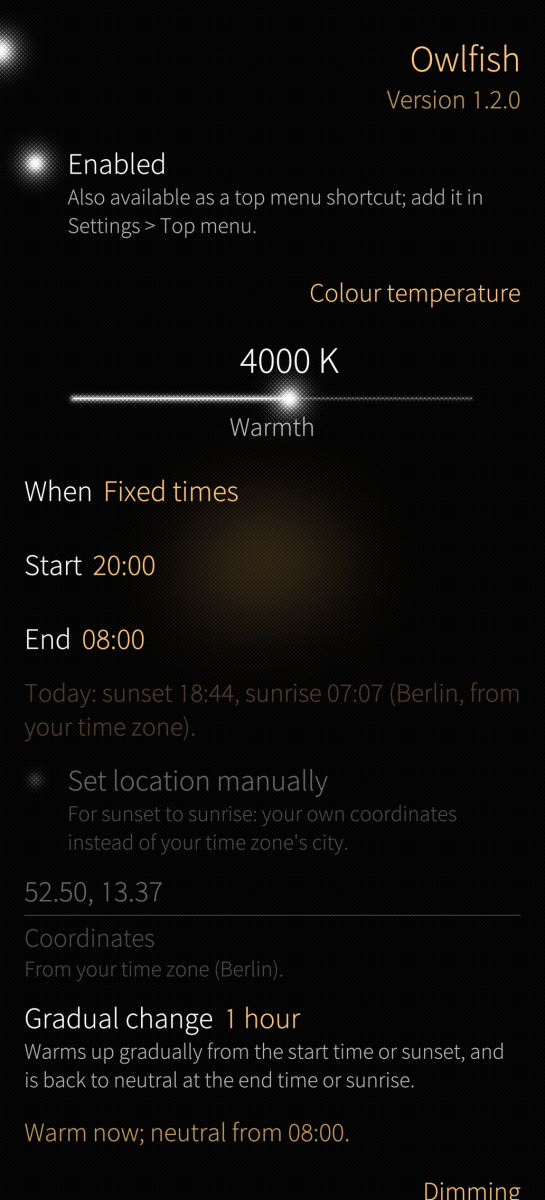
- Night light: warmth from no tint (6500 K) down to no blue at all (1900 K), all the time, between fixed times, or from sunset to sunrise, with a gradual change. Less saturation, down to grey, for bedtime.
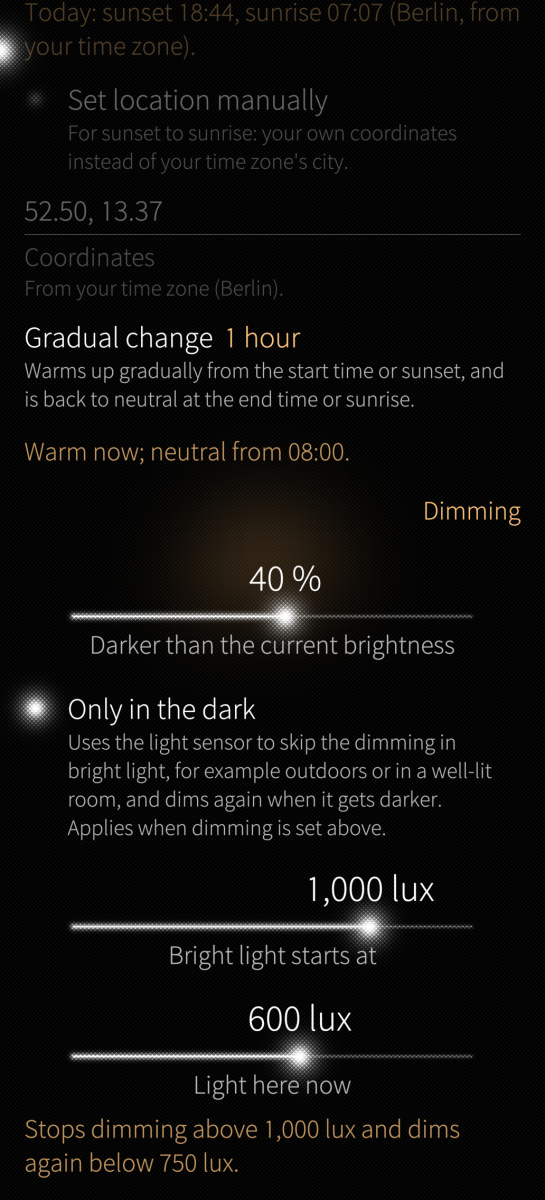
- Dimming on top of the current brightness, by up to 75 %, all the time, between fixed times or with Night light, optionally only in the dark: the light sensor turns it off in bright light.
- Colour correction for red-, green- or blue-weak vision, or greyscale, all day.
- One switch, in Settings and as a top menu shortcut.
Black stays black: the filter multiplies each colour channel instead of laying a grey overlay on top.
On the Jolla Phone (2026) the display hardware applies the filter, so animations stay as smooth as without it. On Xperia devices it can too, with the optional add-on owlfish-qualcomm (a separate app here on OpenRepos). Other devices draw the filter with the graphics processor; the saturation and the colour correction need one that supports it (most do).
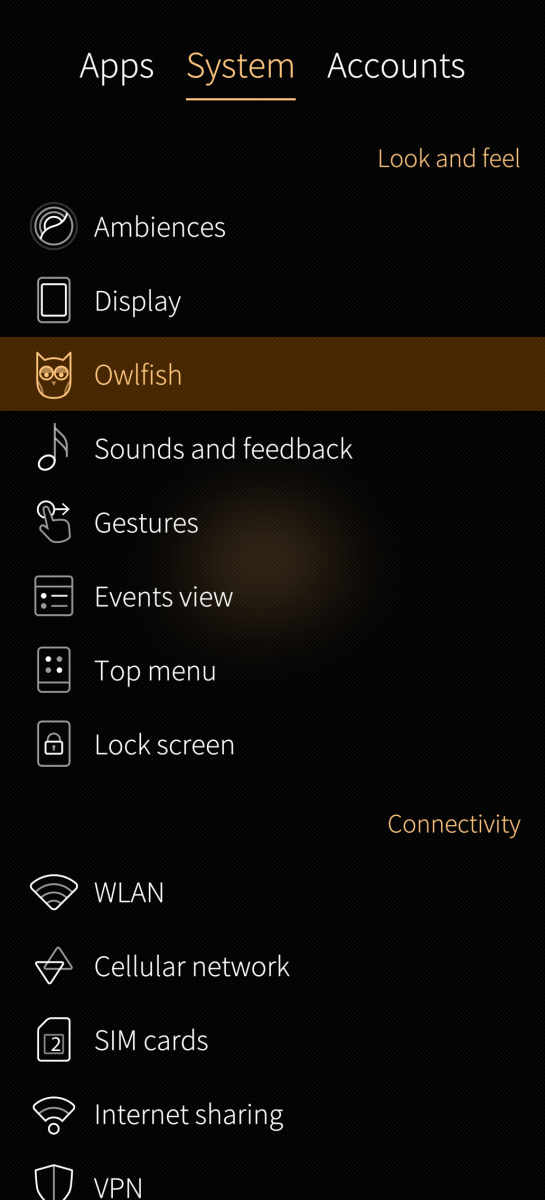
After installing or upgrading, restart the phone. The home screen only loads Owlfish when it starts. Then open Settings > Owlfish.
Found a problem? Pull down the settings page and tap Report a bug.
Tested devices: https://github.com/ccontino84/owlfish#tested-on
Source, documentation and issues: https://github.com/ccontino84/owlfish License: LGPL-2.1-only. Written with an AI coding assistant (Claude); designed, reviewed and tested on real devices by the author.
Screenshots:
Category:
Application versions:
| Attachment | Size | Date |
|---|---|---|
 owlfish-1.2.0-1.aarch64.rpm owlfish-1.2.0-1.aarch64.rpm | 1.34 MB | 01/10/2026 - 21:19 |
| owlfish-1.2.0-1.armv7hl.rpm | 1.33 MB | 01/10/2026 - 21:19 |
| owlfish-1.3.0-1.aarch64.rpm | 1.36 MB | 03/10/2026 - 13:46 |
| owlfish-1.3.0-1.armv7hl.rpm | 1.34 MB | 03/10/2026 - 13:46 |
| owlfish-1.3.1-1.aarch64.rpm | 1.44 MB | 04/10/2026 - 18:26 |
| owlfish-1.3.1-1.armv7hl.rpm | 1.42 MB | 04/10/2026 - 18:26 |
| owlfish-1.4.0-1.aarch64.rpm | 1.51 MB | 06/10/2026 - 20:58 |
| owlfish-1.4.0-1.armv7hl.rpm | 1.49 MB | 06/10/2026 - 20:58 |
| owlfish-1.5.0-1.aarch64.rpm | 2.13 MB | 17/10/2026 - 12:57 |
| owlfish-1.5.0-1.armv7hl.rpm | 2.08 MB | 17/10/2026 - 12:57 |
Changelog:
Changelog: 1.5.0
- Xperia devices: with the new, optional owlfish-qualcomm package, the display hardware applies the filter, as on the Jolla Phone, instead of the graphics processor. Screenshots no longer include the tint. Owlfish checks the hardware at every start and uses the graphics processor if the check fails. Without the package nothing changes.
Changelog: 1.4.0
- New Accessibility section with colour correction: Red-weak (protan), Green-weak (deutan) and Blue-weak (tritan) make colours that are hard to tell apart differ in brightness, with a Strength slider (for red- and green-weak, how strong the weakness is). Greyscale shows everything in shades of grey, all day. The correction works on the same devices as Saturation and applies all the time, also outside Night light's hours.
- Report a bug from the settings page's pull-down menu: it opens GitHub's bug report form in the browser with your Sailfish OS version and Owlfish's diagnostics filled in.
- Reset to defaults, also in the pull-down menu: every setting back to its default, including hidden ones.
- "Only in the dark" can now be set as low as 1 lux (was 100), for dimming only in a really dark room: new steps 1, 10 and 50 lux.
Changelog: 1.3.1
- Saturation now works on other devices too, not only the Jolla Phone (tested on the Xperia 10 III). The graphics processor desaturates the screen while Saturation is below 100 %; at 100 % nothing changes. Devices whose graphics processor can't do it keep the slider greyed out.
- The display hardware is recognised by what it is, not by the phone's model name, so future devices with the same hardware as the Jolla Phone use it too.
Changelog: 1.3.0
- Bedtime: a new Saturation slider in Night light fades the colours down to grey (0 %). It follows Night light's schedule and gradual change together with the warmth, so the screen turns a warm grey at night. Jolla Phone only: other devices can't change the saturation.
- Dimming can have its own schedule: all the time (as before), fixed times, or with Night light's times. It switches on and off at the start and end, without a gradual change. "Only in the dark" still applies on top.
- Tidier settings page: the sections are now "Night light" and "Dimming". Options appear only when the choice above them needs them; what your phone can't do is greyed out, with the reason.
Changelog: 1.2.0
- Jolla Phone: the display hardware applies the filter instead of the graphics processor, so animations stay smooth (90 fps instead of about 80). Screenshots no longer include the tint.
- "Only in the dark" is more reliable: it no longer stays dimmed in bright light after being switched on, or after the home screen restarts.
- The light threshold slider ends at the most your phone's sensor can measure (about 2200 lux on the Jolla Phone).
- For bug reports: double-tap the title of the settings page, tap Copy and paste the text into the report.
Changelog: 1.1.1
- Safer on devices that load their own Qt plugins the same way (for example the PineTab2): Owlfish stays inactive instead of switching off the device's plugins, and the installer prints a warning.
- The settings page shows the running version, and a warning when Owlfish isn't running: not supported on this device, restart needed, or turned off after the home screen failed to start (with a Reset button).
Changelog: 1.1.0
- Night light can follow the sun: "When" offers all the time, fixed times, or sunset to sunrise.
- Sunset and sunrise are calculated on the phone for your time zone's city, with no location services or network, or for coordinates you type. Under the midnight sun the colour stays neutral; in polar night it stays warm all day.
Changelog: 1.0.0
- First release: warm tint (6500 K to 1900 K) and extra dimming (up to 75 %), optionally only at night (fixed times) and only in the dark (light sensor), with one switch in Settings and the top menu.
Comments
duskull
Mon, 2026/10/05 - 12:24
Permalink
This app is like a gem in my opinion, makes looking at my display so much easier on my eyes during night time, thank you!!
klampfenfreak
Sun, 2026/10/04 - 21:44
Permalink
I adjusted my local copy to fit my needs: I lowered the minimum of the "Bright light starts at" threshold from 100 lux to 1 lux (in the settings page and in the plugin), so the dimming now only applies in near-darkness. It works well for me. Thanks again for the nice app!
ckonte
Tue, 2026/10/06 - 21:02
Permalink
Thank you for the feedback! In version 1.4.0 the threshold starts from 1 lux like you suggested
klampfenfreak
Sun, 2026/10/04 - 20:20
Permalink
Oh, I've got it working again, there was a button for a reset on the settings page, and after a reboot, everything's working fine. Thank you very much for your efforts.
ckonte
Sun, 2026/10/04 - 21:43
Permalink
Good to hear that it works again!
Yeah whenever you update you need to restart lipstick or reboot, but to be honest it never happened to me that it crashed. Worst case it was still running the old version..
klampfenfreak
Sun, 2026/10/04 - 20:16
Permalink
Sorry for double posting. Unfortunately, the new version didn't work too.
klampfenfreak
Sun, 2026/10/04 - 20:15
Permalink
version 1.3.1
status crash-guard
renderer none (crash-guard)
device jp2601, verified
display hardware not checked
klampfenfreak
Sun, 2026/10/04 - 20:12
Permalink
version 1.3.0
status crash-guard
renderer none (crash-guard)
device jp2601, verified
display hardware not checked
klampfenfreak
Sat, 2026/10/03 - 22:06
Permalink
Not working on 5.2.0.18 anymore? Or do I have to remove and installing it again, please?
ckonte
Sun, 2026/10/04 - 16:35
Permalink
Can you double tap on the header in the settings (where you see the version) and paste the diagnostics text here?
windes
Sat, 2026/10/03 - 09:44
Permalink
Finally! After 2 years on Sailfish and 2 years of blue-days of screen every day.
When black stays black! And white stays white! Thank you very much! Must have app. Strange that Jolla not include this function in firmware.
P.S. no need to restart phone, just Utilities - Restart home screen ;)
Yep, on Nightish all was yellow, and black was yellowish too. And white was yellow. Unacceptable.
flanker
Fri, 2026/10/02 - 02:32
Permalink
Pretty good! Thanks. Finally I can uninstall Nightish app which wasn't fully fledged night light app.
rdomschk
Thu, 2026/10/01 - 22:34
Permalink
Hello, many thanks its a fantastic work! Could you give the icon in a next update two feets. First time I ask me what this icon mean but afte some minutes I saw its a owl :) I am old...
ckonte
Fri, 2026/10/02 - 14:55
Permalink
Thanks for the feedback! I'm not a designer but I'll try to improve the icon :)