
FUTO Keyboard (with Swipe and Offline Voice Input)


FUTO Keyboard for Sailfish OS
A feature-rich native keyboard for Sailfish OS, based on FUTO Keyboard and designed to work across both native Sailfish applications and Android AppSupport.
This project brings the FUTO typing experience to Sailfish OS while adding many new features and integrations made specifically for the platform.
This is an independent community project and is not an official FUTO product.
Features
Smarter typing
- Multilingual predictions across 21 available languages
- Automatic per-word language detection
- Spelling corrections and next-word predictions
- Context-aware suggestions and compound-word support
- Swipe typing with a smooth visual trail
- Cursor control by holding and dragging the space bar
- Fully offline voice input with live transcription and push-to-talk
- Optional URL history and suggestions
Make the keyboard yours
- 17 keyboard layouts
- A separate layout can be selected for each language
- Full-size, thumb, left-handed, and right-handed modes
- Separate keyboard modes for portrait and landscape
- Adjustable keyboard height
- Optional number row and secondary symbols
- Adjustable long-press timing
- Customizable sounds, vibration, and key previews
- Customizable Quick Settings menu
Emoji and symbols
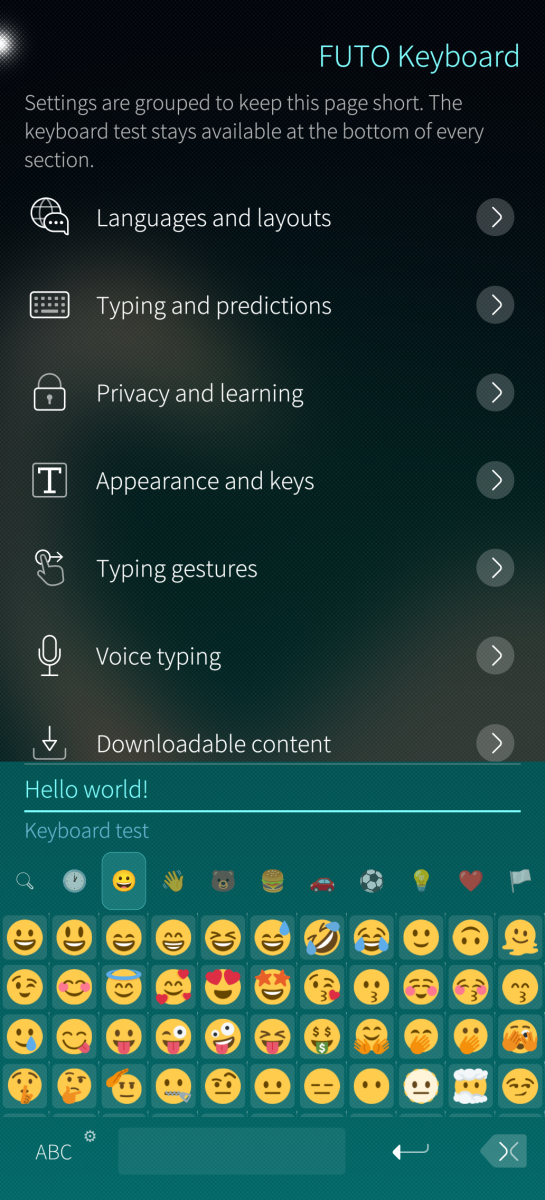
- Complete Emoji 17 collection
- Emoji search using your enabled languages
- Categories, favourites, recently used emoji, and skin tones
- Twemoji, OpenMoji, and Noto Color Emoji styles
- Large categorized symbol collection
- Favourite symbols for quick access
Privacy and useful tools
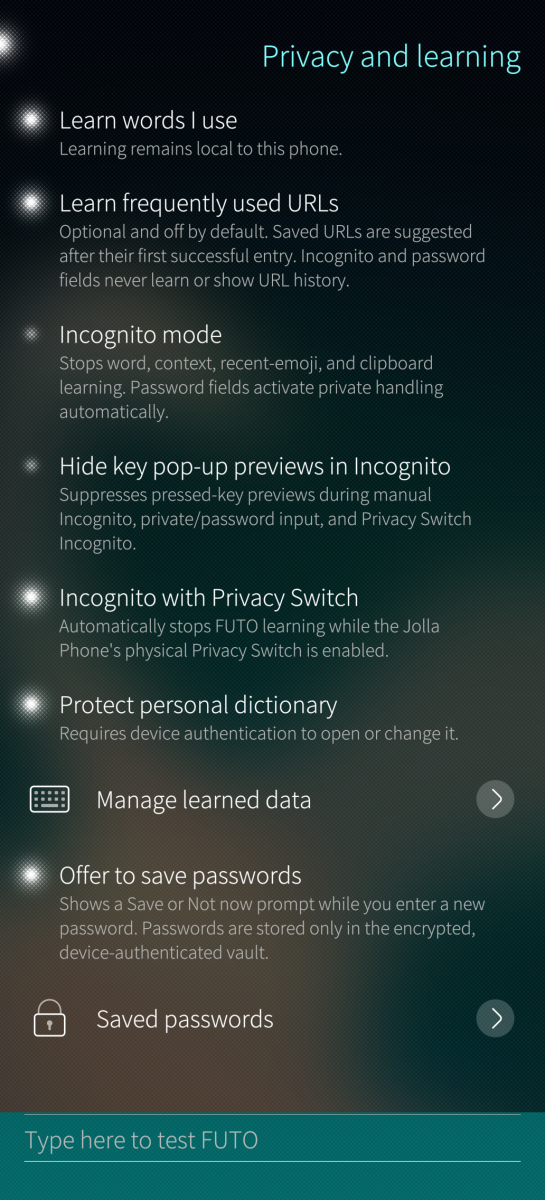
- Manual and automatic Incognito mode
- Privacy Switch integration
- Automatic protection while entering passwords
- Encrypted learned words and URL history
- Encrypted password manager protected by your device code or fingerprint
- Clipboard history with pinned entries and automatic cleanup
- No account or online service required for typing, predictions, or voice input
Hardware keyboards
- Automatic hardware-keyboard detection
- Option to keep the virtual keyboard visible
- Dead-key support for entering accented characters
Download
Choose the RPM that matches your device: `aarch64`, `armv7hl`, or `i486`.
The new Jolla Phone uses the `aarch64` package.
This release was made and tested on the new Jolla Phone running Sailfish OS 5.2.0.16.
Getting started
1. Download and install FUTO Keyboard.
2. Open Settings → Text input → Keyboards.
3. Enable FUTO.
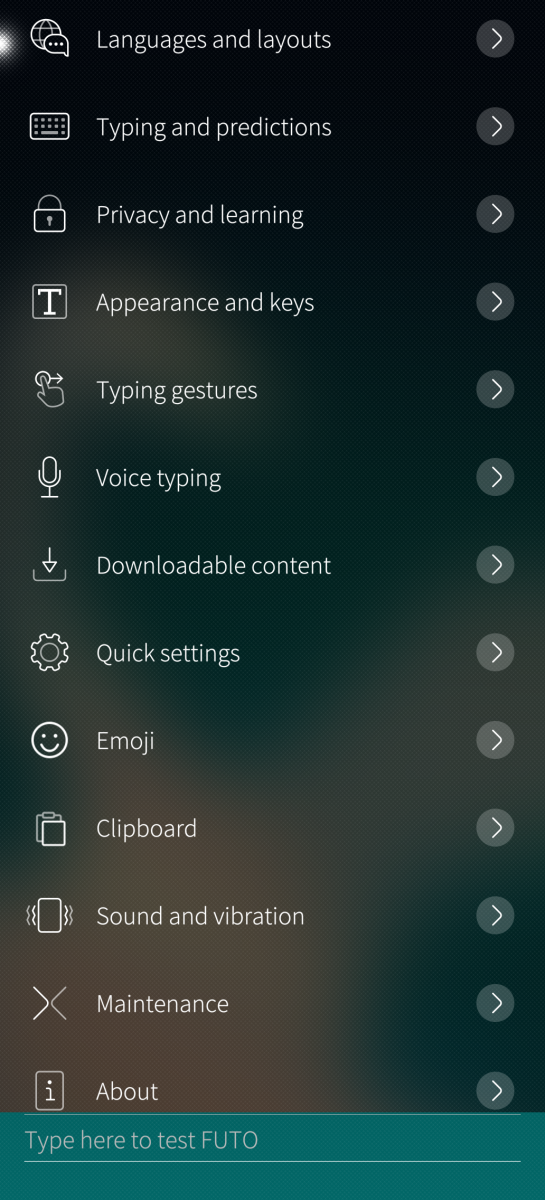
4. Open Settings → Text input → FUTO Keyboard settings to choose your languages and customize the keyboard.
You can also open the settings directly from the keyboard by holding the 123 button and selecting Settings.
Downloadable content
Open FUTO Keyboard settings → Downloadable content to install the content you want:
- Language dictionaries
- Emoji artwork
- Offline voice input
Content can also be removed again from the same menu.
Privacy
Typing, predictions, learned words, clipboard history, voice recognition, and saved passwords are handled locally on your phone.
Clipboard history, URL learning, and the password manager are optional. Incognito mode prevents the keyboard from learning or collecting clipboard content while it is active.
Saved passwords and protected learned data can be secured using the existing device code or fingerprint authentication.
Source and licensing
This project contains modified and newly developed components under their respective licenses.
The source code is available on GitHub.
This project contains modified and newly developed components under their respective licenses. Upstream sources and revisions are documented in UPSTREAM.md. Details of the modifications are available in MODIFIED-NOTICE.md, with additional license information in the LICENSES directory.
Ported to Sailfish OS with additional features by HtheB.
Screenshots:
Category:
Application versions:
| Attachment | Size | Date |
|---|---|---|
 futo-keyboard-sailfish-0.1.0-1.i486.rpm futo-keyboard-sailfish-0.1.0-1.i486.rpm | 4.92 MB | 28/08/2026 - 05:17 |
| futo-keyboard-sailfish-0.1.0-1.armv7hl.rpm | 4.73 MB | 28/08/2026 - 05:17 |
| futo-keyboard-sailfish-0.1.0-1.aarch64.rpm | 4.83 MB | 28/08/2026 - 05:17 |
| futo-keyboard-sailfish-0.2.0-1.aarch64.rpm | 4.88 MB | 29/08/2026 - 01:13 |
| futo-keyboard-sailfish-0.2.0-1.armv7hl.rpm | 4.79 MB | 29/08/2026 - 01:13 |
| futo-keyboard-sailfish-0.2.0-1.i486.rpm | 4.97 MB | 29/08/2026 - 01:13 |
| futo-keyboard-sailfish-0.2.1-1.aarch64.rpm | 4.9 MB | 29/08/2026 - 04:54 |
| futo-keyboard-sailfish-0.2.1-1.armv7hl.rpm | 4.83 MB | 29/08/2026 - 04:54 |
| futo-keyboard-sailfish-0.2.1-1.i486.rpm | 5.02 MB | 29/08/2026 - 04:54 |
Changelog:
v0.2.1:
New features
- Added an optional Show keyboard action to the Sailfish OS Top Menu, allowing the keyboard to be opened in Android apps that normally do not show a keyboard.
Fixes
- Holding the language/layout button in Quick Settings now switches to another enabled Sailfish OS keyboard.
- Secondary characters no longer appear when briefly holding over a letter during swipe typing.
v0.2.0:
New features
- Added an Fn keyboard page with arrow keys, Esc, Tab, Ctrl, Alt, AltGr, the Sailfish key, F1–F12, Home, End, Page Up, Page Down, Insert, Delete and more.
- Added an optional and customizable extra-key row.
- Modifier keys can be used once for the next key or locked by tapping them twice.
- Added predictions for Greek, Russian, Serbian Cyrillic and Serbian Latin.
- Added Slovenian QWERTZ, Croatian and Serbian Latin QWERTZ, and Serbian Cyrillic layouts.
- Added a keyboard-sound toggle to Quick Settings.
- Holding the language/layout item in Quick Settings can now switch to another active Sailfish OS keyboard.
Improvements
- Spacebar cursor control can now move the cursor horizontally and vertically.
- A second finger can be held during cursor movement to select text.
- Quick Settings and extra keys can be reordered by holding and dragging.
- Added Restore defaults to the Quick Settings and extra-key organizers.
- Improved typing in terminal and console applications.
- Fixed predictions, swipe typing and FUTO Settings not working immediately after a new installation.
- Improved compatibility with Sailfish OS 5.1, including fixes for swipe typing, Quick Settings, missing symbol and emoji tabs, and blank emojis.
v0.1.0:
- Initial Release
Comments
windes
Sat, 2026/08/29 - 11:53
Permalink
Well, fighting forward, step 2.
1. Uninstalled okboard and futo, deleted all folders abd files about them from search from rootexplorer.
2. Installed futo.
3. Reboot.
4. After reboot in Storeman - no keyboard. In yast, xmatic - keyboard (built-in) exist.
5. Selected futo from Settings - Text input. Keyboard dissapear everywhere.
6. Moreover, wi-fi password of home router was cleaned!
7. Seems a very big problem with Sailfish secrets module. Try to disable all password integrity in next test version may be. (sure i disabled password saving from the beginning and never turned it on).
Also i had strange windows, which never saw before installing futo. About secrets, wrong password and deleting secrets, when start Storeman.
zarosky
Sat, 2026/08/29 - 06:30
Permalink
great!!!!
aviarus
Fri, 2026/08/28 - 13:03
Permalink
This is the best keyboard here since Nokia n9/n950times
ronny_b
Fri, 2026/08/28 - 09:56
Permalink
Works very well. I have one question, though. How do you hide the keyboard when swipe mode is active?
HtheB
Sat, 2026/08/29 - 05:13
Permalink
Swiping down from the spacebar or the shift button
kempertom
Fri, 2026/08/28 - 09:20
Permalink
Prediction and Swipe typing aren't working for me. What do I do wrong? (german)
HtheB
Sat, 2026/08/29 - 05:13
Permalink
Which firmware version and which device are you using?
And which layout? QWERTZ?
Edit: It should work with the newest version now!
windes
Fri, 2026/08/28 - 15:47
Permalink
Wow!! Collest keyboard ever on Sailfish!
But..
1. Russian keyboard not turning on (sure turned it on in settings of FUTO)
2. English predicting not turning on (sure downloaded english language pack of 8 Mb, it said that "installed")
3. Twemoji pack not turning on - empty square places for emojies in keyboard window (sure loaded twemoji pack from settings, it said that "installed"), if i press on empty squares - it types black-n-white emoji.
So, on armv7hl now works ONLY English keyboard without prediction, without swipe input.
And a question: Does russian prediction language pack not exist or it exist, but need to be ported on sailfish? And what about russian swipe prediction?
And, for understanding. We must turn off all other keyboards in settings, leaving only FUTO alone?
Armv7hl, Sony XA2, 5.1.0.11.
HtheB
Sat, 2026/08/29 - 05:12
Permalink
I have fixed a lot of issues for Sailfish OS 5.1
I will upload it soon.
Russian predictions will be added in the new version as well
Edit: It's up!
windes
Sat, 2026/08/29 - 10:37
Permalink
Ou man, cool that you updated so fast! But!.. Still not working on armv7hl, 5.1 0.11. Had soooo much errors with keyboard, that on hour i even have no keyboard and could not write, and reboot not helps! I was scared about reflash! So, by points.
0. I have installed and turned on Okboard by aviarus (russian and turkey support).
1. First enabling FUTO in settings seems all was good - i saw keyboard, english and russian, load russian dictionary.
2. Then go to emoji, turned on twemoji, test them - all was good, i saw them, until i pressed 3rd tab of emoji... Keyboard becomes black and falls. I restarted it from utilities and then... Become to real hell.
3. No keyboard was! I turned off futo, reboot, not helps.
4. Uninstall futo, reboot, not helps!
5. Uninstall okboard, not helps!
6. Was angry and scared, thought of reflash...
7. Installed okboard back and turn it on from it's window. Keyboard return back! Omfg!! I'm saved.
8. Tried turn off okboard, then - install futo. Not helps, futo keyboard not starts not show.
9. Restarted keyboard. Now in some apps okboard or built-in board (if i turned okboard off from it's window) was appear (xmatic, yast), in some - not (Storeman, FileBrowser)!
10. Only uninstalling futo and restarting lipstick helps.
11. Now I'm scary to install futo one more time.