
Custom Keyboard

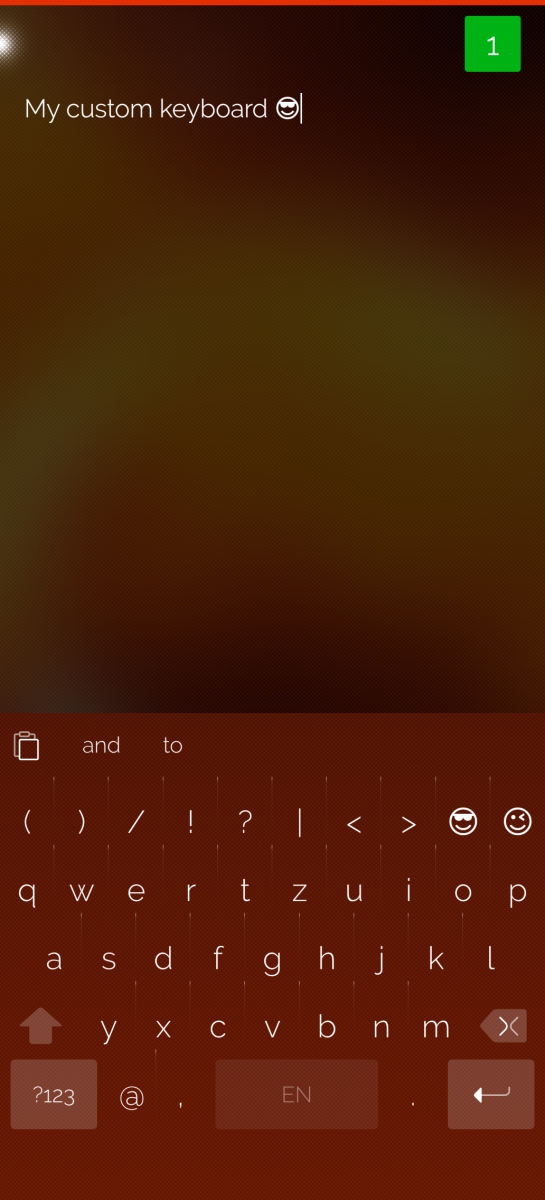
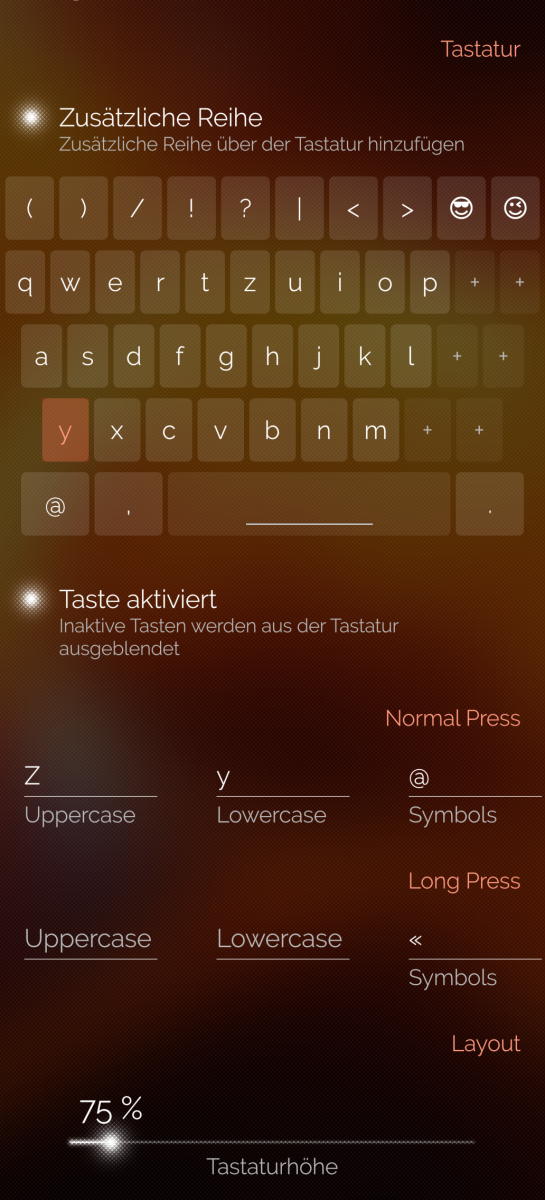
Customize every key, add new keys, create custom long-press characters, and build a keyboard that fits your needs. Add an extra row, adjust the keyboard height, and customize the bottom offset.
After installing the app, enable Custom Keyboard in the Sailfish OS keyboard settings and select it as your active keyboard.
Known limitation:
- Emojis cannot be used as long-press characters due to how the Sailfish OS keyboard interprets accent characters.
- Space swiping and fast delete is not possible in Android apps
Source: github.com/stoefelz/harbour-custom-keyboard
This app was made with help of AI
Screenshots:
Category:
Keywords:
Application versions:
| Attachment | Size | Date |
|---|---|---|
 harbour-custom-keyboard-26.08-1.aarch64.rpm harbour-custom-keyboard-26.08-1.aarch64.rpm | 745.27 KB | 23/08/2026 - 21:03 |
| harbour-custom-keyboard-26.08-1.armv7hl.rpm | 745.61 KB | 23/08/2026 - 21:03 |
| harbour-custom-keyboard-26.08-1.i486.rpm | 745.69 KB | 23/08/2026 - 21:03 |
| harbour-custom-keyboard-26.08-2.aarch64.rpm | 745.21 KB | 23/08/2026 - 23:34 |
| harbour-custom-keyboard-26.08-2.armv7hl.rpm | 745.57 KB | 23/08/2026 - 23:34 |
| harbour-custom-keyboard-26.08-2.i486.rpm | 745.65 KB | 23/08/2026 - 23:34 |
| harbour-custom-keyboard-26.08-3.armv7hl.rpm | 747.43 KB | 25/08/2026 - 22:24 |
| harbour-custom-keyboard-26.08-3.i486.rpm | 747.58 KB | 25/08/2026 - 22:24 |
| harbour-custom-keyboard-26.08-3.aarch64.rpm | 747.48 KB | 25/08/2026 - 22:24 |
| harbour-custom-keyboard-26.08-4.aarch64.rpm | 747.3 KB | 28/08/2026 - 19:12 |
| harbour-custom-keyboard-26.08-4.i486.rpm | 747.61 KB | 28/08/2026 - 19:12 |
| harbour-custom-keyboard-26.08-4.armv7hl.rpm | 747.44 KB | 28/08/2026 - 19:12 |
Changelog:
v26.08-4: Bugfix add vibration to space and delete key with gestures
v26.08-3: Add space swipe and faster delete
v26.08: Inital release
Comments
fingus
Wed, 2026/08/26 - 22:56
Permalink
Very good customable Keyboard! Thank you very much!
Dokuz
Mon, 2026/08/24 - 20:38
Permalink
Thanks for an app like this =)