
Imira


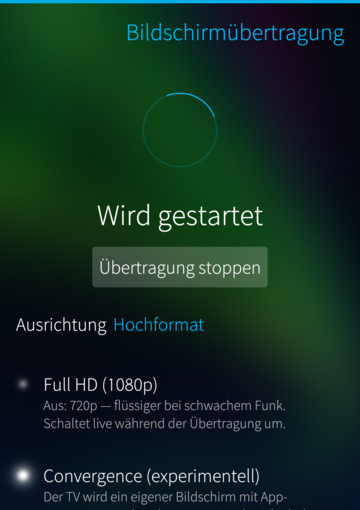
Imira mirrors the phone screen and audio to a Miracast sink - a TV or an HDMI dongle - over Wi-Fi Direct. No app on the TV, no cables, no network: the phone talks to the sink directly. As far as I know this is the first working Wi-Fi Display source for Sailfish OS. It's still very experimental.
FOR SMOOTH CASTING: MIND YOUR WI-FI
The phone has one radio. If it is connected to your Wi-Fi network on a different channel than the cast, it has to hop back and forth - heard as dropouts, seen as a stuttering or black picture.
- Best: no Wi-Fi connection while casting (Wi-Fi on, but not connected). The cast has the radio to itself.
- Fine: a 2.4 GHz network (this is what i'm using).
- Avoid: 5 GHz networks while casting, or disconnect.
WHAT IS STABLE, WHAT IS NOT
- Mirroring your screen and audio to a TV/dongle works on the tested hardware.
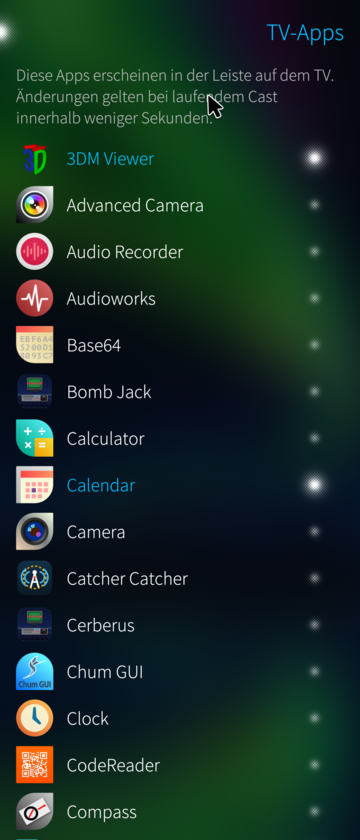
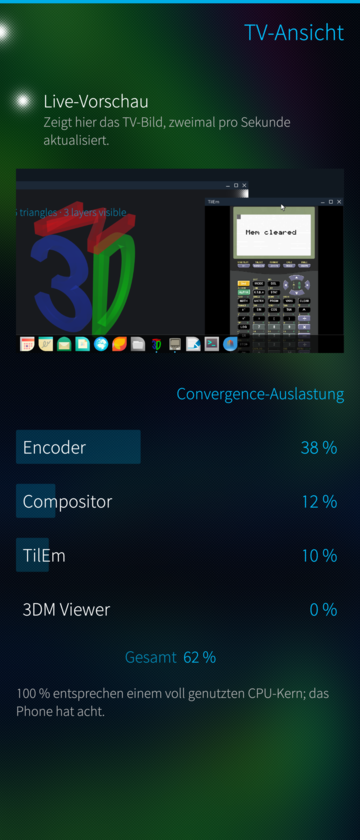
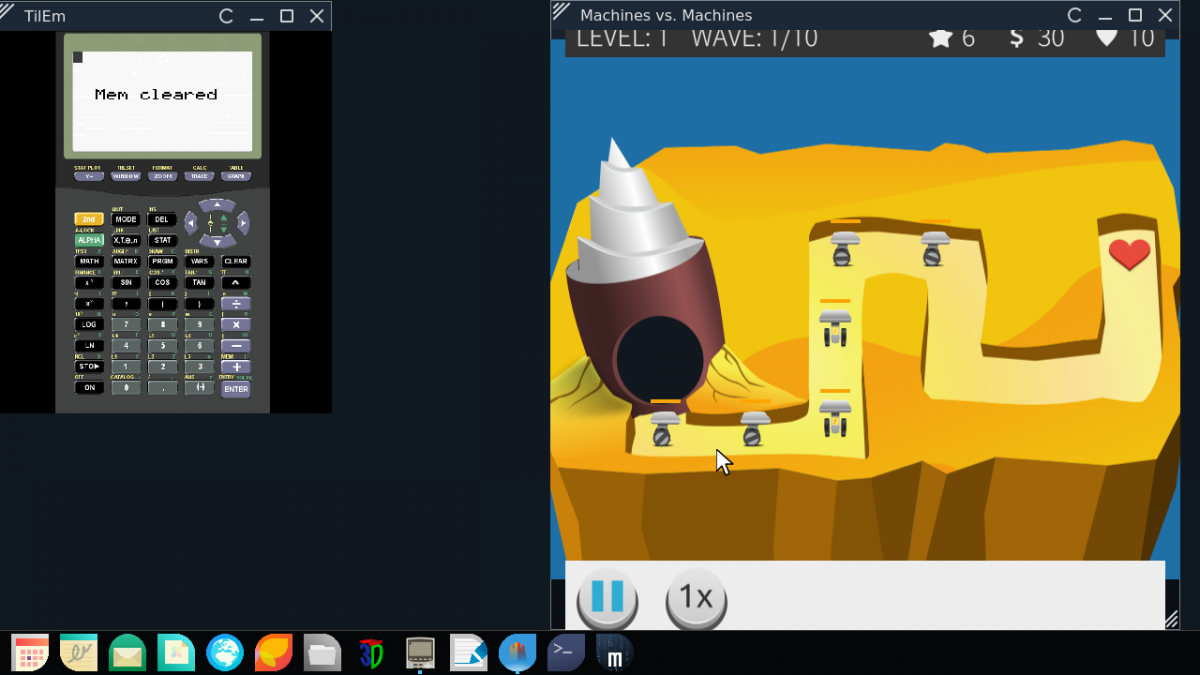
- The convergence direction (the TV as a separate desktop with its own apps) is early and experimental.
- Tested on the Xperia 10 III (Sailfish OS 5.0.0.62) and the Jolla Phone 2026 (Sailfish OS 5.2.0.17), against a Microsoft Wireless Display Adapter V2 and an LG webOS TV. Other phones and receivers (projectors, Samsung TVs, ...) are new territory.
- Your receiver does not work? About -> Diagnostics: switch on the detailed log, try a cast, create a report. It is anonymized, saved in Documents and can be copied straight into the forum or an issue.
- Known rough edge: playing a video in the Gallery WHILE casting can crash the Gallery's playback (hardware encoder and decoder share the video core).
PLEASE READ - WHAT THE PACKAGE INSTALLS SYSTEM-WIDE
Miracast on Sailfish is not possible with the stock system, so this package is invasive by necessity:
- a root systemd service (imira.service) for Wi-Fi Direct, the WFD/RTSP handshake, screen capture and H.264/RTP streaming. It is NOT started at boot: the app starts it when opened (a polkit rule allows exactly this one unit), and it stops by itself when the app is closed;
- a bundled, P2P-capable wpa_supplicant under /usr/libexec/imira/ (the stock one has Wi-Fi Direct compiled out) - used only while scanning or casting;
- a PulseAudio policy file so the daemon can capture the audio without touching the microphone;
- the app runs without the Sailfish sandbox, because it exchanges control/status files with the service.
Nothing leaves your network - the phone streams directly to the receiver. Removing the app removes all of it.
STATUS AND RESPONSIBLE USE
Work in progress, shared as is, no warranty (GPLv3). This touches Wi-Fi and system audio deeply and runs a root service; install it because you want to experiment with Miracast on Sailfish, not because you need a polished tool. Feedback with your phone and receiver model is welcome - ideally with a diagnostics report.
ARCHITECTURES
aarch64 (Sailfish OS 5.0+). No armv7hl build.
AI assisted development.
Source, issues, releases: https://github.com/JimKnopfIoT/harbour-imira
Screenshots:
Category:
Application versions:
| Attachment | Size | Date |
|---|---|---|
 harbour-imira-0.10.12-1.aarch64.rpm harbour-imira-0.10.12-1.aarch64.rpm | 1.43 MB | 18/10/2026 - 18:12 |
Changelog:
- Receivers that want to be the client of the Wi-Fi Direct group (a portable monitor with a Realtek chip) never connected: the phone became the group owner, and Imira only knew the opposite case. It waited for an address from the receiver, nobody handed one out, and the receiver gave up after a few seconds. As group owner Imira now gives itself an address and runs a small DHCP server for the receiver.
Comments
PamNor
Thu, 2026/10/01 - 00:04
Permalink
Tested on Sony Bravia 65A1. Thanks. Great app. Everything is working.
Thaodan
Wed, 2026/09/30 - 23:49
Permalink
Hey,
Try to create PR to enable Wifi-Direct for the stock SailfishOS WPA supplicant.
It should be possble to get that in.
JimKnopfIoT
Thu, 2026/10/01 - 19:52
Permalink
PR is out: https://github.com/sailfishos/wpa_supplicant/pull/13
On the J2 I tested 2.12 + CONFIG_P2P=y as the system supplicant: WLAN, tethering with internet and a Miracast session all work. I have no C2, so I couldn't test the case the old comment warns about.
PatsJolla1
Wed, 2026/09/30 - 08:40
Permalink
Hi on Jolla C2 I always get an error when I search for a device. When starting from console I see the following errors: JollaC2 ~]$ harbour-imira
[D] unknown:0 - Using Wayland-EGL
library "libutils.so" not found
library "libdmabufheap.so" not found
library "libbase.so" not found
library "libz.so" not found
library "libcutils.so" not found
library "android.hardware.graphics.mapper@4.0.so" not found
library "libgralloctypes.so" not found
library "libhidlbase.so" not found
library "libhardware.so" not found
library "libc++.so" not found
library "libion.so" not found
Am I missing libraries? Or is the C2 differently configured to your device?
JimKnopfIoT
Wed, 2026/09/30 - 09:47
Permalink
@PatsJolla1 The "library not found" lines are harmless libhybris noise from the graphics start,
not the cause. The C2 is untested — imira currently expects a Wi-Fi Direct interface named p2p0.
Please open About → Diagnostics, switch on the detailed log, tap search once, create a report and post it on GitHub. It shows which wireless interfaces and P2P modes your C2 offers.
birdzhang
Sun, 2026/08/23 - 05:39
Permalink
Hi, is it possible to add android apps to TV apps?
JimKnopfIoT
Sun, 2026/08/23 - 09:39
Permalink
@birdzhang I can't answer that — my focus is on native apps for Sailfish OS.