
xmatic


Native Matrix client built on matrix-rust-sdk with a Silica UI.
FEATURES
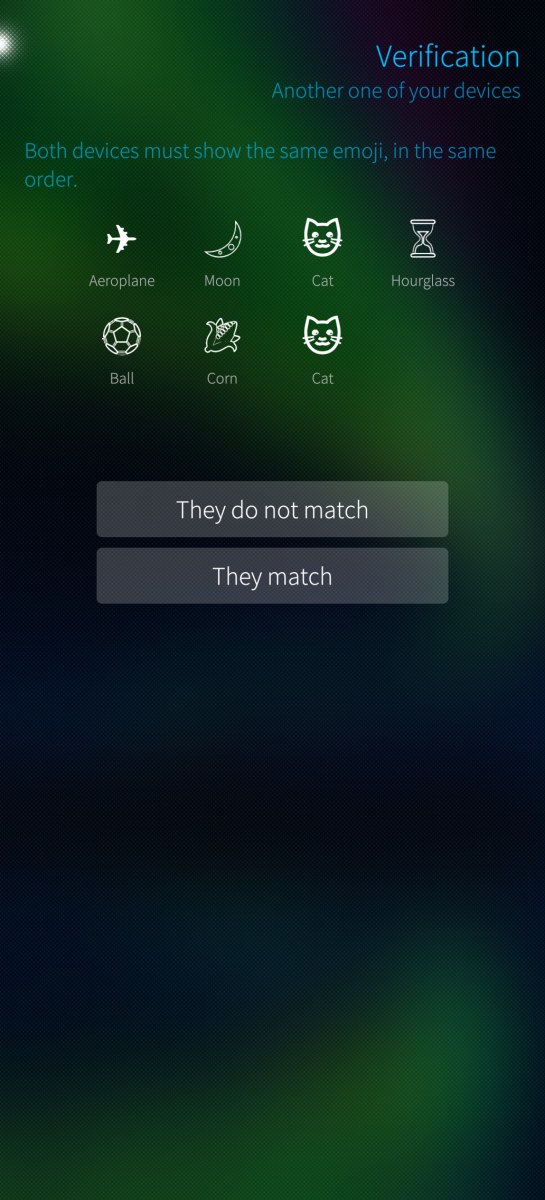
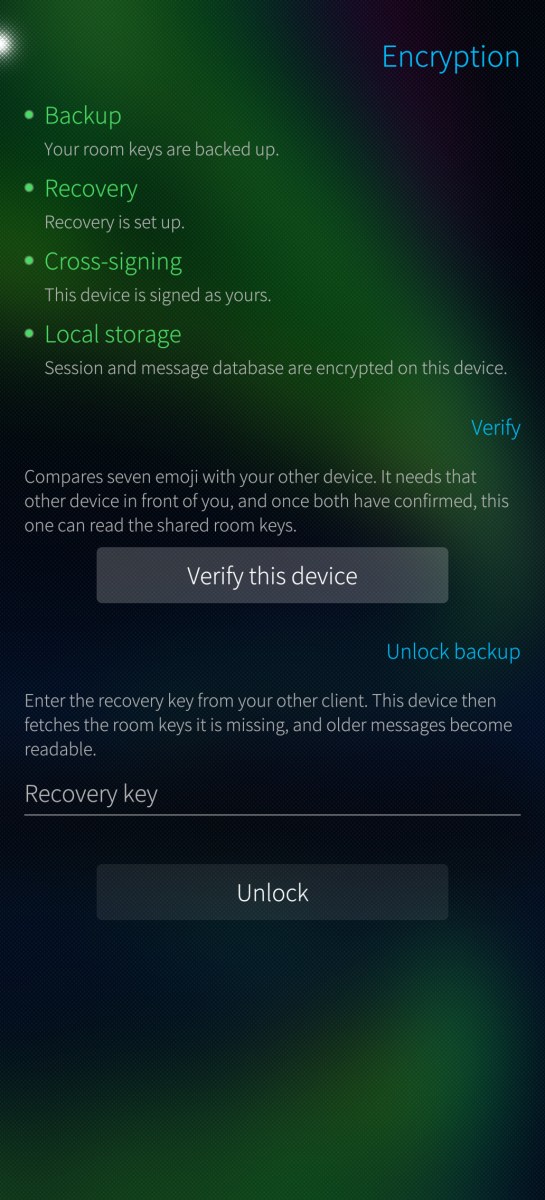
- Sliding sync, end-to-end encryption, cross-signing, device verification, key backup and recovery
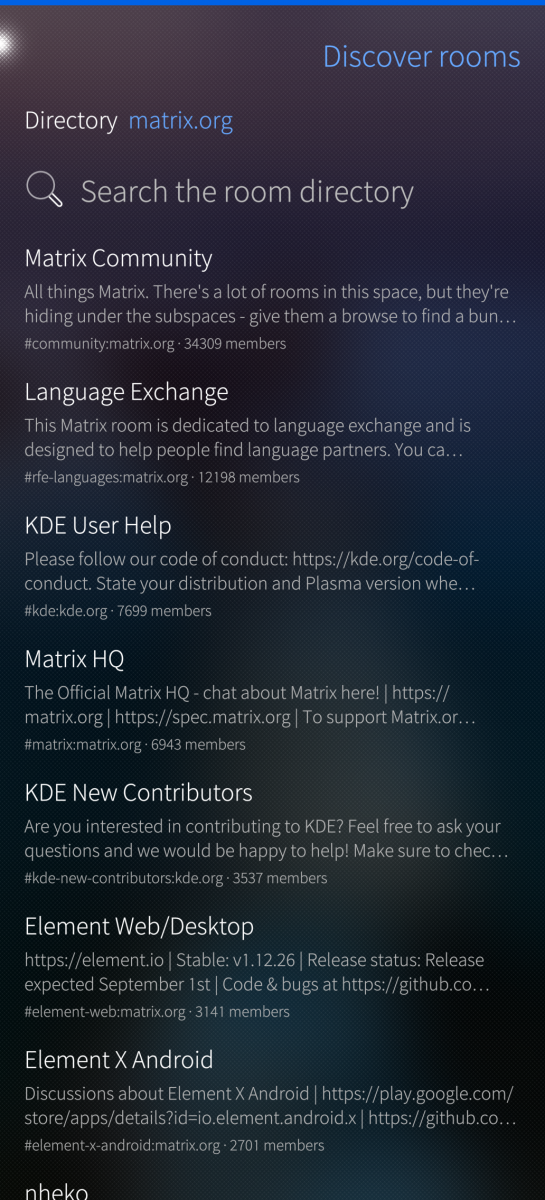
- Rooms, spaces (nested), direct chats, threads, room directory search
- Create rooms, invite, leave; member list and profiles with moderation
- Send, edit, delete, reply and paginate in encrypted rooms
- Search a conversation; the index stays on the device, the query never leaves it
- Formatted messages, written as well as read: bold, italic, struck through, underlined, monospace
- Polls: vote with a tap, take it back with another; create your own with several answers allowed or the
results kept closed until the end. Only the creator can end a poll, and the app checks that itself
- Link previews, off by default: your homeserver fetches the page and the message shows its host, title
and description. The setting says what the server learns and can limit previews to unencrypted rooms
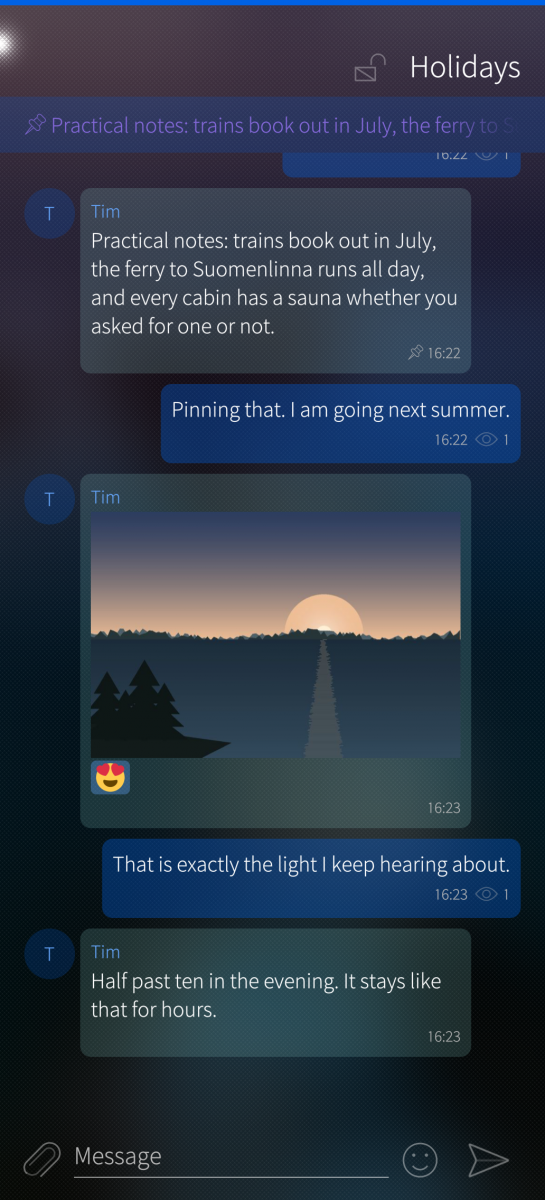
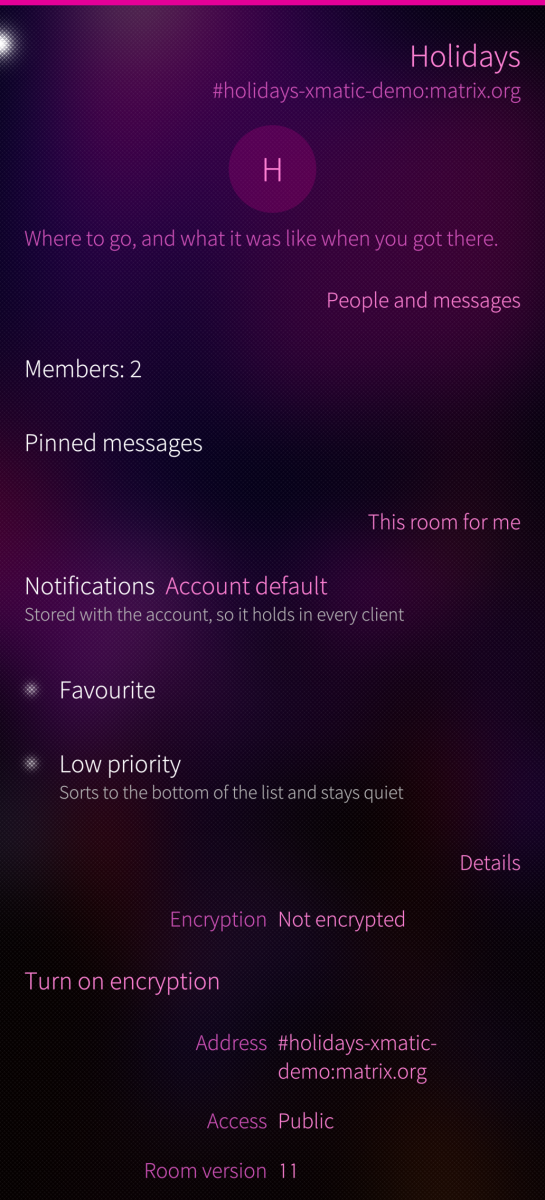
- Pinned messages, favourites, low priority, mute, ignore list
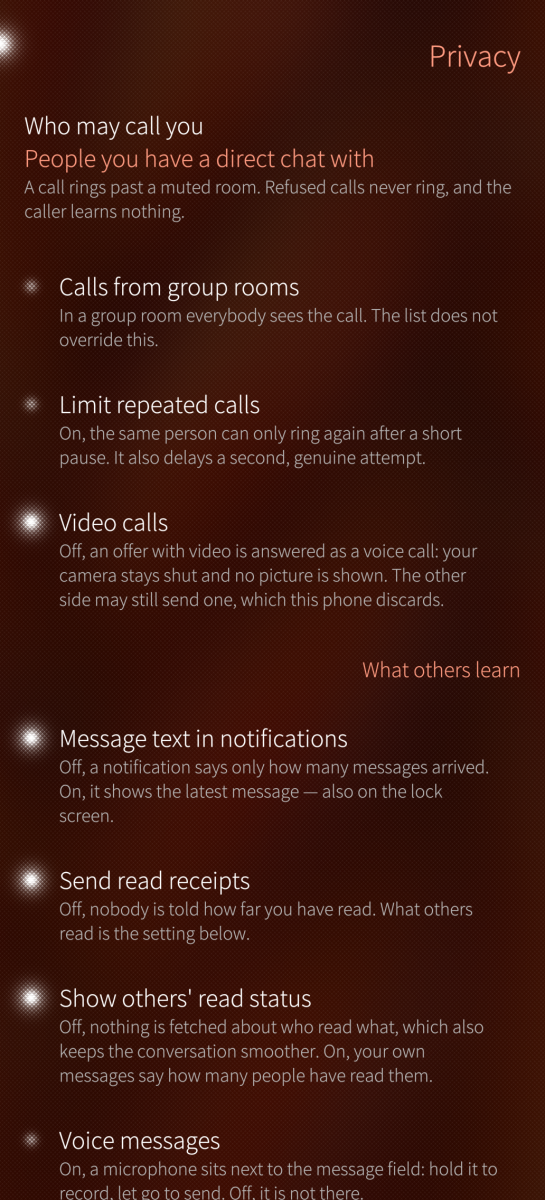
- A line marks where reading stopped, and who has read what
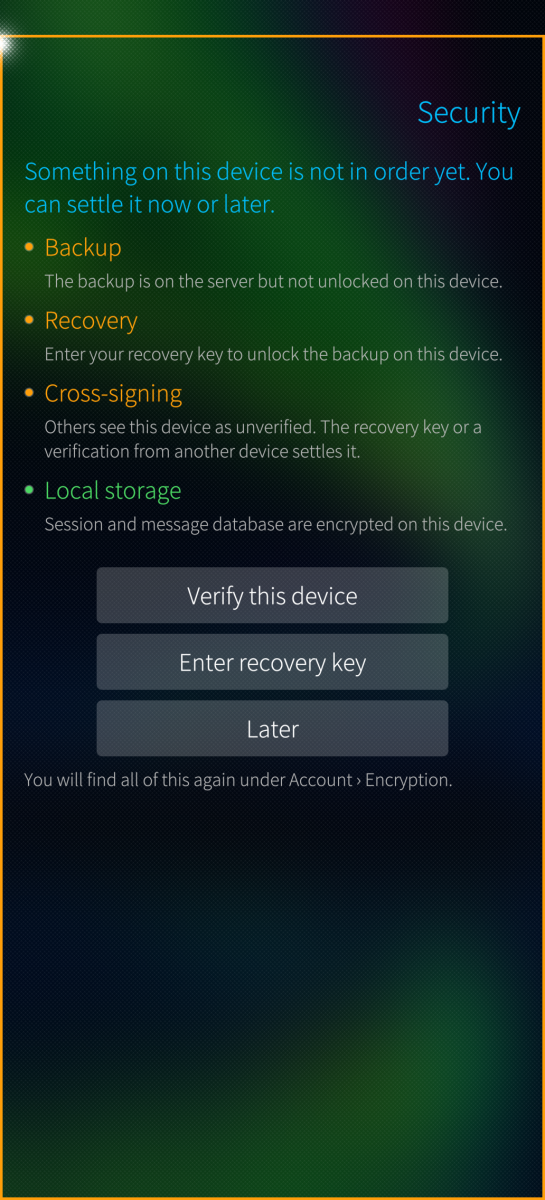
- Four coloured lines for backup, recovery, cross-signing and local storage
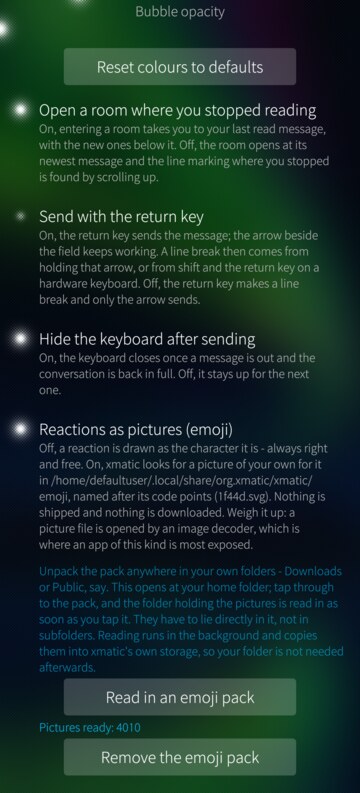
- Reactions from a picker whose first tab you fill yourself, as characters or as your own emoji pictures
- Pictures, files, sharing, share target from Gallery and file manager
- One picker for attachments, with the gallery and the file system side by side and several files at once
- Pictures are made smaller before they go out and lose their metadata with them, the place a photograph
was taken included; the original resolution stays one tap away
- A camera in the attachment picker: flash, grid, tap to focus, zoom; a photo is deleted once sent
unless you keep it in the gallery
- Locations, once or live for up to a day; maps from OpenStreetMap only where you allow it, zoomable
in full screen
- Voice messages; voice and video calls (classic 1:1 VoIP)
- Speech2Text (needs Speech Note to be installed)
- Notifications, offline send queue, encrypted local storage
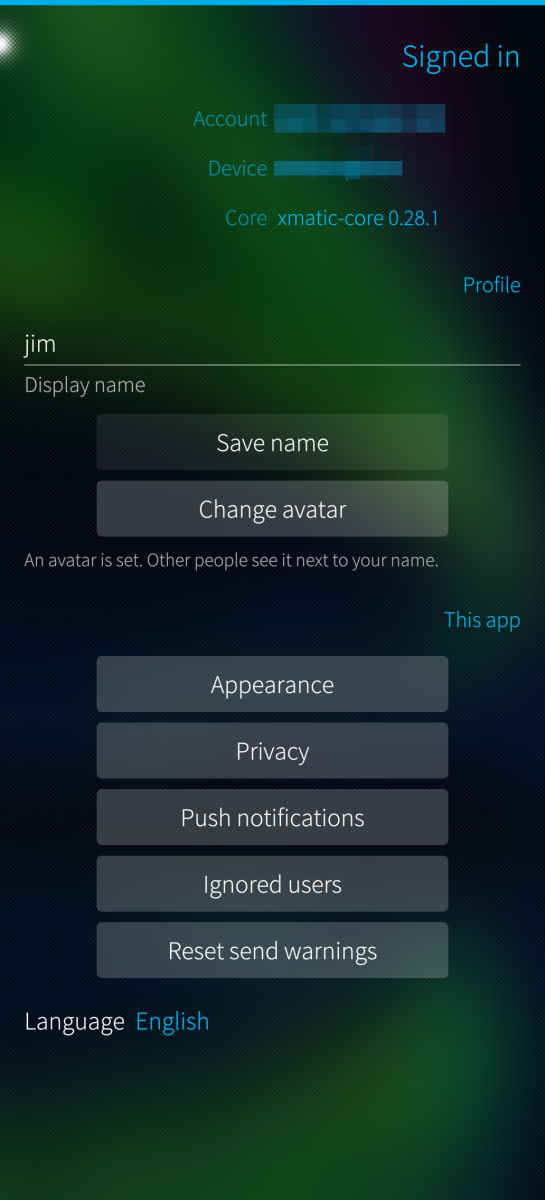
- Optional push notifications, off by default
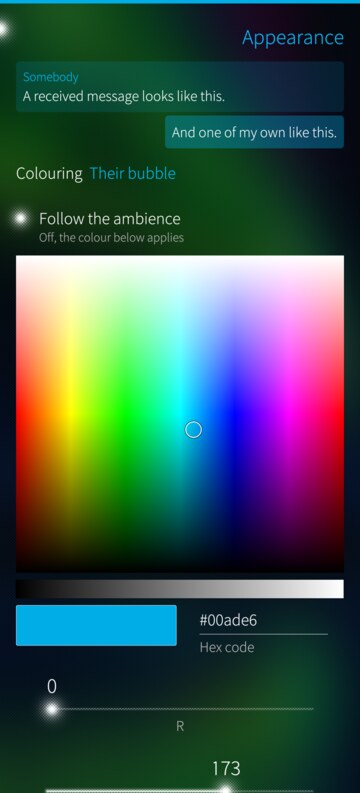
- Bubble and text colours of your own or the ambience's, the return key as send key, the keyboard's
behaviour after sending
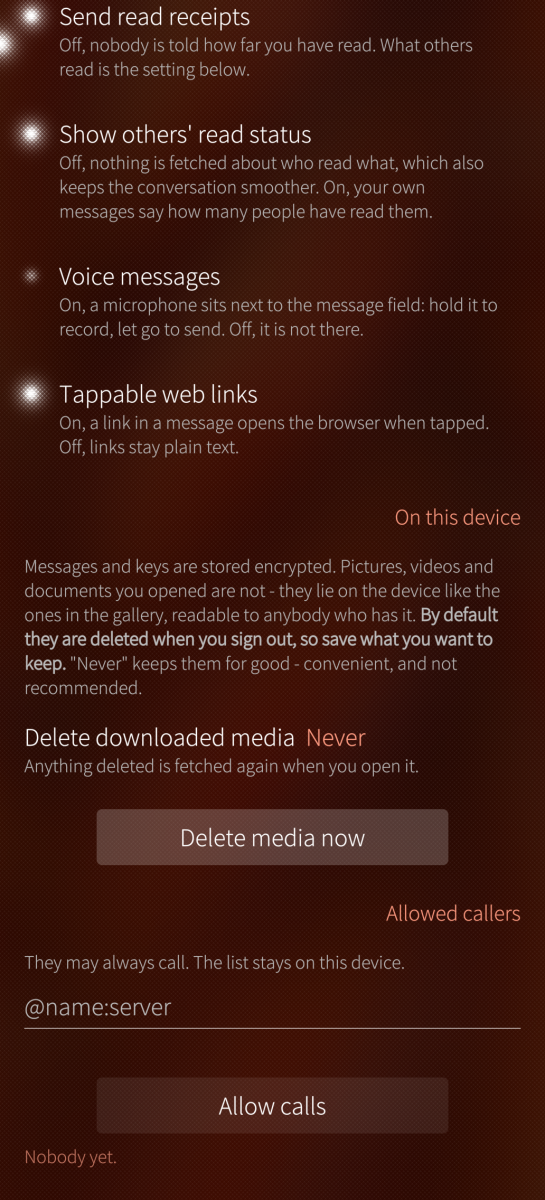
- One page for what others learn: read receipts, message text in notifications, who may call, when pictures
load, when downloaded media is deleted again
- An error log to read and copy when something goes wrong
- OAuth (MAS), device-code and password sign-in
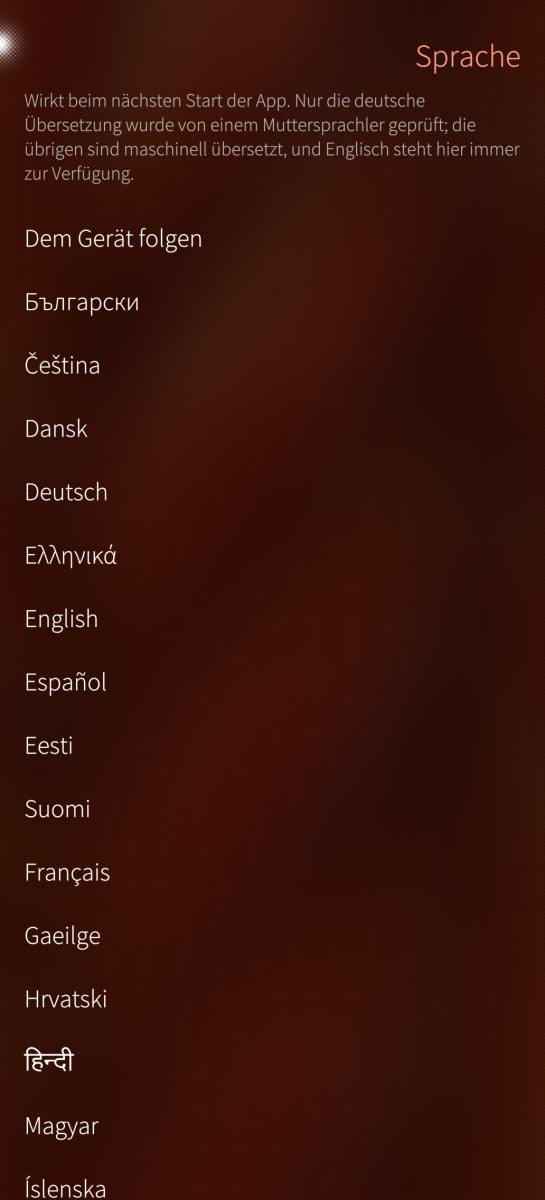
- 32 interface languages, switchable in the app
LANGUAGES
The 24 official languages of the European Union plus Russian, Norwegian,
Icelandic, Simplified Chinese, Hindi, Japanese, Persian and Arabic. German is the project language and
Norwegian came from a Norwegian speaker; the rest are machine translations,
usable but unchecked. The language is set in the app and applies at the next
start.
Corrections are welcome at the repository below: translations/harbour-xmatic-
<language>.ts, and translations/STATUS.md says which have been read.
LOCAL STORAGE
Session tokens and the message database are encrypted with a key from Sailfish
Secrets. Without that key service nothing is written at all: the app says what
is missing and how to install it. A database that predates the key can be
re-created encrypted from the encryption page, which costs one sign-out and
your recovery key.
WHY IS THE PACKAGE SO BIG?
The complete Matrix stack ships statically: matrix-rust-sdk, E2EE, sliding
sync, rustls, an HTTP runtime and SQLite. None of it exists as a system library
here, and Qt 5.6 is too old for the C++ alternatives. Installed ~60 MB,
RPM ~20 MB.
NO BACKGROUND DAEMON
Messages arrive while the app is running; the cover is enough. A closed app
does not receive, unless push notifications are switched on.
ARCHITECTURES
aarch64 (Sailfish OS 5.0+), armv7hl (Sailfish OS 4.6+), tested on J2, X10III, Gemini PDA.
REQUIREMENTS
Your homeserver must support simplified sliding sync (MSC4186), the same
mechanism Element X uses. To check, open
https://YOUR-SERVER/_matrix/client/versions
and look for "org.matrix.simplified_msc3575": true
Sign-in: OAuth 2.0 / Matrix Authentication Service, device code, or username
and password on servers without OAuth. The SSO redirect (SAML, CAS) is not
supported.
Written with Claude Code (Anthropic), icons included; the protocol core is
upstream matrix-rust-sdk.
Source, issues, releases:
https://github.com/JimKnopfIoT/harbour-xmatic
Screenshots:


Category:
Application versions:
| Attachment | Size | Date |
|---|---|---|
 harbour-xmatic-0.46.4-1.aarch64.rpm harbour-xmatic-0.46.4-1.aarch64.rpm | 20 MB | 11/10/2026 - 19:02 |
| harbour-xmatic-0.46.4-1.armv7hl.rpm | 20.49 MB | 11/10/2026 - 19:02 |
Changelog:
- A picture sent on a bad connection is no longer lost: it goes into the send
queue at once, shows as pending and is sent when the network is back, also
after a restart. Forwarded messages and files go through the queue too.
Comments
Thaodan
Sun, 2026/10/11 - 13:38
Permalink
Same issue here.
Sharks
Sun, 2026/08/30 - 03:09
Permalink
A new bug I have noticed, attempting to play a video sent to me (via mautrix-meta, but probably from other sources too) crashes the app. Pictures come through fine, but videos are impossible to view.
JimKnopfIoT
Sun, 2026/08/30 - 08:14
Permalink
@Sharks I can't reproduce it yet: mp4 videos play fine on all three of my devices, so it's likely something specific to the file or the device. A few things would let me pin it down:
1. Device model, cat /etc/sailfish-release (the VERSION_ID line) and rpm -q harbour-xmatic.
2. When exactly does it die — while the spinner is still turning, or after the first frame appears? Roughly how many seconds after you tap?
3. The journal while it happens. In a terminal: devel-su journalctl -f, then reproduce and send the last ~30 lines.
A kernel line with segfault or code=dumped is what I'm after.
4. Open the video page, wait for the spinner to finish, then use the pulley menu → Save. Does saving work? If yes, play that file from Downloads with the stock Gallery/video app. If the stock player fails too, it's the platform's codec support, not xmatic.
5. About the file: how large is it in MB, and is the room encrypted? If you can run ffprobe -hide_banner -i video.mp4 on a PC, that output answers everything at once. On the phone, head -c 4096 video.mp4 | strings |head -20 also helps — I'm looking for avc1 (H.264) versus hvc1/hev1 (HEVC) or av01 (AV1).
6. Does it happen with every video, or only ones from that bridge? A video sent from another Matrix client would be a useful comparison.
kempertom
Wed, 2026/08/26 - 12:09
Permalink
Such great work. I have an issue: I am using matrix chat with bridges to avoid using android. Voicenotes work with xmatic with mautrix (WhatsApp bridge) and the Telegram bridge, but not for the most important Signal bridge. It says that audio format is not supported for bridging. Maybe ist is possible from xmatic side?
JimKnopfIoT
Sun, 2026/08/30 - 08:46
Permalink
Fixed.
JimKnopfIoT
Wed, 2026/08/26 - 23:43
Permalink
Please try 0.24 and report if it's fixed for you.
Sharks
Tue, 2026/08/25 - 07:54
Permalink
Latest 0.22 update is great, very glad to see reaction support added. This now fully replaces Hydrogen for me on SFOS. Thankyou for your work!
The only feature I would still want for is an option to show the message content in notifications like an SMS notification would. Requiring to unlock the phone and open the app to see a message you may not be interested in responding to is a minor annoyance.
JimKnopfIoT
Sun, 2026/08/30 - 08:46
Permalink
Fixed.
stiltskin
Sun, 2026/08/23 - 15:24
Permalink
seems like there is no read status for messages (sent/read)
JimKnopfIoT
Sun, 2026/08/30 - 08:45
Permalink
Fixed.
windes
Fri, 2026/08/21 - 10:15
Permalink
Wow, man!! First impression - GREAT! UI is smooth and nice, all balanced. Did you do UI by yourself, manually, not with AI?
Can't open page with user info. There's no this feature for now?
Sailfish 5.1.0.11, armv7hl - all is working)
Nice description, monumental, by the way. All questions gone right after read it. No water, strict and needed, every word.
Do you have a group of xmatic in matrix?
Sharks
Fri, 2026/08/21 - 07:57
Permalink
Looks promising! Unfortunately while I can login, I just see "Offline - Waiting for the network" glitching and flashing up the top, none of my chats get loaded.
JimKnopfIoT
Fri, 2026/08/21 - 21:00
Permalink
@Sharks Please read the new REQUIREMENTS section above and try again with the latest Version (> 0.19.0).
Sharks
Sat, 2026/08/22 - 03:57
Permalink
It appears I am missing msc4186, thanks. Will have to look into it.
Sharks
Mon, 2026/08/24 - 06:29
Permalink
Have decomissioned my Dendrite server and spun up a Synapse one. xmatic is now working beautifully! Thanks very much. Keen to see further development, looks like a great app already.
kempertom
Wed, 2026/08/19 - 11:19
Permalink
Will it be frequently maintained? I have wishes and Ideas...
sourcrowd
Tue, 2026/08/18 - 21:49
Permalink
Thank you! With this client I'm finally able to login on a homeserver, that requires SSO for which the Firefox 91 WebView that SFOS 5.1 bundles, is too old.
kaulian
Tue, 2026/08/18 - 16:11
Permalink
Thanks a lot.
Manisak
Tue, 2026/08/18 - 14:21
Permalink
Damed I Love you ;-)
kempertom
Tue, 2026/08/18 - 14:13
Permalink
Wow. Wonderful. What are you plan to implement?
Pages