 harbour-whatsapp-0.9.183-1.armv7hl.rpm harbour-whatsapp-0.9.183-1.armv7hl.rpm | 6.99 MB | 31/07/2026 - 18:56 |
| harbour-whatsapp-0.9.183-1.i486.rpm | 7.26 MB | 31/07/2026 - 18:56 |
| harbour-whatsapp-0.9.183-1.aarch64.rpm | 6.83 MB | 31/07/2026 - 18:56 |
| harbour-whatsapp-0.9.184-1.i486.rpm | 7.26 MB | 31/07/2026 - 19:09 |
| harbour-whatsapp-0.9.184-1.armv7hl.rpm | 6.99 MB | 31/07/2026 - 19:09 |
| harbour-whatsapp-0.9.184-1.aarch64.rpm | 6.83 MB | 31/07/2026 - 19:09 |
| harbour-whatsapp-0.9.188-1.aarch64.rpm | 6.84 MB | 31/07/2026 - 22:22 |
| harbour-whatsapp-0.9.188-1.armv7hl.rpm | 6.99 MB | 31/07/2026 - 22:22 |
| harbour-whatsapp-0.9.188-1.i486.rpm | 7.27 MB | 31/07/2026 - 22:22 |
| harbour-whatsapp-0.9.189-1.armv7hl.rpm | 7 MB | 31/07/2026 - 23:27 |
| harbour-whatsapp-0.9.189-1.i486.rpm | 7.27 MB | 31/07/2026 - 23:27 |
| harbour-whatsapp-0.9.189-1.aarch64.rpm | 6.84 MB | 31/07/2026 - 23:27 |
| harbour-whatsapp-0.9.193-1.i486.rpm | 7.28 MB | 01/08/2026 - 00:52 |
| harbour-whatsapp-0.9.193-1.armv7hl.rpm | 7.01 MB | 01/08/2026 - 00:52 |
| harbour-whatsapp-0.9.193-1.aarch64.rpm | 6.85 MB | 01/08/2026 - 00:52 |
| harbour-whatsapp-0.9.195-1.armv7hl.rpm | 7.02 MB | 01/08/2026 - 01:24 |
| harbour-whatsapp-0.9.195-1.i486.rpm | 7.29 MB | 01/08/2026 - 01:24 |
| harbour-whatsapp-0.9.195-1.aarch64.rpm | 6.86 MB | 01/08/2026 - 01:24 |
| harbour-whatsapp-0.9.196-1.i486.rpm | 7.29 MB | 01/08/2026 - 01:24 |
| harbour-whatsapp-0.9.196-1.armv7hl.rpm | 7.02 MB | 01/08/2026 - 01:24 |
| harbour-whatsapp-0.9.196-1.aarch64.rpm | 6.86 MB | 01/08/2026 - 01:24 |
| harbour-whatsapp-0.9.198-1.aarch64.rpm | 6.87 MB | 01/08/2026 - 10:39 |
| harbour-whatsapp-0.9.198-1.armv7hl.rpm | 7.03 MB | 01/08/2026 - 10:39 |
| harbour-whatsapp-0.9.198-1.i486.rpm | 7.3 MB | 01/08/2026 - 10:39 |
| harbour-whatsapp-0.9.199-1.i486.rpm | 7.3 MB | 01/08/2026 - 11:46 |
| harbour-whatsapp-0.9.199-1.armv7hl.rpm | 7.03 MB | 01/08/2026 - 11:46 |
| harbour-whatsapp-0.9.199-1.aarch64.rpm | 6.87 MB | 01/08/2026 - 11:46 |
| harbour-whatsapp-0.9.201-1.i486.rpm | 7.3 MB | 01/08/2026 - 14:33 |
| harbour-whatsapp-0.9.201-1.armv7hl.rpm | 7.03 MB | 01/08/2026 - 14:33 |
| harbour-whatsapp-0.9.201-1.aarch64.rpm | 6.88 MB | 01/08/2026 - 14:33 |
| harbour-whatsapp-0.9.206-1.i486.rpm | 7.31 MB | 01/08/2026 - 15:37 |
| harbour-whatsapp-0.9.206-1.armv7hl.rpm | 7.04 MB | 01/08/2026 - 15:37 |
| harbour-whatsapp-0.9.206-1.aarch64.rpm | 6.88 MB | 01/08/2026 - 15:37 |
| harbour-whatsapp-0.9.207-1.i486.rpm | 7.31 MB | 01/08/2026 - 20:12 |
| harbour-whatsapp-0.9.207-1.armv7hl.rpm | 7.04 MB | 01/08/2026 - 20:12 |
| harbour-whatsapp-0.9.207-1.aarch64.rpm | 6.88 MB | 01/08/2026 - 20:12 |
| harbour-whatsapp-0.9.214-1.i486.rpm | 9.66 MB | 02/08/2026 - 01:05 |
| harbour-whatsapp-0.9.214-1.armv7hl.rpm | 9.39 MB | 02/08/2026 - 01:05 |
| harbour-whatsapp-0.9.214-1.aarch64.rpm | 9.24 MB | 02/08/2026 - 01:05 |
| harbour-whatsapp-0.9.215-1.i486.rpm | 9.67 MB | 02/08/2026 - 04:55 |
| harbour-whatsapp-0.9.215-1.armv7hl.rpm | 9.39 MB | 02/08/2026 - 04:55 |
| harbour-whatsapp-0.9.215-1.aarch64.rpm | 9.24 MB | 02/08/2026 - 04:55 |
| harbour-whatsapp-0.9.217-1.armv7hl.rpm | 9.39 MB | 04/08/2026 - 17:55 |
| harbour-whatsapp-0.9.217-1.i486.rpm | 9.67 MB | 04/08/2026 - 17:55 |
| harbour-whatsapp-0.9.217-1.aarch64.rpm | 9.24 MB | 04/08/2026 - 17:55 |
| harbour-whatsapp-0.9.229-1.i486.rpm | 9.69 MB | 07/08/2026 - 19:24 |
| harbour-whatsapp-0.9.229-1.armv7hl.rpm | 9.42 MB | 07/08/2026 - 19:24 |
| harbour-whatsapp-0.9.229-1.aarch64.rpm | 9.26 MB | 07/08/2026 - 19:24 |
| harbour-whatsapp-0.9.230-1.i486.rpm | 9.7 MB | 07/08/2026 - 19:42 |
| harbour-whatsapp-0.9.230-1.armv7hl.rpm | 9.42 MB | 07/08/2026 - 19:42 |
| harbour-whatsapp-0.9.230-1.aarch64.rpm | 9.27 MB | 07/08/2026 - 19:42 |
| harbour-whatsapp-0.9.245-1.i486.rpm | 9.72 MB | 11/08/2026 - 22:14 |
| harbour-whatsapp-0.9.245-1.armv7hl.rpm | 9.44 MB | 11/08/2026 - 22:14 |
| harbour-whatsapp-0.9.245-1.aarch64.rpm | 9.29 MB | 11/08/2026 - 22:14 |
| harbour-whatsapp-0.9.255-1.i486.rpm | 9.74 MB | 13/08/2026 - 14:41 |
| harbour-whatsapp-0.9.255-1.armv7hl.rpm | 9.47 MB | 13/08/2026 - 14:41 |
| harbour-whatsapp-0.9.255-1.aarch64.rpm | 9.31 MB | 13/08/2026 - 14:41 |
| harbour-whatsapp-0.9.263-1.i486.rpm | 9.75 MB | 15/08/2026 - 20:45 |
| harbour-whatsapp-0.9.263-1.armv7hl.rpm | 9.48 MB | 15/08/2026 - 20:45 |
| harbour-whatsapp-0.9.263-1.aarch64.rpm | 9.32 MB | 15/08/2026 - 20:45 |
| harbour-whatsapp-0.9.264-1.i486.rpm | 9.75 MB | 15/08/2026 - 22:51 |
| harbour-whatsapp-0.9.264-1.armv7hl.rpm | 9.48 MB | 15/08/2026 - 22:51 |
| harbour-whatsapp-0.9.264-1.aarch64.rpm | 9.32 MB | 15/08/2026 - 22:51 |
| harbour-whatsapp-0.9.272-1.i486.rpm | 9.76 MB | 20/08/2026 - 21:12 |
| harbour-whatsapp-0.9.272-1.armv7hl.rpm | 9.49 MB | 20/08/2026 - 21:12 |
| harbour-whatsapp-0.9.272-1.aarch64.rpm | 9.34 MB | 20/08/2026 - 21:12 |
| harbour-whatsapp-0.9.278-1.i486.rpm | 9.77 MB | 20/08/2026 - 23:29 |
| harbour-whatsapp-0.9.278-1.armv7hl.rpm | 9.5 MB | 20/08/2026 - 23:29 |
| harbour-whatsapp-0.9.278-1.aarch64.rpm | 9.34 MB | 20/08/2026 - 23:29 |
| harbour-whatsapp-0.9.279-1.i486.rpm | 9.77 MB | 22/08/2026 - 04:59 |
| harbour-whatsapp-0.9.279-1.armv7hl.rpm | 9.5 MB | 22/08/2026 - 04:59 |
| harbour-whatsapp-0.9.279-1.aarch64.rpm | 9.35 MB | 22/08/2026 - 04:59 |
| harbour-whatsapp-0.9.304-1.i486.rpm | 11.05 MB | 30/08/2026 - 10:07 |
| harbour-whatsapp-0.9.304-1.armv7hl.rpm | 10.79 MB | 30/08/2026 - 10:07 |
| harbour-whatsapp-0.9.304-1.aarch64.rpm | 10.6 MB | 30/08/2026 - 10:07 |
| harbour-whatsapp-0.9.307-1.i486.rpm | 11.06 MB | 04/09/2026 - 18:53 |
| harbour-whatsapp-0.9.307-1.armv7hl.rpm | 10.8 MB | 04/09/2026 - 18:53 |
| harbour-whatsapp-0.9.307-1.aarch64.rpm | 10.61 MB | 04/09/2026 - 18:53 |
| harbour-whatsapp-0.9.309-1.i486.rpm | 11.08 MB | 27/09/2026 - 23:23 |
| harbour-whatsapp-0.9.309-1.armv7hl.rpm | 10.82 MB | 27/09/2026 - 23:23 |
| harbour-whatsapp-0.9.309-1.aarch64.rpm | 10.62 MB | 27/09/2026 - 23:23 |






Comments
rdomschk
Thu, 2026/07/16 - 18:21
Permalink
Hello, it works perfect. Thanks, Thanks, Thanks. The one problem is, I have to open all Chats separate to reset the counter. I have manny chats, maybe you can made later a menu point to set all chats at readed... But no pressure. A other question is, its possible to activat a notification at the evenscreen to see new messages. BR
aviarus
Thu, 2026/07/16 - 19:33
Permalink
You can activate notifications in settings now and Mark all as read is also available now per chat
rdomschk
Wed, 2026/07/15 - 23:44
Permalink
Hello - you are very diligent every day. Thanks for it. The pin function now works afte restart. One question, how can I see which chat had new messages. I miss a highlighting at the chat names or a othe sign. But no pressure it works perfect in the moment and I could switch off the AppSuport.
aviarus
Thu, 2026/07/16 - 10:02
Permalink
Your wish is my command^^ i made a red counter with unread messages
rdomschk
Tue, 2026/07/14 - 22:04
Permalink
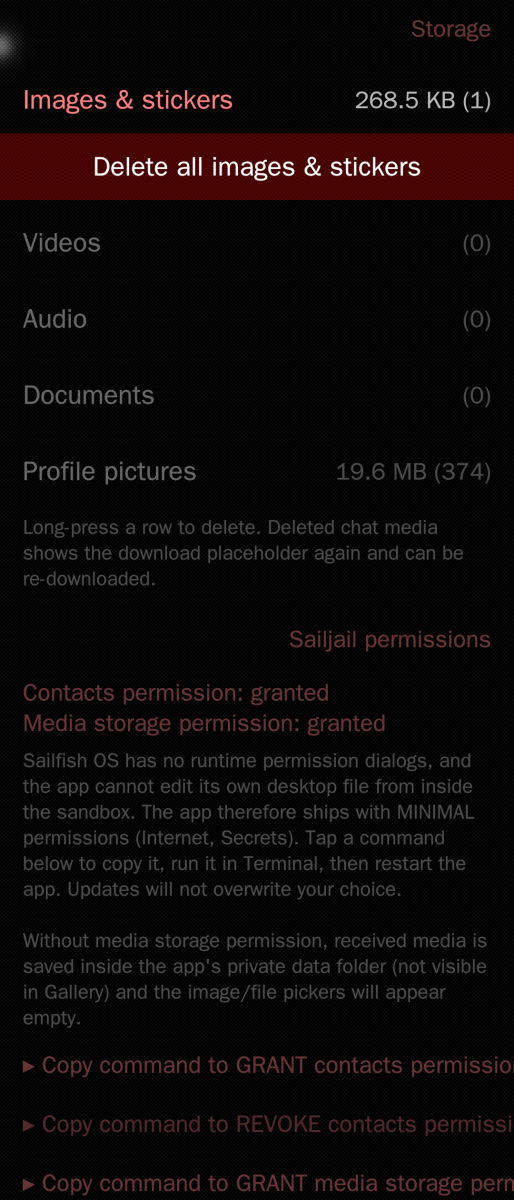
Hello, a big Thanks only 1 day later so many changes - now the first pairing work from desktop file and the new statuspage is also very nice. I have only problems with videos. I cannot open a video with the gallerie. I gave all right for contacts and media in Terminal but the gallery shows 0 byte for each video? What I make false? The contacts names the status header after the command. The pin function for chats lost after reopen the app but this is not so importand.
aviarus
Wed, 2026/07/15 - 00:14
Permalink
oh yes that could be it, did you close the app after the terminal commands and opened it again? the new sailjail permissions only take effect when the app is launched again, otherwise the gallery has no read permissions in the sandbox, but if the app has write permissions to the gallery the gallery can just open it. i could implement a video player in the app though, so people who don't want to give this permission could also watch a video. the pinning i will look into
aviarus
Tue, 2026/07/14 - 23:44
Permalink
I didn't test it yet so much with videos, i will look into it. It could be the media permissions for sailjail or something else. Thanks for pointing it out
rdomschk
Mon, 2026/07/13 - 22:32
Permalink
Hello - nice that you support your good work from last year! For the first pairing the user must start it via terminal "sailfish-support harbour-whatsapp" without this the pairing button not work. After it the app start perfect with the desktop icon. What I miss now is to see the status and a setting option for languages. It a good alternative to stopp the origianal WA service from ASS. Thanks and don't lose your joy of programing on this app. BR
rob_k
Sun, 2026/07/12 - 20:42
Permalink
It appears images in messages from before the pairing, are not shown. New stickers and images are shown properly. I like it!
rob_k
Sun, 2026/07/12 - 16:49
Permalink
Very interesting development! I just installed it, pairing works, list looks good. This is a chance for me not to have Android active all the time. Thanks!PS I see we don't have pictures yet, still very promising
aviarus
Sun, 2026/07/12 - 17:24
Permalink
I tried to implement what i think you meant, but if you specify it i can add it.
aviarus
Sun, 2026/07/12 - 17:08
Permalink
Okay thanks. What do you mean exactly? You cannot open Pictures sent to you or something else?
Manisak
Sat, 2026/04/04 - 10:12
Permalink
I'd rather do a matrix bridge. This one is a construction site. But the will counts.
aviarus
Sun, 2026/07/12 - 21:16
Permalink
Thanks! That's expected: history is only synced once, at pairing time, and versions before 0.4.9 dropped media messages during that import. WhatsApp doesn't re-send history, so media from chats imported with an older version can't be recovered retroactively. If you log out and pair again, the history sync runs with the new importer and old chats will show their media (tap to download). Everything received after the update works without re-pairing.
nkyst
Fri, 2025/12/12 - 11:14
Permalink
Perhaps a beginner's question, but what format should I use to 'pair' the account? I tried several ways to enter my phone numbet such as with or without + of country code etc. Or am I missing anything ?
aviarus
Fri, 2025/12/12 - 16:00
Permalink
with country code but without + and without 00
nkyst
Wed, 2025/12/17 - 10:52
Permalink
If thr numbe is 012345678 and country code is 99 99012345678 correct? 'pair' button seems not to react with the number thought. Also the link to github seems to end up 404
dwad
Thu, 2025/12/18 - 11:53
Permalink
99123 is correct, delete 0 .... and for me on C2 it is only working in Terminal or qCommand Launcher Icon ... sailfish-qml harbour-whatsapp ... and later on I have to delete messages.enc in /home/defaultuser/.local/share/harbour-whatsapp/ again and again because it does not update. Hopefully the App will get some updates.
nkyst
Sun, 2025/12/28 - 11:18
Permalink
It opens and linked to my account. I found a strange number pops up though. When I type any messages in that numbet it comes to my own account chat. Another thing I found so far is all the messages I sent to any chats are also visible in my own chat although official app does not show it in this way
MeeGo
Sat, 2025/12/13 - 10:05
Permalink
On a Xperia pairing works, on my daily driver I cannot pair, on the CLI I get: curl -m 5 http://localhost:8085/status
curl: (7) Failed to connect to localhost port 8085 after 0 ms: Could not connect to server.
What am I doing wrong on my daily driver? What can I do to successfully pair?
I am stuck at this localhost cannot connect
rdomschk
Sun, 2025/12/21 - 08:08
Permalink
Morning,
I have solved now the SilicaListViewproblem. Change or delete line 667+668 in the file usr/share/harbour-whatsapp/qml/harbour-whatsapp.qml and add a timer. So the last Chat bubble is every time visible and you need not to scroll.
The function "posiionViewAtEnd()" not work because the visibleView is not open in the moment fo Completed.
Line 667 add this "//" before or delete // onCountChanged: positionViewAtEnd()
Line 668 add this "//" before or delete // Component.onCompleted: positionViewAtEnd()
add Line 669 Timer {
add Line 670 id: positionTimer
add Line 671 interval: 200
add Line 672 repeat: false
add Line 673 onTriggered: msgList.positionViewAtIndex(view.count - 1, ListView.Beginning)
add Line 674 }
add Line 675 onCountChanged: {positionTimer.start()}
defactofactotum
Sat, 2025/12/06 - 13:59
Permalink
Thanks rdomschk
rdomschk
Sun, 2025/12/21 - 08:14
Permalink
Thy I corrected but I have the problem, that new messages not every time mutch in existing chats and add a new chatfolder...
rdomschk
Thu, 2025/12/04 - 23:43
Permalink
It works without lost register if you change the line 11 in the file /usr\share/harbour-whatsapp/start_backend.py
old line 11 data_dir = os.path.expanduser("~/.local/share/harbour-whatsapp")
new line 11 data_dir = os.path.expanduser("~/.local/share/harbour/harbour-whatsapp")
defactofactotum
Fri, 2025/12/05 - 11:34
Permalink
Thanks, this works fine now for login. I still have some overlapping text, always in the same places... Maybe if we open a thread in the forum I can upload a picture.
ps typo in backend.py instructions above: backslash
aviarus
Fri, 2025/12/05 - 00:17
Permalink
Oh, thank you very much
satoshi_nakamoto
Wed, 2025/12/03 - 20:27
Permalink
Вроде работает
aviarus
Wed, 2025/12/03 - 21:26
Permalink
otlichna
kempertom
Wed, 2025/12/03 - 18:55
Permalink
It saves no login data. Everything is gone with next start
defactofactotum
Thu, 2025/12/04 - 16:05
Permalink
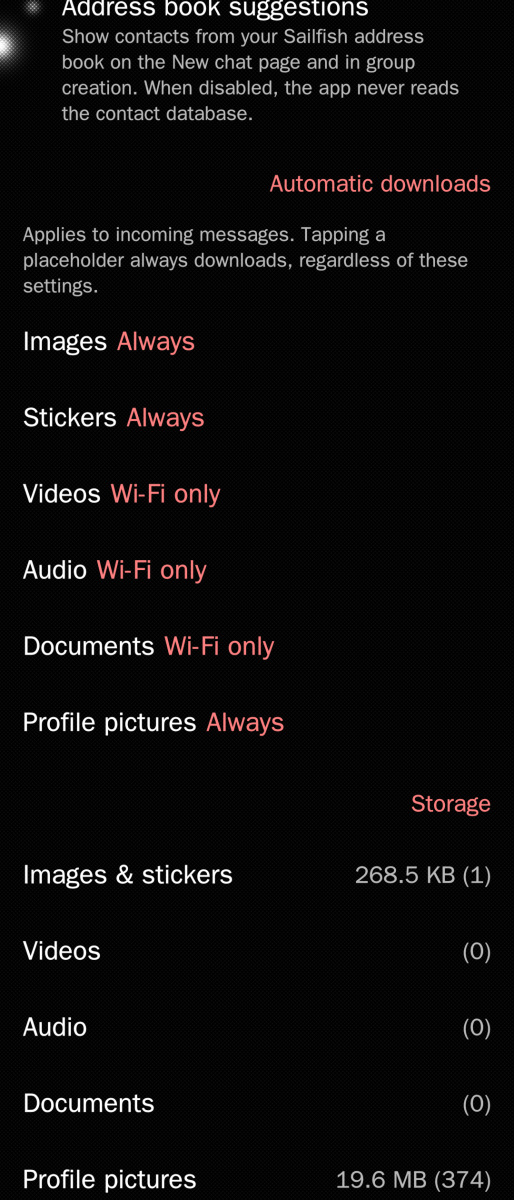
Yes, the loss of login is a real pain. Another minor problem is it downloads all profile pictues to the gallery.
Pages