
Strymas


Strymas is a native Sailfish OS YouTube client born from a simple wish: I just wanted a YouTube streamer that works.
Features:
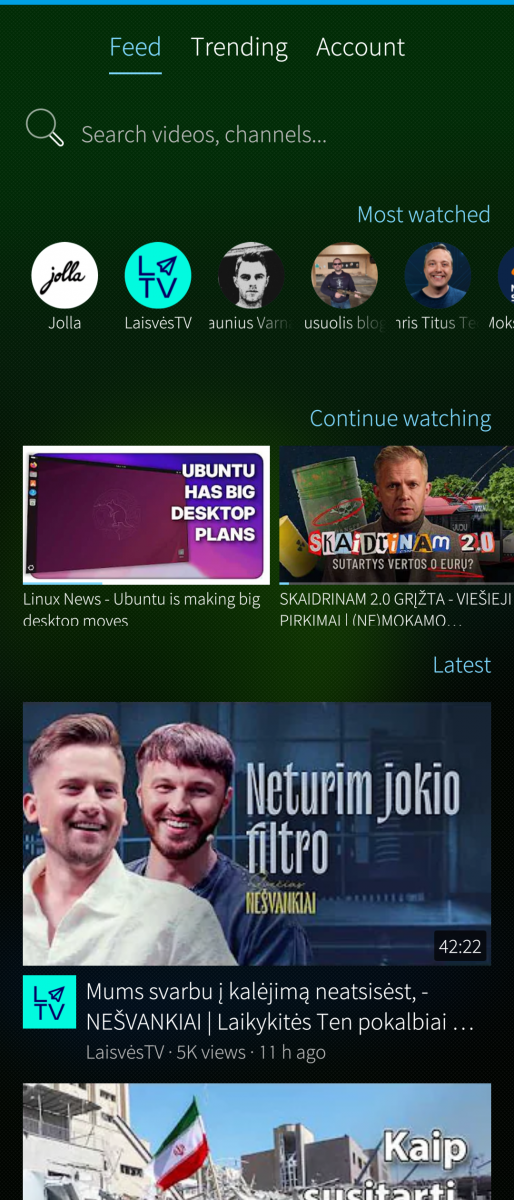
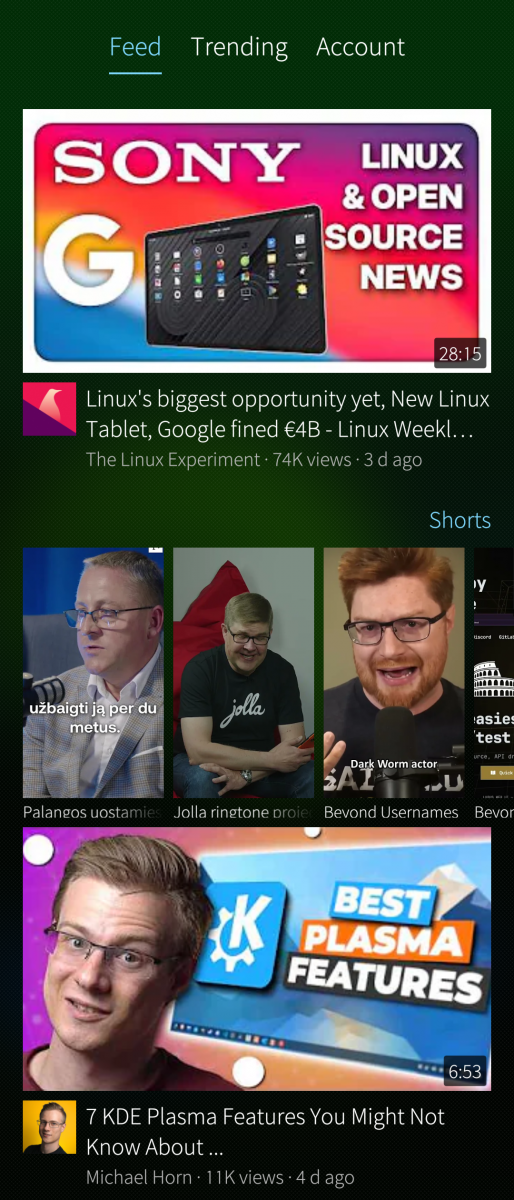
- Chronological feed of your subscribed channels — videos and Shorts strips, newest first
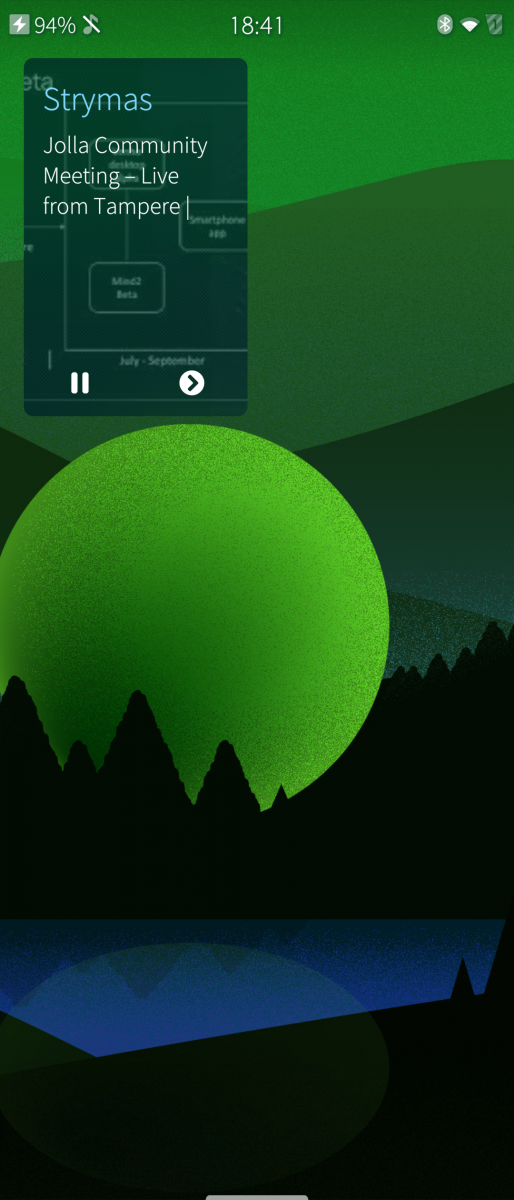
- Global mini-player: keeps playing while you browse, docks into a corner, fullscreen with gestures (brightness/volume), double-tap zoom
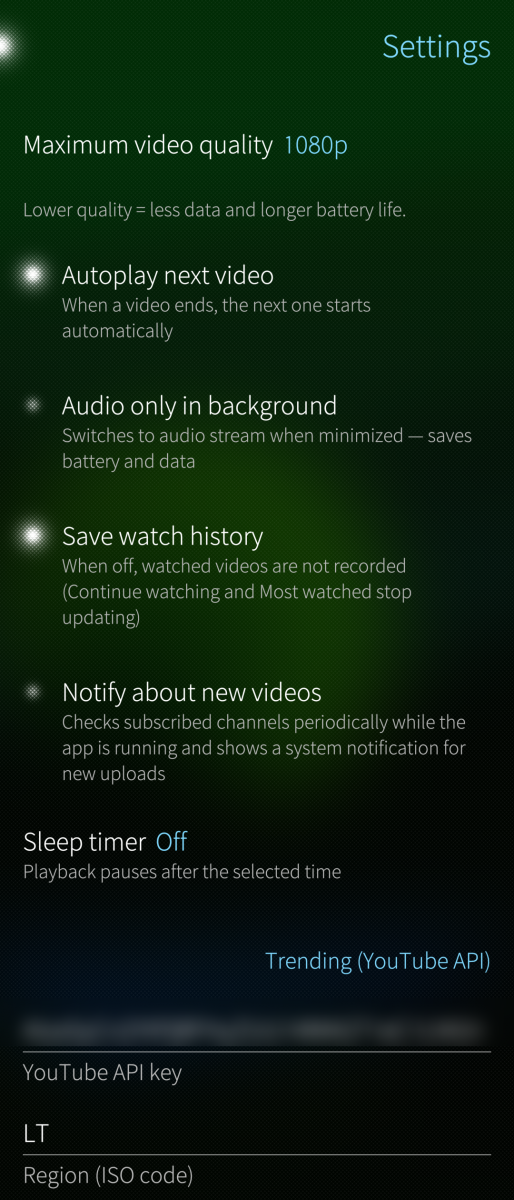
- Background playback with optional audio-only mode (saves battery and data)
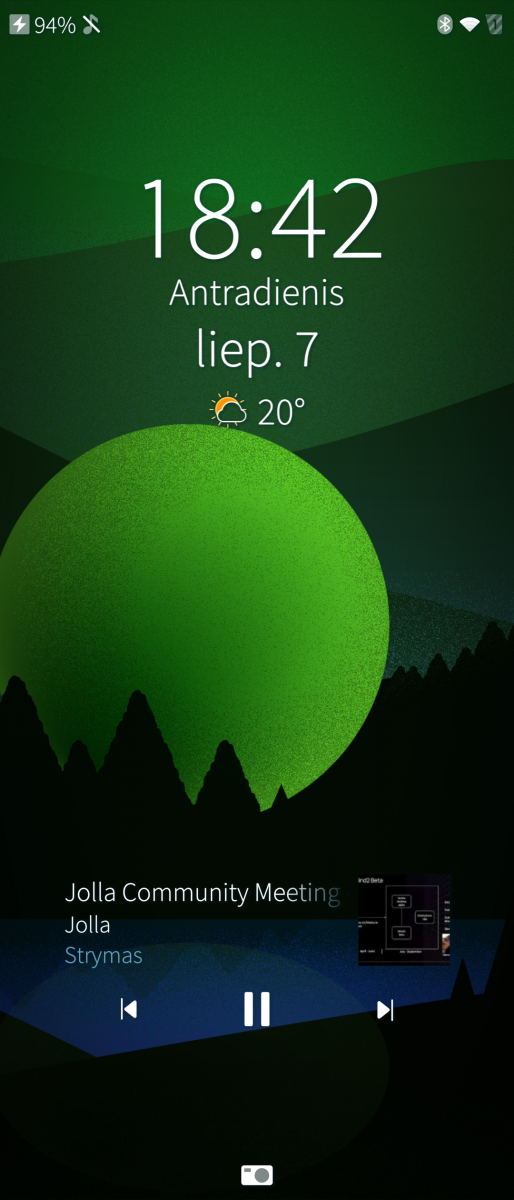
- MPRIS: control from Bluetooth headphones and the system media menu
- Watch history with resume, Continue watching row, Watch later list
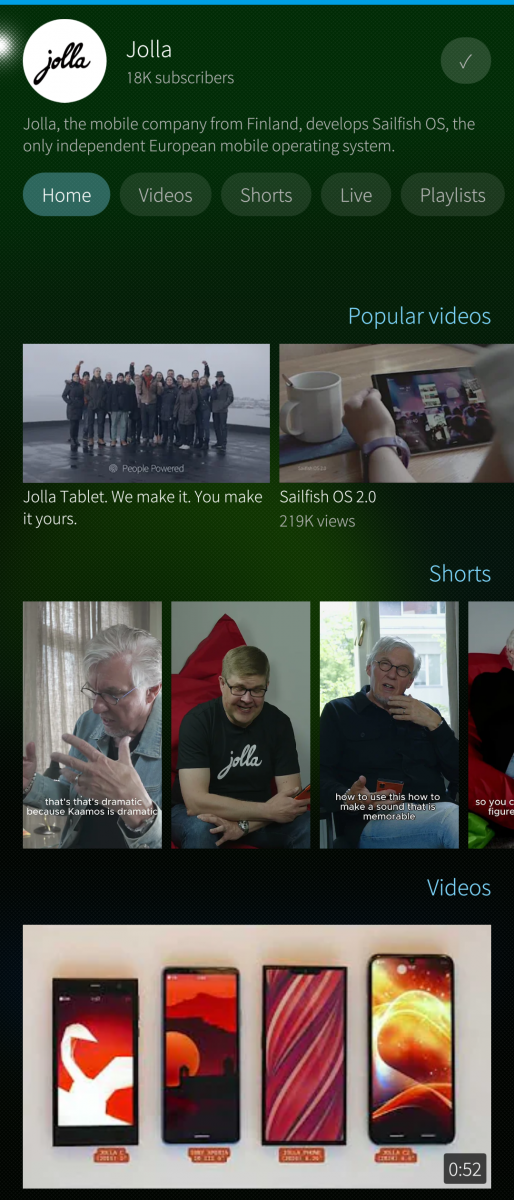
- Channel pages with sections (Home / Videos / Shorts / Live / Playlists) and subscribe button
- Search, comments reading, sleep timer, notifications about new uploads
- Trending by region (needs a free YouTube Data API key — instructions in Settings)
- Optional Google sign-in (OAuth device flow) for subscription import, likes and your playlists
Requirements:
- yt-dlp must be installed: pkcon install python3-pip, then pip3 install --user yt-dlp
- Everything else is pulled in as RPM dependencies
Honest notes:
- Im not programmer. Built with AI assistance. Tested ONLY on Sony Xperia 10 III / Sailfish OS 5.1.
- It fully covers my own needs. If you have ideas or want to take the project further — go ahead, fork away.
- No tracking, no ads, no telemetry. Your keys and history stay on your device.
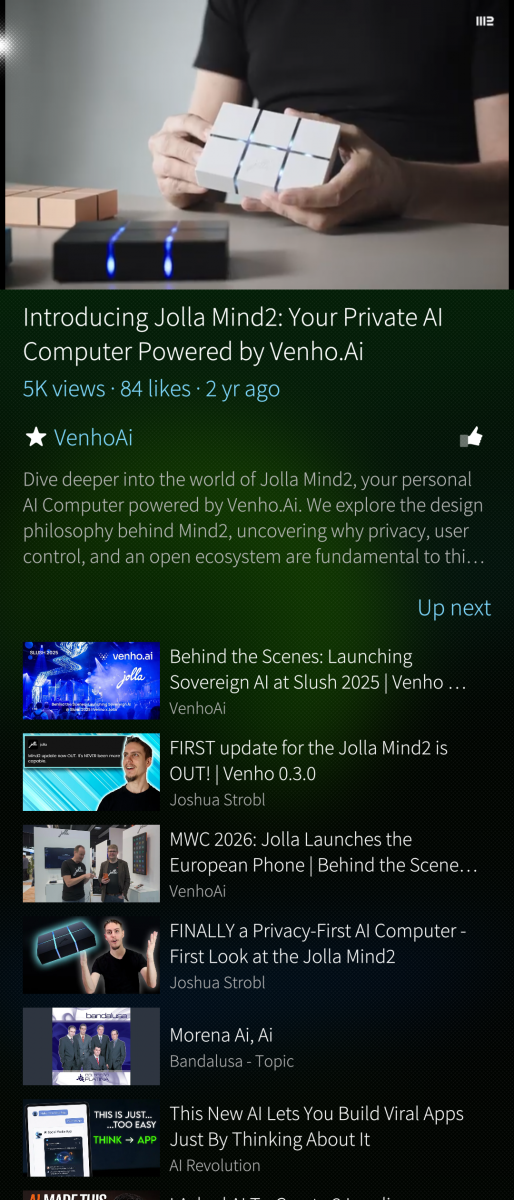
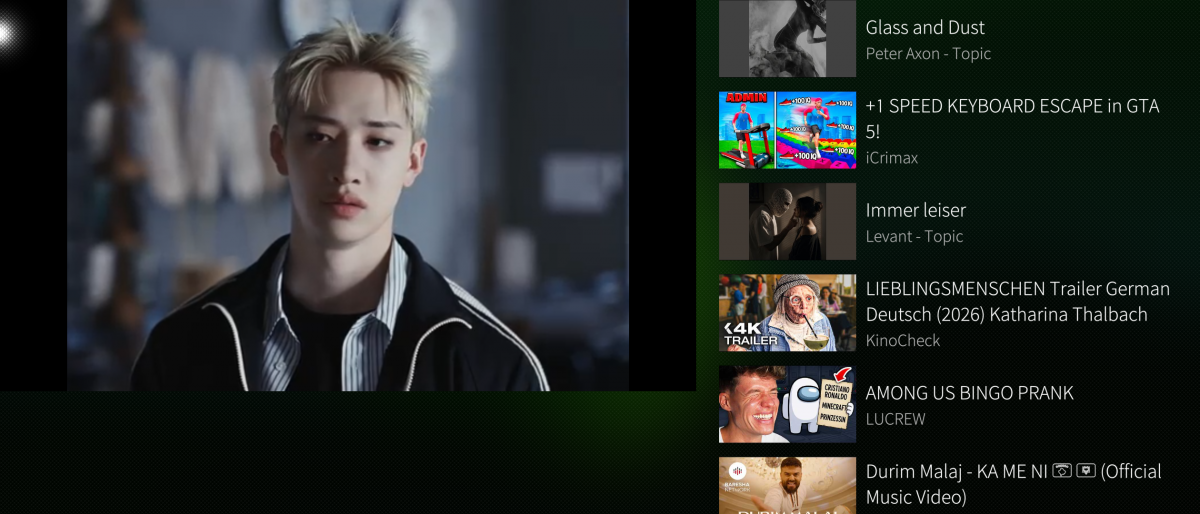
Screenshots:
Category:
Application versions:
| Attachment | Size | Date |
|---|---|---|
 harbour-yousail-0.2-1.noarch.rpm harbour-yousail-0.2-1.noarch.rpm | 86.66 KB | 07/07/2026 - 21:16 |
| harbour-yousail-0.3-1.noarch.rpm | 89.32 KB | 09/07/2026 - 07:30 |
| harbour-yousail-0.3-1.noarch.rpm | 89.41 KB | 09/07/2026 - 10:14 |
| harbour-yousail-0.4-1.noarch.rpm | 91.83 KB | 11/07/2026 - 12:55 |
Changelog:
- Video page redesigned closer to YouTube: subscribe directly from the
video, channel avatar + subscriber count, Like/Share/Save action row
- Comments moved to their own page for a cleaner watch screen
- Landscape playback: video docks on the right, info panel on the left
- Trending: new "For You" tab (personalized from your watch history,
no API key needed) is now the default; refreshing Trending/For You
now shows new videos instead of repeating the same list
- Fixed: error messages now show the actual reason for a failure
instead of a generic, unhelpful error
- Playback speed is now reliable — no more freezing or rewinding when
changing speed, including rapid tapping through speeds
- Continue-watching row supports next/previous and resumes each video
from its own saved position
- Failed videos in a playlist are now skipped automatically
- Added "Clear all data" option in Settings
- Various stability fixes for scrolling and background playback
Comments
federkamm
Fri, 2026/10/16 - 23:42
Permalink
I needed `pip3 install --user yt-dlp[default]` to also get yt-dlp-ejs, i also needed `pip3 install --user deno` and had to `devel-su ln -s /home/defaultuser/.local/bin/deno /usr/bin/` it to be found. Maybe the last step can be skipped app side by adding ~/.local/bin to the path before using yt-dlp.
247
Tue, 2026/08/25 - 00:02
Permalink
Hello, i installed ytp-dl but there is no way to play a video (despite finding the library)
Any hint?
DeSamurai
Sat, 2026/08/01 - 11:21
Permalink
Hi. Thanks for the great app.
Is the repository public? Where can I find a link to it? I would like to participate in the app development
ghazouani
Thu, 2026/07/09 - 13:50
Permalink
Where is the aarch64
Fatal error: File './oss/noarch/python3-setuptools-46.1.3+git6-1.6.1.jolla.noarch.rpm' not found on medium 'https://releases.jolla.com/releases/5.0.0.11/jolla/aarch64/'
kan
Sun, 2026/07/12 - 09:04
Permalink
You need SFOS >=5.1 and python 3.11. It will not work in SFOS <5.1 and python 3.8.
takraslt
Thu, 2026/07/09 - 14:09
Permalink
Hi, ghazouani,
A bit sad to see this...
This app is already packaged as noarch (architecture-independent), since it's pure QML + Python with no compiled code. A single package already installs identically on aarch64, armv7hl, and i486 devices, so separate architecture builds wouldn't change anything here.
I think, thats's not something my app controls — it's a package-repository issue on your device. The app only requires python3-pip; python3-setuptools gets pulled in as its dependency, and zypper is looking for that noarch package under the wrong (aarch64) repo path — a fairly common Sailfish repo-sync hiccup, usually after an OS update.
Worth trying, in order:
devel-su zypper ref
or, if that doesn't help:
devel-su ssu lr
to check that your jolla and store repos (including the noarch one) are actually enabled, then
devel-su pkcon refresh
and retry the install.
If setuptools still won't install through the package manager, you can usually skip it entirely and let pip handle it:
pip3 install --user --no-build-isolation yt-dlp
To be upfront: this is a personal project I built to scratch my own itch and decided to share — I'm not a professional Sailfish packager, and I can't promise it'll install cleanly on every device/repo configuration out there. If the repo fix above doesn't sort it out, feel free to dig into it yourself or let me know what ssu lr shows and I'll try to help where I can, but device-level package management issues are a bit outside what I can debug remotely.
windes
Thu, 2026/07/09 - 10:57
Permalink
Good day! Thanks for App! Entered youtube api key, Trending - All - List was loaded, but only text. No previews of videos. After tap on text - new window shows, where constantly video trying to load, but it shows error:
"Could not load video:
org.freedesktop.DBus.Error.Failed"
Xperia XA2, 5.1.0.11.
Ah, not installed yt-dlp, sorry, updating on 5.2.0.12 now, will install yt-dlp after.
takraslt
Thu, 2026/07/09 - 10:19
Permalink
Thank you for the detailed report.
I think, that I've just fixed this in the latest update. Could you update and try again? You should now see the real underlying error text, which will tell us exactly what's failing.
My best guess in the meantime: playback needs yt-dlp installed separately (the app doesn't bundle it). If you haven't already, try:
pkcon install python3-pip
pip3 install --user yt-dlp
If that's already installed and it's still failing, the new error message should reveal the real cause — please paste what it says..
I couldn't reproduce this on my device (don't have an XA2). Could you check if it resolves after a moment (thumbnails load asynchronously) or if it persists even after scrolling/reopening the tab? If it's still broken after the update, let me know exactly what you see and I'll dig further on my free time.
Thanks again for taking the time to report this — much appreciated!
kan
Wed, 2026/07/08 - 01:03
Permalink
Not bad, at least it works in opposite to microtube. Playback speed settings are missing and after playback interrupt it starts from the beggining.
takraslt
Thu, 2026/07/09 - 07:37
Permalink
Thanks for the feedback! I think, that both are fixed as of v0.3:
kan
Sun, 2026/07/12 - 09:08
Permalink
Thank you. I have found one issue with playback speed. It does not work for "Audio only in backgorund" option for speeds other than 1.0.