
Muoto UI Themer


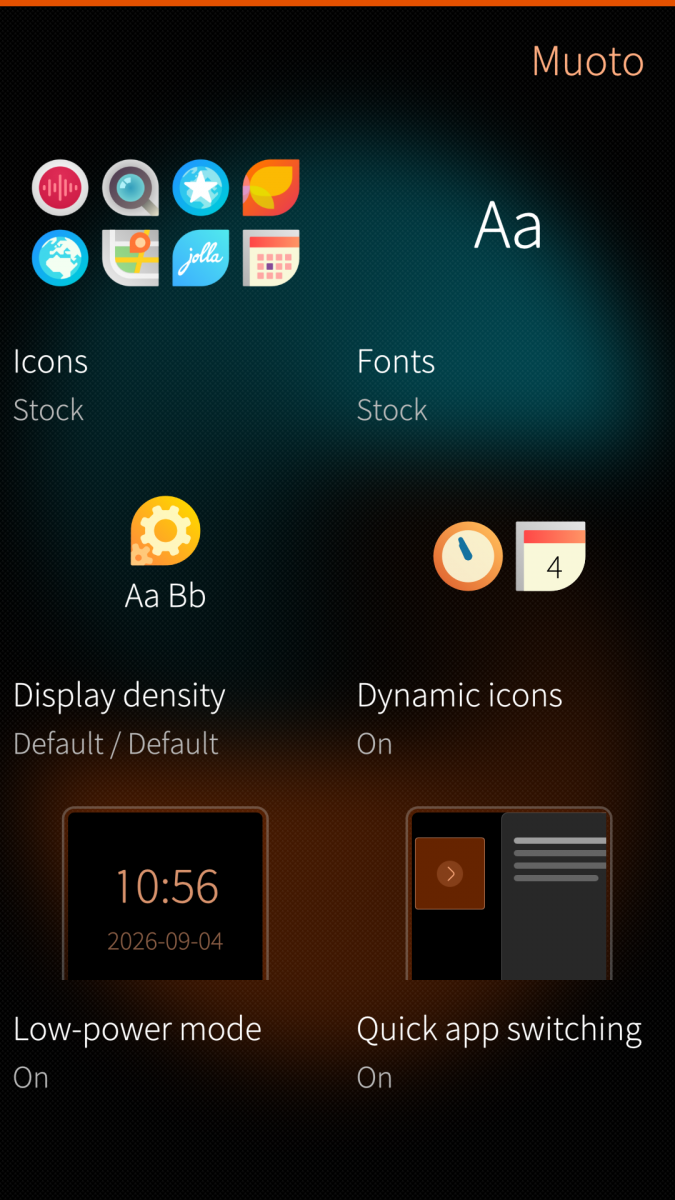
Muoto lets you customize icons, fonts and pixel density in Sailfish OS. It bundles the former Theme pack support engine and UI Themer in a single app.
Features
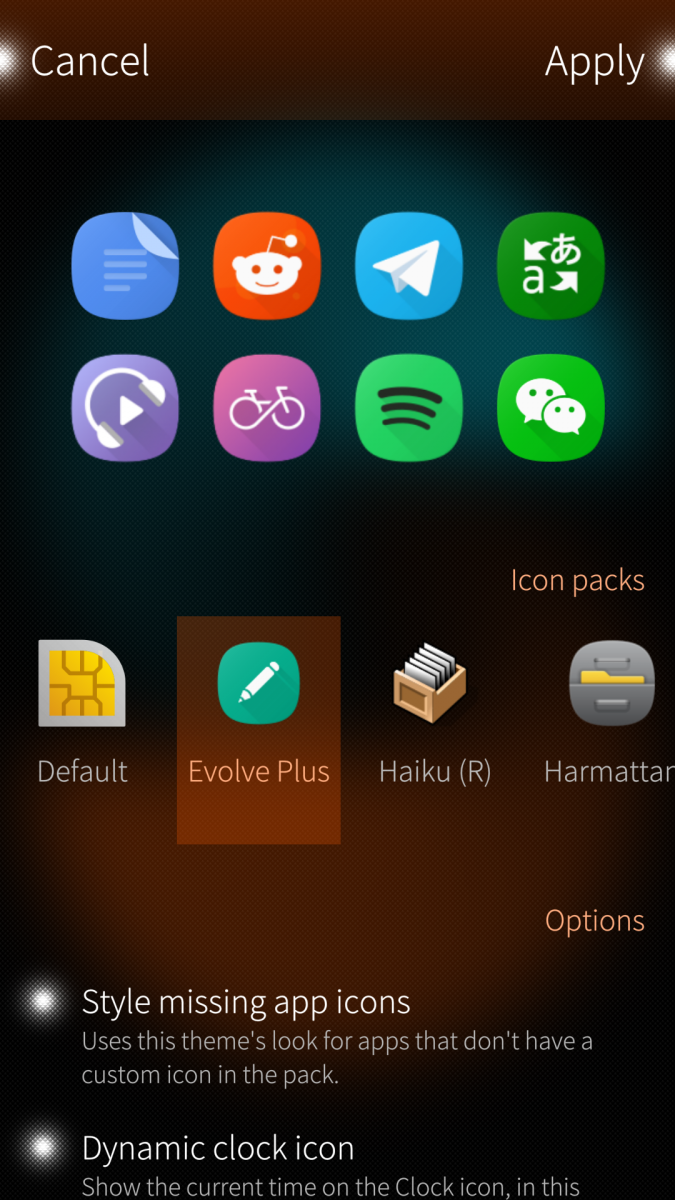
- Icon theming (native, Jolla, Android).
- Style missing app icons (theme look for apps not in the pack).
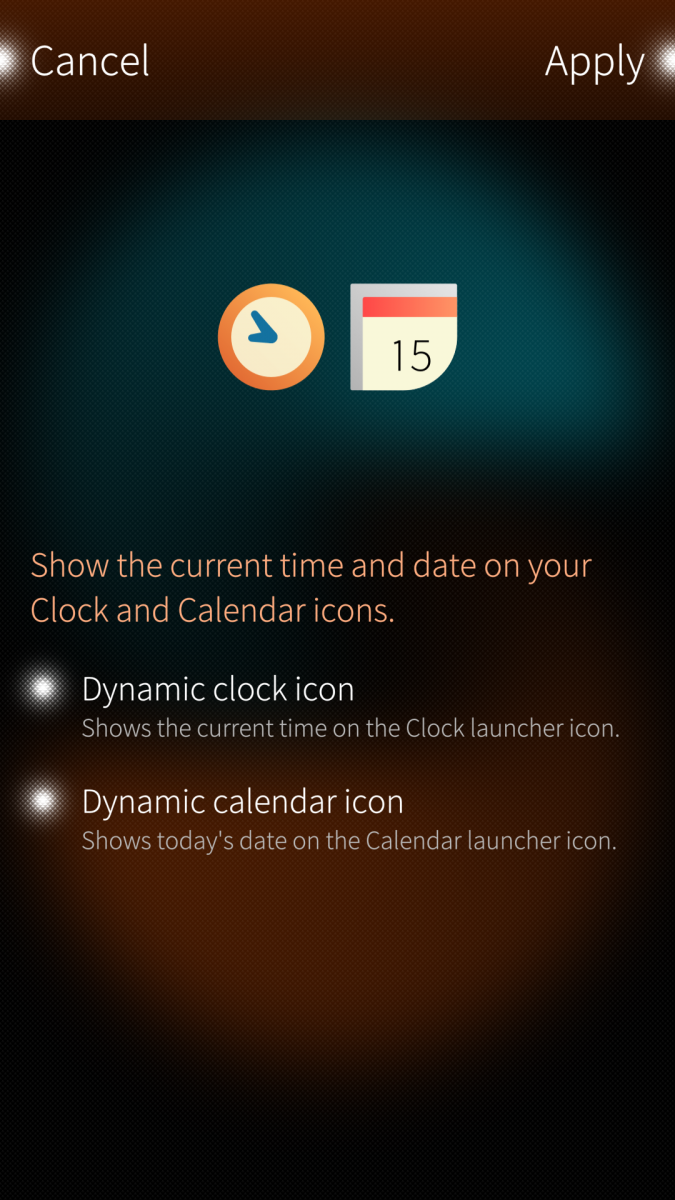
- Dynamic clock and calendar icons on the homescreen.
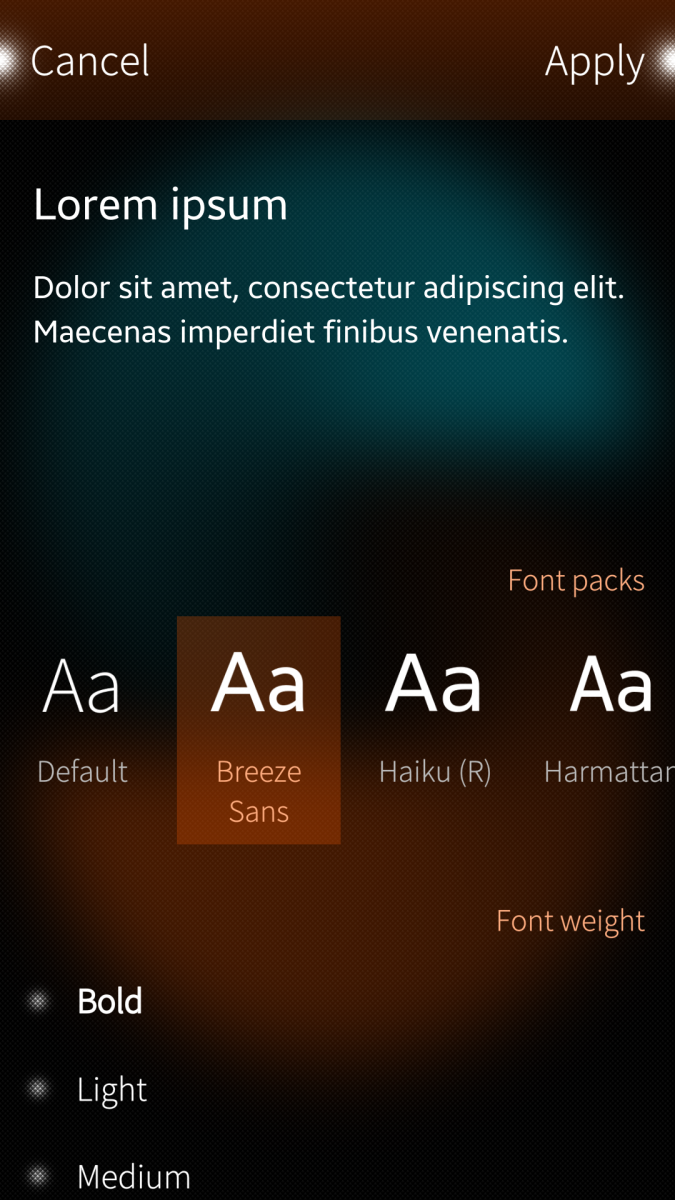
- Font theming.
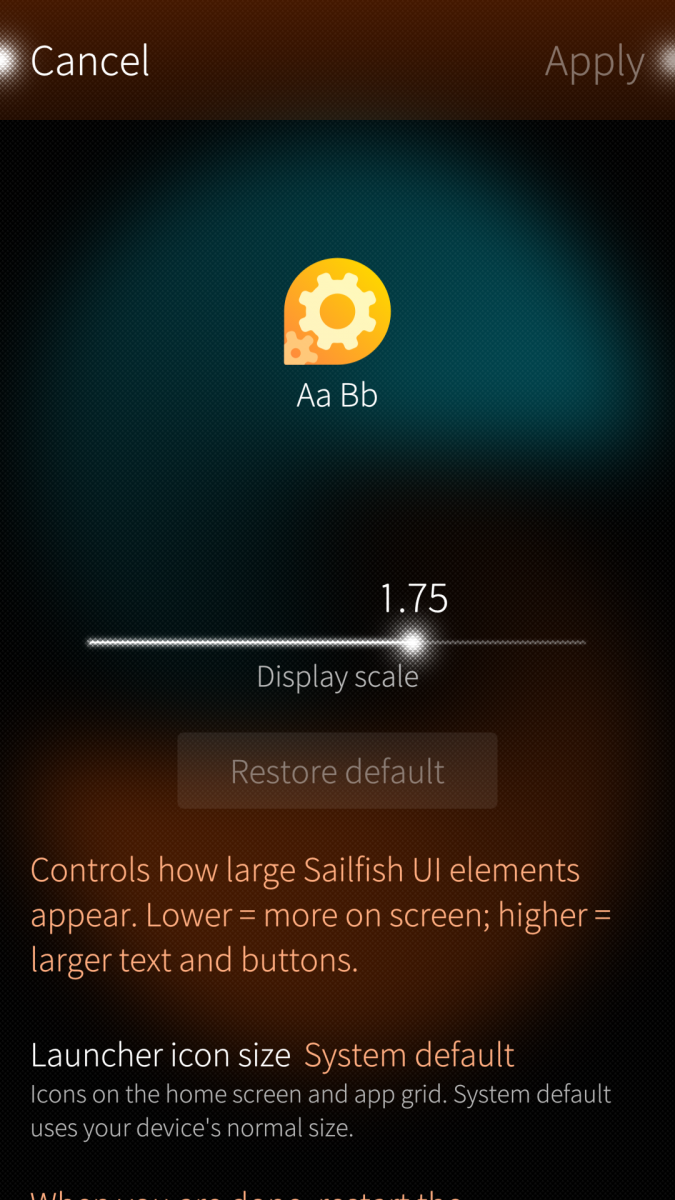
- Display density (pixel ratio, launcher icon size).
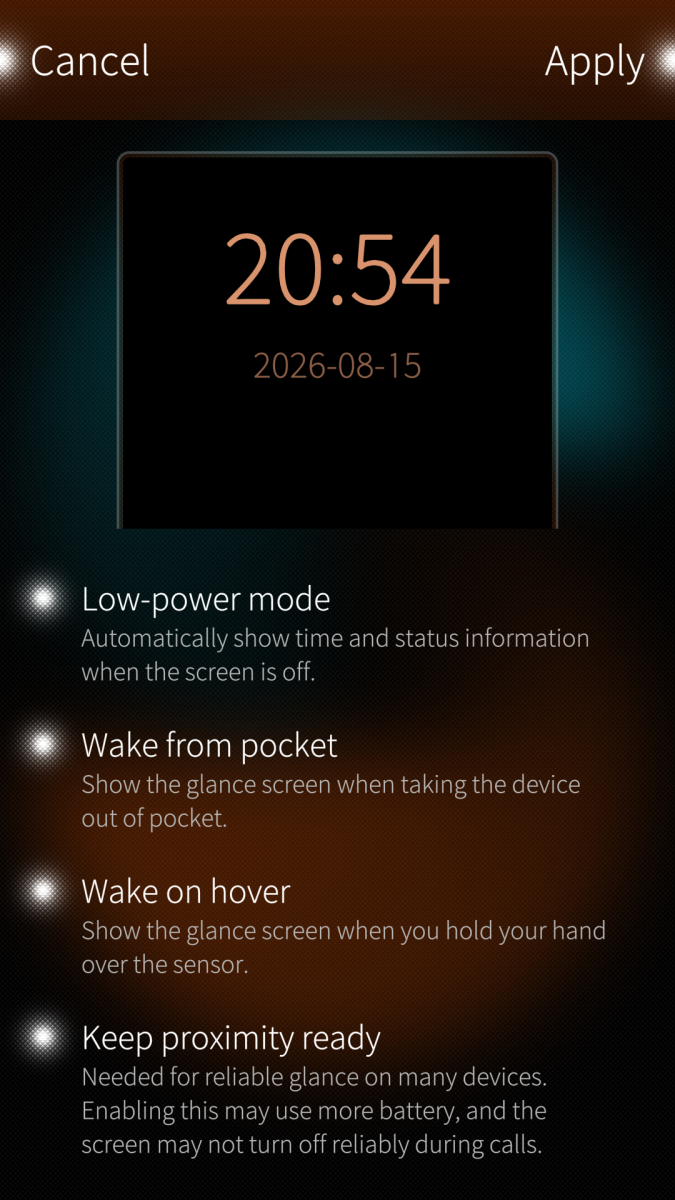
- Low-power mode settings.
Using Muoto
Using Muoto — apply themes, display density, restore, and other app features.
Download theme packs
Download theme packs from OpenRepos.
Create theme packs
Create theme packs — documentation (icons, fonts, packaging).
Migration from UI Themer
- Restore your current theme from UI Themer (sailfishos-uithemer) before swapping packages.
- Uninstall sailfishos-uithemer.
- Install harbour-muoto (also replaces the merged Theme pack support / harbour-themepacksupport package).
- Re-install and apply your preferred theme packs in Muoto.
- App settings are not auto-migrated; re-apply packs if needed after upgrading.
Translate
Request a new language or contribute on the Transifex project page.
Support
If you want to support my work, you can buy me a cup of coffee.
Screenshots:
Category:
Application versions:

Comments
stoefelz
Fri, 2026/08/28 - 19:47
Permalink
Really nice app. One bug: after reseting the icons to default some icons do not reset. Now I have a mix of default icons and non-default icons. (Tried to install other themes and reset again, restarts, etc. nothing fixed it)
fravaccaro
Sat, 2026/08/29 - 00:54
Permalink
Which icons are stuck? Jolla default apps? Native apps? Apks? Are you on the last version of Muoto?
stoefelz
Fri, 2026/09/04 - 22:40
Permalink
I was using Evolve Plus with Style missing apps in the latest version.
Storeman, Chum GUI, Yottagram, Quickddit and Pure Maps are stucking on Evolve Plus
iXo
Mon, 2026/06/15 - 23:13
Permalink
Hi, should I delete Clockwork when I am using Muoto ?
fravaccaro
Mon, 2026/06/15 - 23:21
Permalink
It would be a good idea to have only one installed
ahjolinna
Sun, 2026/06/14 - 21:56
Permalink
I was wondering if you could adapt/merge Clockwork features? (dynamic icons, customise icons, and move it to the settings app...oh and no need to restart Lipstick )
Clockwork still works, but how long as it hasnt been updated in 5 years and no idea if the dev will return
fravaccaro
Mon, 2026/06/15 - 07:53
Permalink
Considering I was the first one releasing dynamic icons it's funny to see it described as a "Clockwork feature" :D I did already plan to reintroduce my old DynCal and DynClock into Muoto, but I've not looked into it yet
I've been working on a way to reliably handle the "no lipstick restart", so the feature is on my radar
As for the integration in settings... yes, it is possible, but the payoff isn't worth the hassle imo
ahjolinna
Mon, 2026/06/15 - 16:30
Permalink
yeah I had vague memory you did it first, I wasnt sure so...I mean it has been years :D
when it comes to the "integration in settings" yes its not a must have, its a nice to have thing to make things more fancier. Maybe someday later its worth adding.
I hope you are making the UI/UX little bit better, like (soft) splitting up the icons and fonts (when you have so many installed its nice to have some segregation)
UI_aber_hui
Sun, 2026/06/07 - 21:36
Permalink
Thank you for your help! I contacted mad_dev in the comment-section of his app. Let's see what he answers!
UI_aber_hui
Sun, 2026/06/07 - 20:18
Permalink
No, i didn't and i honestly don't know where i've got the option to choose a font weight- within your app the only thing i can select after clicking on Cairo Font is to cancel because the option to "Apply" is greyed out. Sorry i don't know what you mean, but if it's no problem for you, please give me a more detailed description. Thanx for your effort!
fravaccaro
Sun, 2026/06/07 - 20:40
Permalink
I installed that font and noticed there's indeed a bug in the theme. Have you contacted the author? If he's not responding I may look at that myself.
UI_aber_hui
Fri, 2026/06/05 - 22:09
Permalink
Thanks for the app; i was happy, that i finally found a way to install Cairo Fonts, but unfortunately it's not really possible to apply any changes. The toggle-button "Apply" is greyed out. Is there any chance to get these Fonts into action? btw. my device is a C2
fravaccaro
Sat, 2026/06/06 - 00:52
Permalink
Have you selected a font weight?
davodego
Mon, 2026/06/01 - 22:12
Permalink
Oh, thanks for the app. Now I can finally use the Prelude webOS font in SailfishOS again.
frankps
Sun, 2026/05/31 - 20:38
Permalink
I would love to see a Haiku OS theme on my phone!
Lots of beautiful, cartoonish icons are available here:
https://hvif-store.art/
fravaccaro
Sun, 2026/05/31 - 22:17
Permalink
I can't promise anything, but.... ;)
Manisak
Sun, 2026/05/31 - 17:22
Permalink
Top!! Thanks