
Sailcron


Warning regarding SailfishOS upgrades:
to prevent any misbehavior of the cron daemon, please stop the daemon before starting any OS upgrade
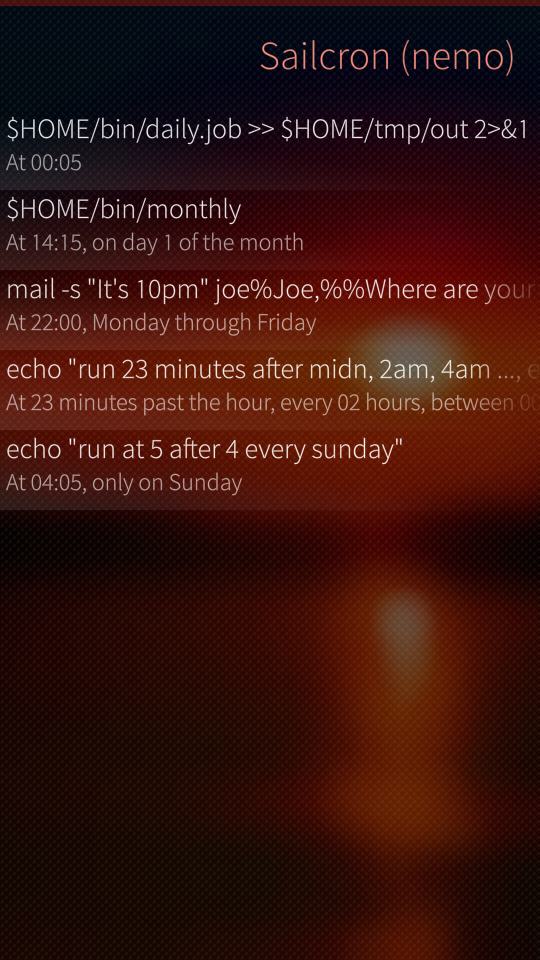
Frontend for the cron scheduler. Makes it easy to view your schedules in a more friendly way.
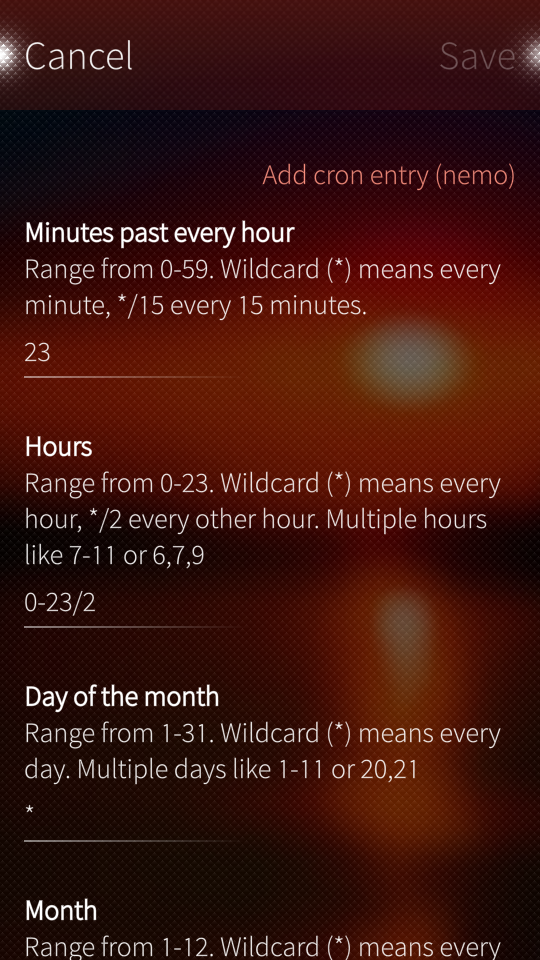
Also gives the opportunity to fully manage crontabs of nemo and root. The usual warning: always be careful with root permissions. Disabling is achieved by adding a specific comment string in the cron entry.
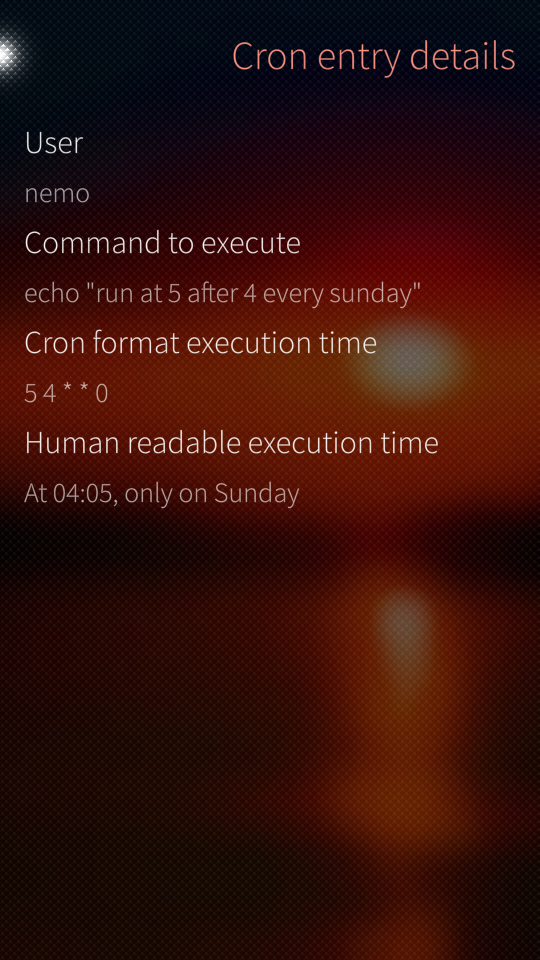
Displayed commands can be replaced by a more meaningful text.
Using cron-descriptor for the conversion of cron expressions into human readable strings.
Using python-crontab for the cron timestring syntax check.
Needs vixie-cron or cronie as cron daemon, which can be found in my repo.
Loading a large crontab can cause some unresponsiveness.
If you want to play more with the crontab syntax, you can have a try here: http://www.corntab.com/pages/crontab-gui
Why use cron as a scheduler?
- Stable, simple and well known
- Low on resources and a wakelock only every minute does not really effect battery usage
- Systemd timers are not accurate, because they are effected by sleep states
- Timed-qt5 (the "native" scheduling) would have been another option. I worked with something similar on Maemo, which I liked, but was missing documentation and implemented features
Swedish translation: eson
Sources can be found on github
Screenshots:
Category:
Keywords:
Application versions:

Changelog:
- 0.9-4 Make sure permissions after edit on cron file are correct
- 0.9-3 Make sure initial permissions on cron file are correct
- 0.9-2 No longer use 'ex' tool, as it is not available by default
- 0.9-1
- Change fontcolor of disabled lines
- Fix small issue with asteriks in lines
- 0.8-1 Fix handling of backslash before percent sign
- 0.7-1 Special cron entries now translatable
- 0.6-1
- Do not notify cronline is ok at save
- Added midnight and anually as special cron entries
- 0.5-1
- Opt out of sailjail
- Switch from popup messages to smaller banner
- 0.4-5 Changes in detecting running cron because Jolla installed yet more crippling busybox tooling in favor of gnu packages in SFOS 4.0.
- 0.4-4 Do not assume nemo to be the default user
- 0.4-3 Fix for SFOS 3.4
- 0.4-2
- Yet another fix for SFOS 3.3.0: writing failed as Jolla moved to busybox base64 command
- 0.4-1
- Fix for SFOS 3.3.0 so custom descriptions are displayed again
- Small change in notification
- 0.3-1
- Load custom texts async for faster loading
- Minor layout changes
- 0.2-1
- updated python-crontab and cron-descriptor
- No longer require vixie-cron as a dependency
- 0.1-21
- Added button to cleanup orphaned custom texts
- Upgraded python-crontab to 2.3.7
- Latest changes from cron-descriptor
- 0.1-20
- Now support @reboot,@weekly etc.
- Updated python-crontab and cron descriptor to latest version
- 0.1-18
- Cron descriptor updated to 1.2.9
- Python-crontab updated to 2.2.3
- 0.1-17
- Increased max length cron line
- Cron descriptor updated to 1.2.8
- Python-crontab updated to 2.2.1
- 0.1-16 Implemented python call_sync workaround (credits otsaloma) due to bug in 2.1.0.x
- 0.1-15 Updated swedish translation
- 0.1-14
- Edit menu selectable directly from detailspage
- Synced python-crontab to upstream 2.1.1
- Cron syntax checker will now fail if cron range is backwards
- 0.1-13 Settingspage no longer a dialog page (with cancel/accept)
- 0.1-12 fixed introduced bug that would insert invalid cron entry
- 0.1-11
- The input "*/number" was not correctly passed
- Limit accepted input characters
- Added new python module for actual cron string checking
- 0.1-10
- Increased max length of input fields
- Included upstream fix for cron-descriptor
- 0.1-9
- Updated Swedish
- Added Dutch language
- 0.1-8
- No auto capitalisation in command field
- Create custom names for execution string
- 0.1-7 Fixed not showing cron entries with '=' sign
- 0.1-6 Fixed weekday numbers explanation
- 0.1-5 Fix: pipe symbol was not handled correctly
- 0.1-4
- Included cron-descriptor upstream change for week/month localizations
- Swedish translation updated
- 0.1-3
- Fix: ignoring settings in crontab led to corruption
- Manage crontab daemon from settings page
- 0.1-2 Fix: try to ignore settings done in crontab
- 0.1-1
- Added Swedish translation
- Localized days of week in cron-descriptor part
- 0.1-0 Initial version
Comments
ade
Tue, 2016/02/16 - 12:29
Permalink
If only I could :-)
Uploaded version 0.0.1-6 with corrected text.
Self_Perfection
Thu, 2016/02/11 - 18:07
Permalink
I don't like this approach. Systemd timers are known to not activate while a phone in deep sleep, is using cron reliable enough? Are we sure, that cron does not increase amount of wakes from sleep and therefore does not affect running time on one charge much? Anyway this approach requires installation of one more packet and running one more daemon in background, and RAM is always scarce on Jolla.
We can use native system timed service for running scheduled tasks. And I successfully use it for running several scripts on schedule. But I had to create these events with CLI interface
timedclient-qt5. In the process of creating these tasks I've discovered that timedclient-qt5 is rather buggy and does not support all timed features, so eventually I modified ~/.timed/events.data with text editor to get what I want.IMHO UI for managing timed events would be much more useful.
ade
Sat, 2016/02/13 - 14:33
Permalink
Afaik it gets a wakeup every minute (also the minimum time to schedule). No noticable extra power consumption (been using it from the beginning).
The memory footprint, including shared memory, is about 390.0 KiB.
My experience with timedclient-qt5 is not that it is buggy, but a lot of parameters are not implemented (for example hide snooze for an alarm). I don't want to hack in the event files afterwards. I was hoping for clearly documented API calls to talk to timed (as I was used to on the N900), but it looks Jolla still has a lot to do on this matter.
So in the mean time I am perfectly happy with cron to do the job scheduling for me.
objectifnul
Thu, 2016/02/11 - 11:07
Permalink
Looking for CLI options for "harbour-sailwave" and/or "harbour-quickradio" terminal commands allowing to launch playback of a selected station and to convert Sailcron into a radio alarm clock.
ade
Thu, 2016/02/11 - 23:29
Permalink
The question is not really related to Sailcron, but anyway :-)
A typical command line for this would be:
bash -l -c "/usr/bin/gst-launch-0.10 -v playbin2 uri=http://download.banshee-project.org/misc/http-test.ogg"
This plays the short test file over http at the given cron time. But gst-launch does not seem to support radio streams well.
Harbour-sailwave does not support parameters, but LLs Video Player does.
The command
bash -l -c "/usr/bin/harbour-videoPlayer -p http://icecast.omroep.nl/3fm-live-mp3"
will start Video Player and play the stream.
Note that I use "bash -l -c" because cron is not aware of environment variables. You could also source /etc/profile for this.
objectifnul
Sat, 2016/02/13 - 12:05
Permalink
LLs trick (harbour-videoPlayer) is perfect!
Pages