
Frogfish


Gestures that bring the whole screen within reach of one hand.
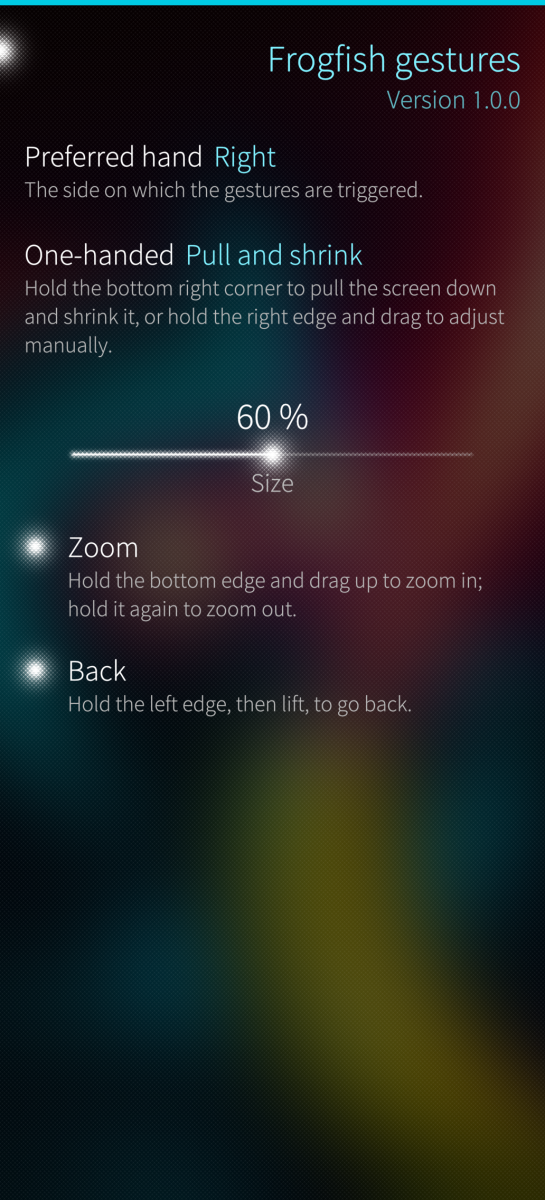
- One-handed mode: hold a bottom corner to pull the screen down, shrink it towards your thumb, or both; hold the side edge and drag to set how far. A tap on the empty area goes back; calls and alarms always show full screen. Also a top menu switch.
- Back (off at first): hold the side edge away from your preferred hand, then lift, to go back in apps, Android apps included. It also closes the app grid and the top menu. Sailfish's own side swipes stay as they are.
- Zoom (off at first): hold the bottom edge and drag up to magnify the screen, up to 8×. Pinch to zoom and move; a button switches between moving the view and touching the apps.
Works alongside other home screen add-ons such as Owlfish.
After installing or upgrading, restart the phone. The home screen only loads Frogfish when it starts. Then open Settings > Frogfish gestures (under Look and feel).
Found a problem? Pull down the settings page and tap Report a bug.
Tested on the Jolla Phone (2026) with Sailfish OS 5.2.
Source, documentation and issues: https://github.com/ccontino84/frogfish License: LGPL-2.1-only. Written with an AI coding assistant (Claude); designed, reviewed and tested on real devices by the author.
Screenshots:
Category:
Application versions:
| Attachment | Size | Date |
|---|---|---|
 frogfish-1.0.0-1.aarch64.rpm frogfish-1.0.0-1.aarch64.rpm | 2.01 MB | 20/10/2026 - 22:20 |
| frogfish-1.0.0-1.armv7hl.rpm | 1.98 MB | 20/10/2026 - 22:20 |
Changelog:
(none)
Recent comments