
fiat imago - RAW editor

The camera saved a JPEG in a hurry. The RAW beside it still holds the highlights the JPEG threw away.
fiat imago develops the RAW files that RAWfish saves, and ordinary JPEG photos too: light, colour, crop, sharpness and effects, changing while your finger moves. What you export is exactly what you saw. The original is never touched; every export is a new file.
**What it does**
- Light: exposure, contrast, highlights, shadows, whites and blacks. A histogram above the photo, and a switch that paints blown highlights red.
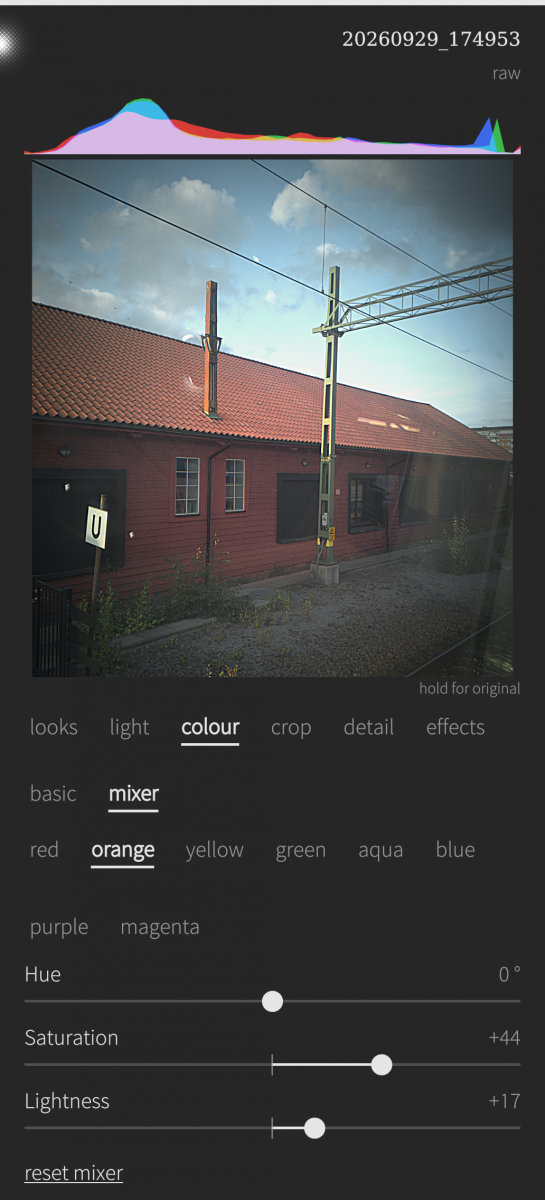
- Colour: temperature, tint, saturation and vibrance, and a colour mixer with hue, saturation and lightness for eight colour bands. Turn the grass golden without turning the sky green.
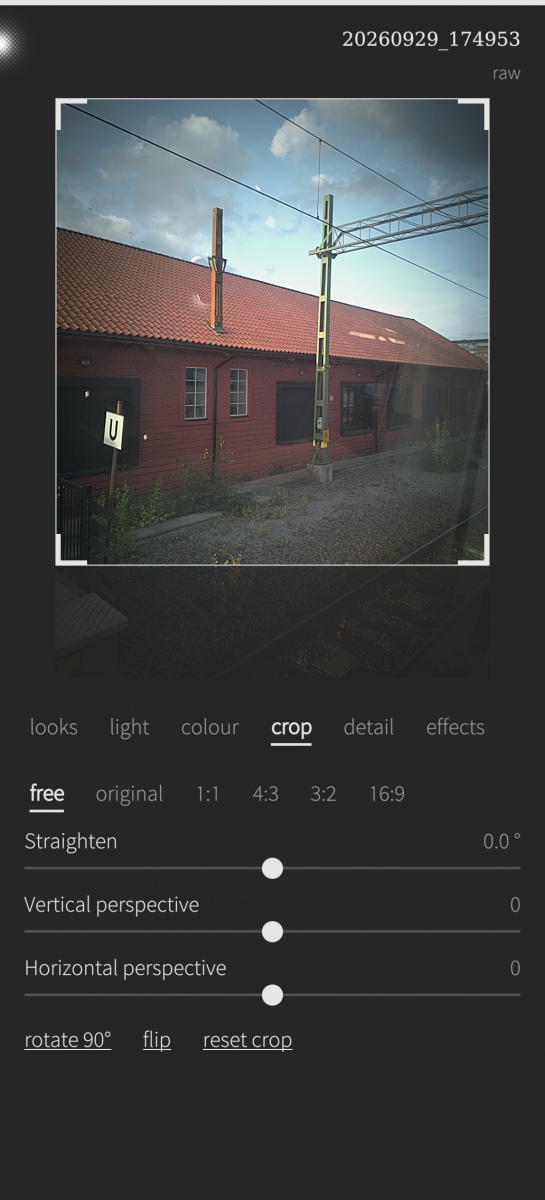
- Crop: free or fixed ratios, straighten up to ±45°, vertical and horizontal perspective, rotate and flip. The photo is zoomed just enough, so no empty corners show.
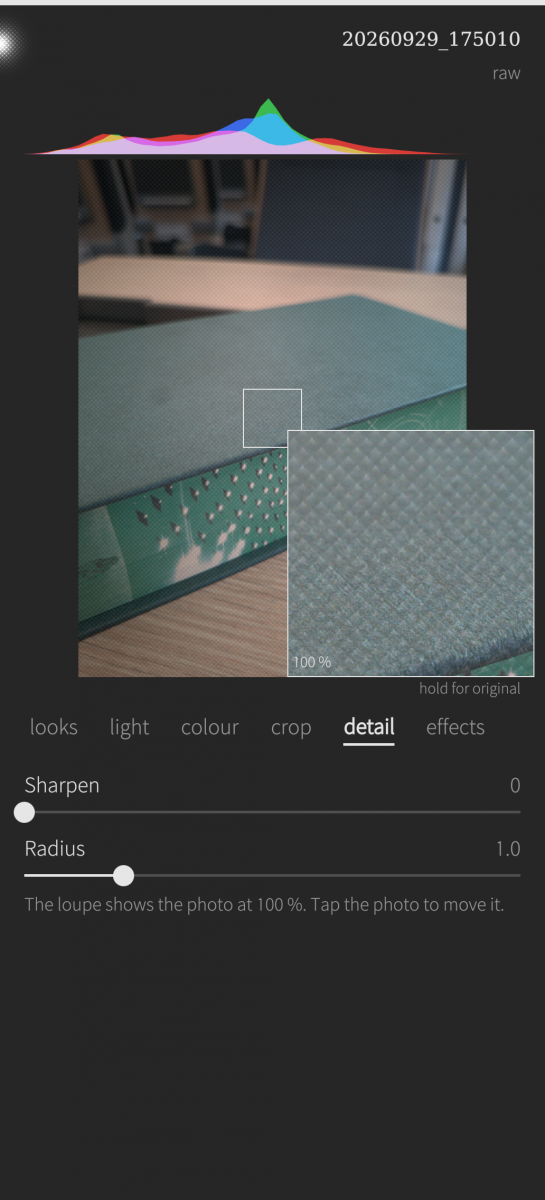
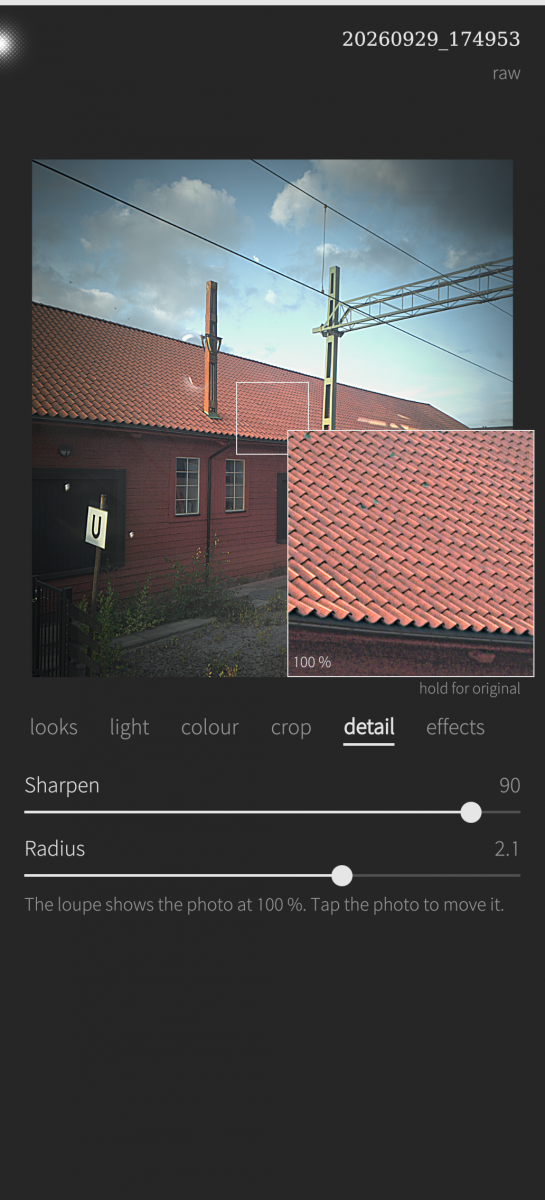
- Detail: sharpening, and a 100 % loupe that follows the sliders while you drag.
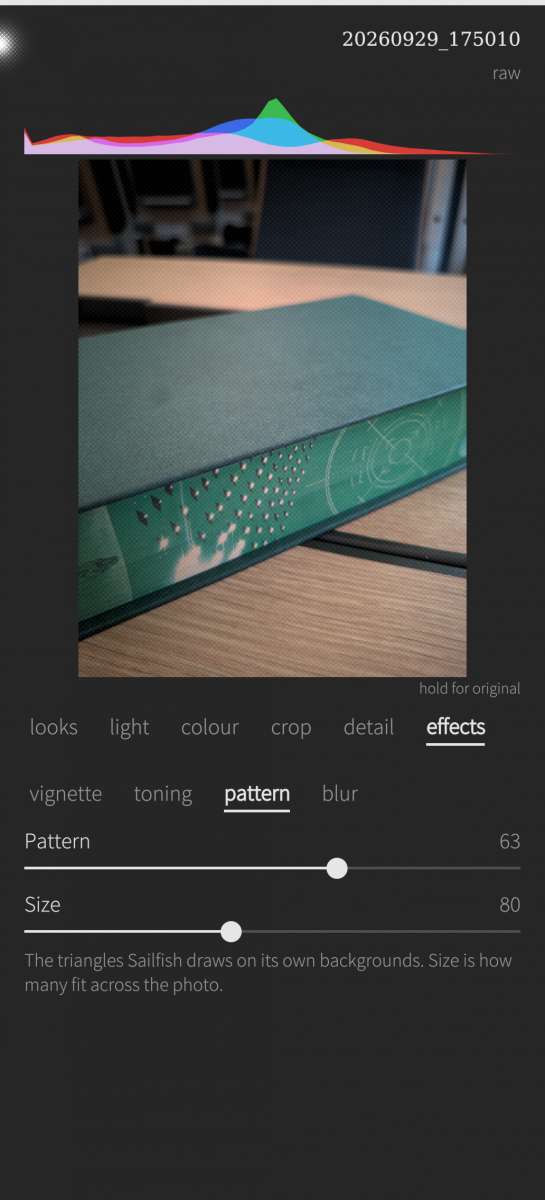
- Effects: vignette, toning for shadows and highlights (sepia, duotone), the triangle pattern Sailfish draws on its own backgrounds, and blur.
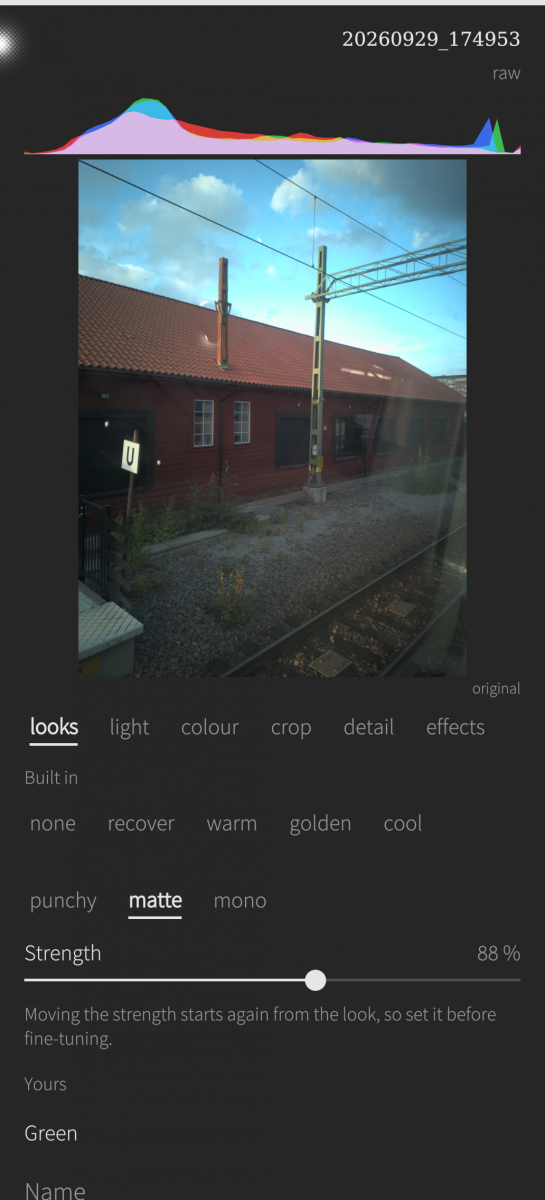
- Looks: ten starting points (none, recover, warm, golden, cool, punchy, matte, mono, sepia, facet) with a strength from 0 to 150 %. Save your own from the pull-down menu.
- Hold the photo to see the original. Copy the settings of one photo and paste them onto the next.
- A RAW is turned and matched in brightness to the JPEG RAWfish saved beside it, and its colour comes from the transform the camera recorded for each shot, so it starts out close to the camera's own JPEG.
- Photos are found in Pictures, Pictures/Camera and Pictures/RAWfish, and on a memory card.
- Export at full or half size, JPEG quality 60–100, with the camera's data kept or removed.
**Good to know**
- RAW16 from RAWfish is tested on real files. RAW8, RAW10 and RAW12 are implemented from Android's documented packing and tested only on synthetic files. If you have such a file, please send it via GitHub Issues. Also, finding images from the memory card should work, I have no memory card though, and couldn't test it yet. Please let me know!
- It reads RAWfish's RAW files with their JSON, not DNG.
- If the JPEG beside a RAW lies on its side, the RAW does too. Use rotate 90° under crop.
- A full-size export of a 12 MP photo can use up to about 450 MB of memory.
**Your data**
Photos are read and never changed. Your edits are kept in the app's own storage, not in the photos. Exports are saved to Pictures/fiat imago. Nothing leaves the phone: no account, no network. Permissions: Pictures, to read your photos and save exports, and Removable media, to read a memory card.
**Under the hood**
Everything is developed on the CPU in 32-bit floating point, with one code path for the preview, the loupe and the export. That is why what you see is what you get. Demosaicing is Malvar–He–Cutler, and colour goes through the camera's own transform.
**The name**
*fiat* — Latin, let there be. *imago* — image, likeness. A sensor only counts light; developing the count is what makes it an image.
*Imago animi vultus, indices oculi.*
The face is the image of the mind, the eyes its interpreters. — Cicero, De Oratore III.221
Built for Sailfish OS 5.1, aarch64. Part of the fiat family — small, focused Sailfish OS apps that do one thing plainly.
In the spirit of honesty: the code was written with a AI help, as I do. I've read the QML, but not the demosaicing – I wouldn't pretend to understand that. The AI tested it against synthetic images with a known answer, and I've tested it on my own photos. Check the code on GitHub.
Thanks to the RAWfish project, which makes the RAW files this app is for: https://github.com/Logic-gate/RAWfish
Source on GitHub · MIT licence: https://github.com/munksh/FiatImago
Screenshots:
Category:
Application versions:
| Attachment | Size | Date |
|---|---|---|
 harbour-fiatimago-1.0-1.aarch64.rpm harbour-fiatimago-1.0-1.aarch64.rpm | 219.44 KB | 03/10/2026 - 09:23 |
Changelog:
(none)
Recent comments