
Radar (Find my Device)


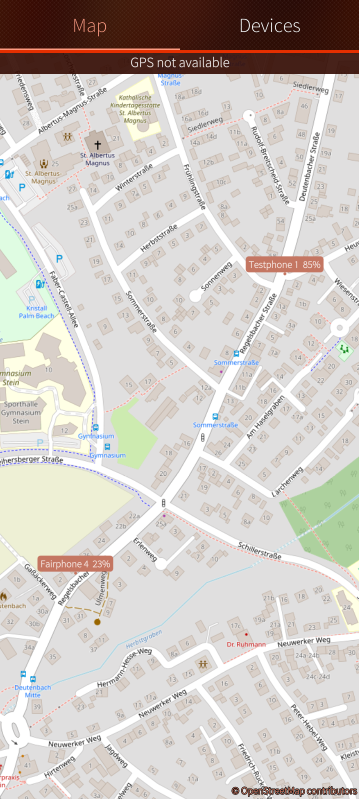
Radar (Find My Device) is a native find-my-device app for Sailfish OS: see your device's last position on a map and control it remotely via MQTT or SMS — fully self-hosted, no Google or cloud account involved.
Features:
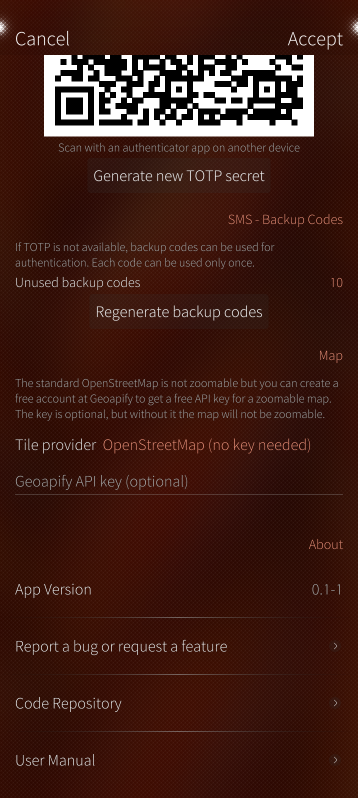
- Locate your device on an OpenStreetMap map (optional free Geoapify key needed for a zoomable map)
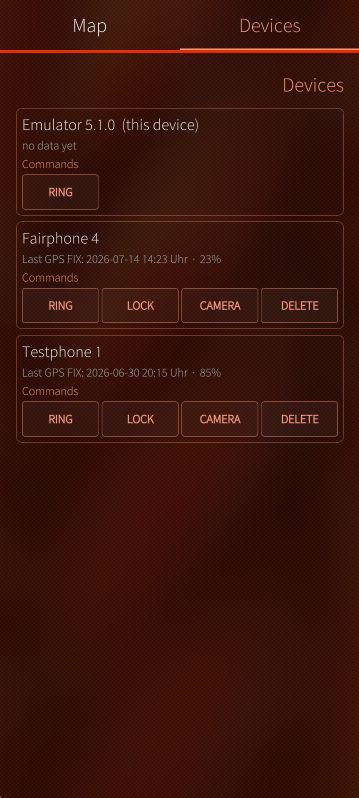
- Track other Sailfish OS devices on the same map (Radar app installed + same MQTT broker)
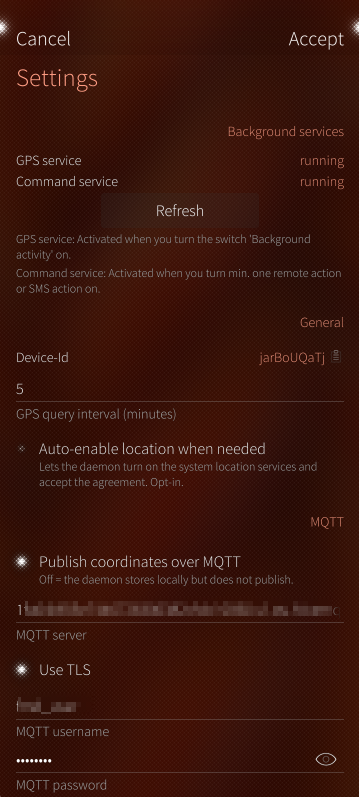
- Publish your device's GPS position via MQTT (optional — use your own or a free public broker)
- Remote commands, via MQTT and/or SMS:
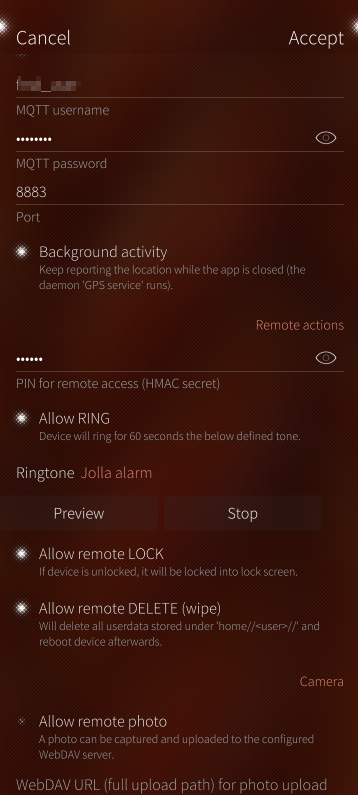
- RING / STOP_RING — ring the device for 60 seconds
- LOCK — lock the device into the lock screen
- GPS — report the current position (published via MQTT, or replied by SMS — SMS costs may apply)
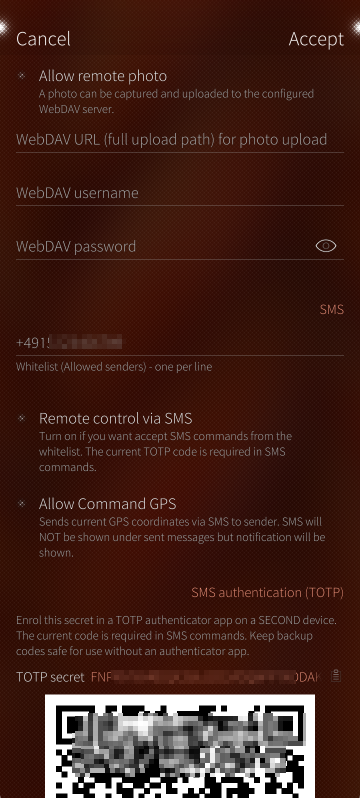
- CAMERA — take a photo (front or back camera) and upload it to your WebDAV folder
- DELETE — wipe all user data and reboot (NOT a factory reset)
- Everything is opt-in: each command, MQTT, SMS and background tracking can be enabled/disabled individually in the settings
- Translations: EN, DE, SV, FR
Two Packages: App + Background Services
Since v2.0 the project ships as two RPMs (required for Jolla Store / Harbour
compliance):
- harbour-find-my-device: App itself, fully sandboxed (Sailjail). Works standalone: map, device management, foreground position updates.
- harbour-find-my-device-daemon: background services (remote commands via MQTT/SMS, background tracking, privileged helper for reboot/SMS). Not sandboxed
Security:
- This is not a spy app: every remote action — even a failed one — shows a notification on the device.
- All commands are disabled by default.
- MQTT commands require broker authentication plus a one-time HMAC token derived from your PIN.
- SMS commands are only accepted from whitelisted numbers and require a TOTP code (authenticator app on a second device) or a one-time backup code.
Tested on: Fairphone 4 (SFOS 5.0.0.62), Emulator (5.0.0.62, 5.1.0.11)
Links:
Screenshots:
Category:
Keywords:
Application versions:

Changelog:
2.1-1:
- FIX: Introduced cmd daemon heartbeats fmd//hc to fix some lost cmd commands while mqtt subscription was silently dead
- FIX: Hardening of cmd daemon error scenarios
- CHANGED: Changed settings section headers to expanding section groups for better usability
2.0-3:
- FIX: Map tiles were partially missing and cache not used.
- FIX: The OSM user agent was not yet available on page loading.
2.0-2:
- FIX: Added missing dependency QtLocation to spec file for first installation.
2.0-1:
- CHANGED: Jolla-Store compliance refactoring (two-RPM model)
- CHANGED: App data moved to the Sailjail data dir
- FIX: MQTT publishing now survives WLAN/mobile network handovers
- FIX: TCP_USER_TIMEOUT half-open sockets
- FIX: battery use reduced
1.1-1:
- FIX: Improve MQTT connection robustness across WLAN/mobile handovers
- FIX: Add rotating file logs under /tmp/
- ADDED: Enhancement of descriptions and texts.
- ADDED: french translation provided by @EnigmaTriton
1.0-1:
- ADDED: swedish translation provided by @eson57
- FIX: daemon_cmd - in some cases false user was picked for wipe of device.
- FIX: Added detailed description why sailjail needs to be off.
- FIX: Switched dbus services to freedesktop.systemd api
- FIX: mqtt client was not closed when publish was changed to 0
- FIX: Long delay for first FIX after appstart
- ADDED: Show bannner when GPS FIX was not successfully after 90s.
- FIX: GPS-Daemon starts to connect to MQTT now on startup and not after GPS-FIX.
0.1-1:
- Initial implementation of application
- Added MainPage, Device-Page, Map-Page, Settings-Page
- Added backend logic for device tracking, commands, and settings management
Comments
mkz
Sat, 2026/08/01 - 10:34
Permalink
Hi! Thanks for your fine app! On Jolla2 and Xperia 10ii, the map is not available because qt-location seems to be not installed. But when I try to install it, pkcon says that it is all installed. Any idea ?
DomiH
Sat, 2026/08/01 - 12:45
Permalink
mhm i need to investigate a little bit further. i removed some installation requirements due to harbour compability.
As workaround: Can you try to install the version 1.1-1 (not sandboxed) first and then update to current version (sandboxed)? There all needed dependencies where installed successfully on other devices .
OR install this Package manuelly:
devel-su pkcon install qt5-qtdeclarative-import-location
please give also a Short Info if it worked.
mkz
Sat, 2026/08/01 - 15:38
Permalink
Thanks for your quick reply ! Map is working well after downgrading in 1.1-1 and updating to current version on the Jolla 2.
Unfortunately, an alert message in the top of map says that internet connexion is not available.
In same time, I've installed Mosquitto on a web server but it seems to not working now. Probably, I mistaking somethings...
DomiH
Sat, 2026/08/01 - 16:48
Permalink
If you want to publish your GPS coordinates via MQTT to a mosquitto Server, you need to enable on your Jolla Phone WIFI or monbile Data that the App is able to publish via MQTT. Without Internet Connection you can use the SMS Commands only.
the Banner you mentioned indicates that your Phone is currently not connected to the Internet or the Connection Details to your Server is wrong - please Check.
you can also have a look at the User Manual for Further Details: https://github.com/Dominik-h-hub/harbour-find-my-device/blob/main/docs/U...
SaimenSays
Wed, 2026/07/22 - 23:12
Permalink
First of all, thank you for all the effort you put into developing this app!
MQTT is a proven protocol, but it would be very convenient to have another option for uploading location data. Do you think it would be possible to implement an upload feature for Nextcloud Phonetrack?
DomiH
Thu, 2026/07/23 - 08:51
Permalink
If i underdtood it Right, you will get a Custom HTTP link which we need to add to the Radar App, which is called by Radar App when GPS Fix should be uploaded?
I think that should be possible. Please Send me at Community Forum (@DominikH) a PM With one example Upload link URL, then i can try to implement it.
frankps
Thu, 2026/07/16 - 14:30
Permalink
And where is the download link?
DomiH
Thu, 2026/07/16 - 14:58
Permalink
Here you are, please try it out
DomiH
Thu, 2026/07/16 - 14:33
Permalink
Hehe that was quick, Frank.
I prepare everything right now, wait some more minutes :P
frankps
Thu, 2026/07/16 - 16:38
Permalink
Seems to work very fine. Found my phone correctly on the map.
I would love to see this as a Nextcloud app! I will most likely only have one phone in the future :)
DomiH
Fri, 2026/07/17 - 15:45
Permalink
unfortunately i dont have Nextcloud installed (or experience with it), but if someone is willing to develop such an app and knows how to do it i can support here with the implementation.
I added also an example python-flask app for personal usage within the github-repo under /docs/examples -- You can run it on your local computer or server and display the location and send remote actions. With that it should be easy to develop a nexcloud app then.