
Mic Gain

One slider that makes microphone recordings audible again - persistent, per app, no root, fully revertible.
THE PROBLEM
On my Sony Xperia 10 III, recordings from camera and audio apps come out 20-25 dB too quiet: speech peaks around -30 dBFS where a normal recording sits at -6 to -12 dBFS. The apps and PulseAudio's configuration are innocent - the vendor Android audio HAL that Sailfish reuses through libhybris is configured with far too low a microphone gain for the camcorder path, and fixing that properly would mean changing vendor audio configuration on the device.
HOW THE FIX WORKS
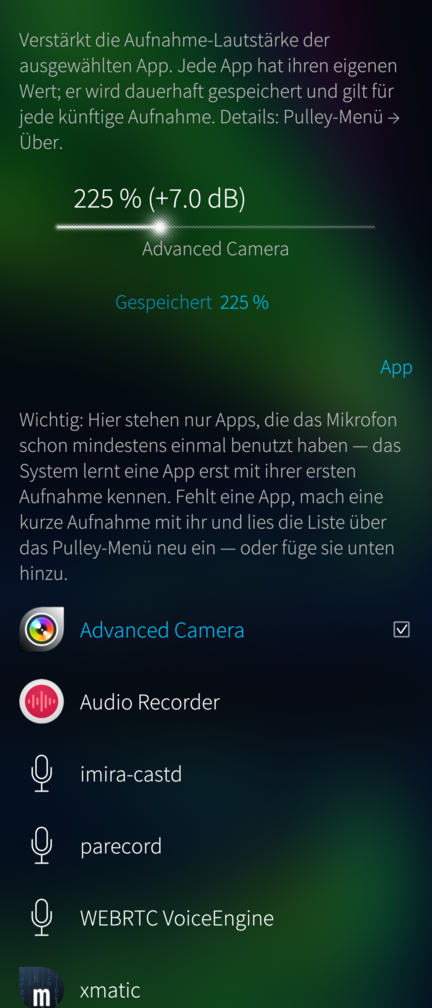
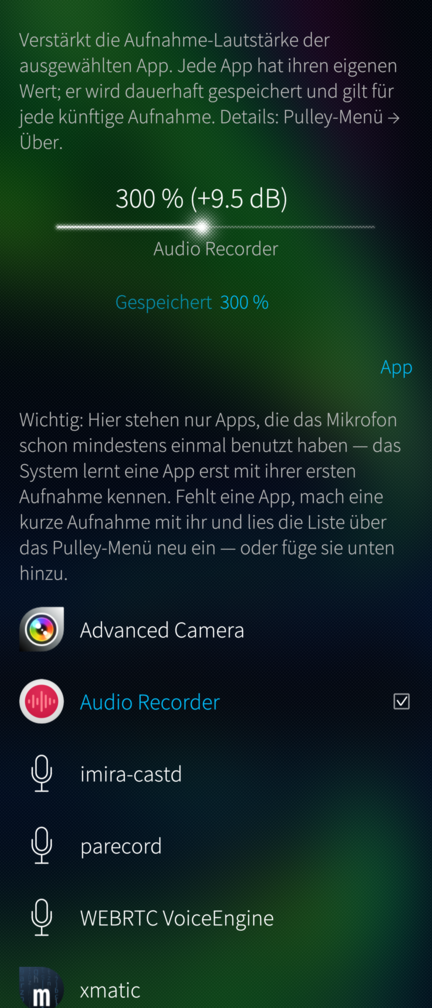
PulseAudio remembers a volume per application (stream-restore) and re-applies it to every new stream of that app, across reboots. Mic Gain writes a boosted recording volume into exactly that memory: it briefly opens a record stream under the selected app's name and sets its volume, which the module then persists. The microphone is active for a fraction of a second; nothing is recorded or stored. The boost applies automatically to every future recording of that app - Mic Gain does not need to be running for it.
FEATURES
- Per app, persistent across reboots, revertible any time ("Reset to 100 %")
- Lists every app that has ever recorded on the device (with its launcher icon); any other installed app can be added through a picker
- Default 300 % (+9.5 dB), adjustable 50-600 %. Digital gain raises the noise floor by the same amount, and values above ~400 % can clip loud sounds
- No root, no system files changed
STATUS
Proof of concept / work in progress, shared as is, no warranty (GPLv3). Measured in detail on a Sony Xperia 10 III; other devices may need different values or may not have the problem at all.
ARCHITECTURES
aarch64 (Sailfish OS 5.0+). No armv7hl build.
AI assisted development.
Source, issues, releases: https://github.com/JimKnopfIoT/harbour-micgain
Screenshots:
Category:
Keywords:
Application versions:
| Attachment | Size | Date |
|---|---|---|
 harbour-micgain-0.3.2-1.aarch64.rpm harbour-micgain-0.3.2-1.aarch64.rpm | 58.3 KB | 18/08/2026 - 16:02 |
Changelog:
- About page wording: name only the device the analysis was done on.
Recent comments