
FUTO Keyboard (with Swipe and Offline Voice Input)


FUTO Keyboard for Sailfish OS
A feature-rich native keyboard for Sailfish OS, based on FUTO Keyboard and designed to work across both native Sailfish applications and Android AppSupport.
This project brings the FUTO typing experience to Sailfish OS while adding many new features and integrations made specifically for the platform.
This is an independent community project and is not an official FUTO product.
Features
Smarter typing
- Multilingual predictions for every included language with an available offline dictionary
- Automatic per-word language detection
- Spelling corrections and next-word predictions
- Context-aware suggestions and compound-word support
- Swipe typing with a smooth visual trail
- Cursor control by holding and dragging the space bar
- Fully offline voice input with live transcription and push-to-talk
- Optional URL history and suggestions
Make the keyboard yours
- The full set of directly typed FUTO language layouts
- A separate layout can be selected for each language
- Full-size, thumb, left-handed, and right-handed modes
- Separate keyboard modes for portrait and landscape
- Adjustable keyboard height
- Optional number row and secondary symbols
- Adjustable long-press timing
- Customizable sounds, vibration, and key previews
- Customizable Quick Settings menu
Emoji and symbols
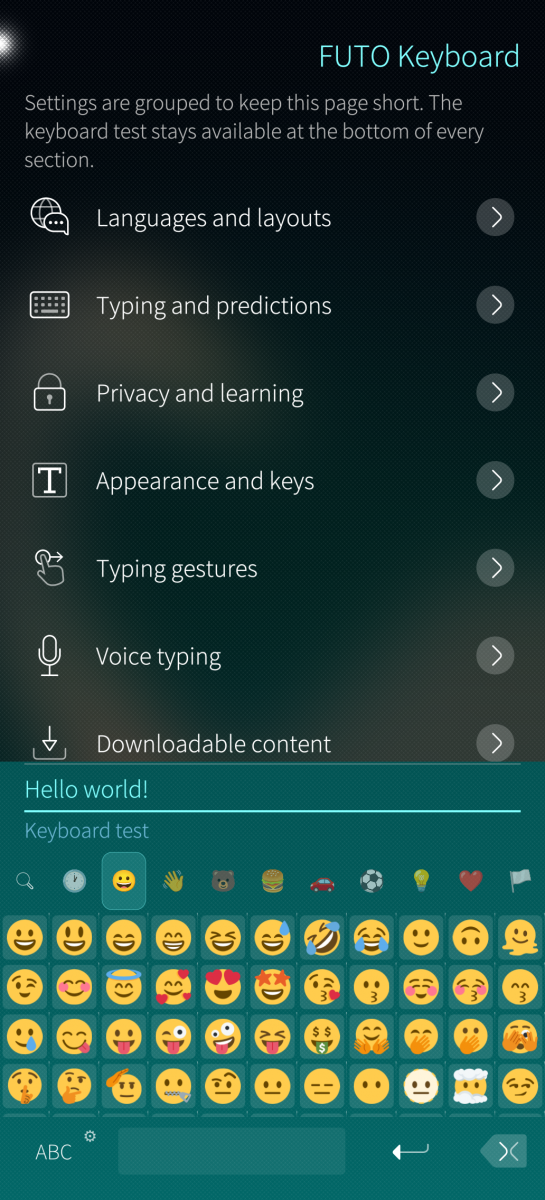
- Complete Emoji 17 collection
- Emoji search using your enabled languages
- Categories, favourites, recently used emoji, and skin tones
- Twemoji, OpenMoji, and Noto Color Emoji styles
- Large categorized symbol collection
- Favourite symbols for quick access
Privacy and useful tools
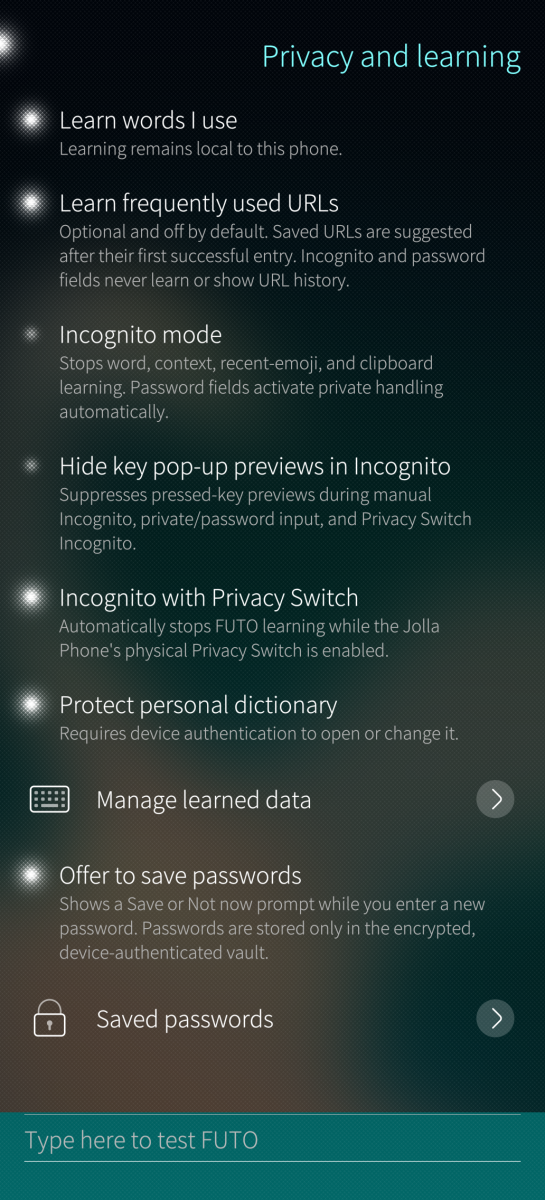
- Manual and automatic Incognito mode
- Privacy Switch integration
- Automatic protection while entering passwords
- Encrypted learned words and URL history
- Encrypted password manager protected by your device code or fingerprint
- Password import and export, with optional AES-256 ZIP protection
- Clipboard history with pinned entries and automatic cleanup
- No account or online service required for typing, predictions, or voice input
Hardware keyboards
- Automatic hardware-keyboard detection
- Option to keep the virtual keyboard visible
- Dead-key support for entering accented characters
Download
Choose the RPM that matches your device: `aarch64`, `armv7hl`, or `i486`.
The new Jolla Phone uses the `aarch64` package.
This release was made and tested on the new Jolla Phone running Sailfish OS 5.2.0.16.
Getting started
1. Download and install FUTO Keyboard.
2. Open Settings → Text input → Keyboards.
3. Enable FUTO.
4. Open Settings → Text input → FUTO Keyboard settings to choose your languages and customize the keyboard.
You can also open the settings directly from the keyboard by holding the 123 button and selecting Settings.
Downloadable content
Open FUTO Keyboard settings → Downloadable content to install the content you want:
- Language dictionaries
- Emoji artwork
- Offline voice input
Content can also be removed again from the same menu.
Privacy
Typing, predictions, learned words, clipboard history, voice recognition, and saved passwords are handled locally on your phone.
Clipboard history, URL learning, and the password manager are optional. Incognito mode prevents the keyboard from learning or collecting clipboard content while it is active.
Saved passwords and protected learned data can be secured using the existing device code or fingerprint authentication.
Source and licensing
This project contains modified and newly developed components under their respective licenses.
The source code is available on GitHub.
This project contains modified and newly developed components under their respective licenses. Upstream sources and revisions are documented in UPSTREAM.md. Details of the modifications are available in MODIFIED-NOTICE.md, with additional license information in the LICENSES directory.
Ported to Sailfish OS with additional features by HtheB.
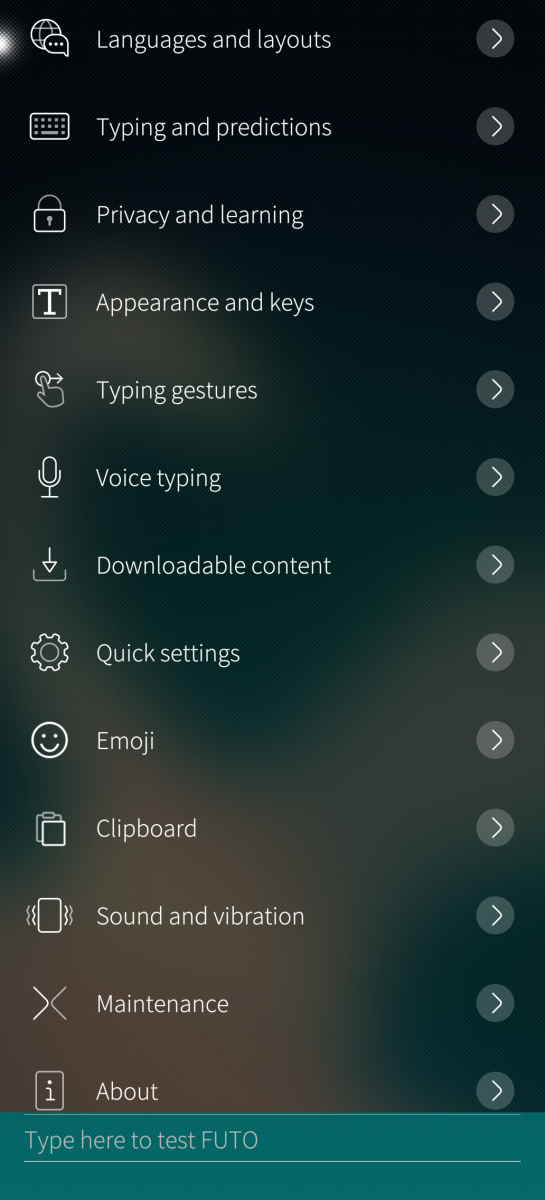
Screenshots:
Category:
Application versions:

Changelog:
v0.9.6:
New features
- Added vibration levels: Off, Light, Normal and Strong.
- Expanded custom keys:
- Mix text and actions in long-press menus.
- Add Copy, Cut, Paste, Select All and Hide Keyboard.
- Use longer text shortcuts with optional short labels.
- Find layouts by language or layout name, with clearer names and sorting.
Fixes
- Shift and Caps Lock work correctly in custom layouts.
- Layout Editor no longer gets squeezed when the keyboard opens.
- Fixed opening Layout Editor from the app drawer.
- Improved suggestions for accented words across languages.
- Tapping a suggestion correctly completes partially typed words.
- Layout Editor error messages are easier to read in different ambiences.
- Word suggestions appear faster while typing.
v0.9.5:
New features
- Added FUTO Layout Editor!
- Create a keyboard or copy an existing one.
- Add, move, and resize keys.
- Choose letters, symbols, long-press characters and dead keys.
- Add extra pages and empty spaces.
- Try your keyboard before saving.
- Import, export, and share layouts.
- Use custom layouts with any language.
- Added an option under Maintenance to show or hide FUTO Layout Editor in the app drawer.
v0.9.0:
New features
- Added Japanese input with Romaji and 12-key kana flick layouts, kana/kanji conversion, and next-word suggestions.
- Added Chinese Pinyin and stroke layouts for Simplified and Traditional Chinese, including fuzzy Pinyin and double-Pinyin options.
- Added downloadable Japanese and Chinese dictionaries, encrypted learning, and an expandable conversion picker.
- Added an option to change selected text using Shift: initial capitals or ALL CAPS.
- Added an option to delete more words by dragging farther left from Backspace.
- Saved-login prompts can now be dismissed by swiping left or right.
Fixes
- Fixed unwanted word replacements and misplaced text when editing sentences or changing text fields.
- Fixed missed or out-of-order words when swiping quickly.
- Keypress sounds now play on press instead of release.
- Paste now appears immediately in a text field, without needing to type first.
- Improved key sizing and alignment in thumb mode, and removed stray separator lines.
v0.8.0:
New features
- Added optional Android™ AppSupport autofill for saving and filling logins, with device authentication before using a saved login.
- Saved passwords are now listed in alphabetical order.
- Added an option to turn off suggestions containing spaces.
Fixes
- Improved saved-login detection and filling for websites and applications.
- Fixed the missing FUTO Keyboard settings entry under Text input on some devices.
- Fixed the download size-mismatch error when downloading FUTO Swipe.
- Fixed language layouts changing after an update, including Danish appearing as Welsh.
- Fixed downloaded dictionaries not being used for predictions and swipe typing in some languages, including Icelandic.
v0.7.1:
New features
- Added the official Bulgarian BDS keyboard layout alongside the existing Bulgarian phonetic layout.
- Added downloadable prediction dictionaries for Afrikaans, Azerbaijani, Belarusian, Bulgarian, Bengali, Catalan, Esperanto, Estonian, Basque, Galician, Hindi, Hinglish, Armenian, Icelandic, Indonesian, Georgian, Kabyle, Kazakh, Khmer, Kannada, Macedonian, Malayalam, Marathi, Nepali, Punjabi, Slovak, Tamil, Telugu, Thai, Filipino, Toki Pona, Ukrainian, Urdu and Standard Moroccan Tamazight.
- Added a switch for the downloadable context prediction model, so it can be turned off without removing the downloaded model.
- The uninstall screen now lets you choose which settings, learned data, passwords and downloaded content should be deleted or kept.
v0.7.0:
New features
- Added an optional downloadable context-aware English prediction model for better corrections and next-word suggestions.
- Joined words can now be split into natural phrases, such as "ihave" > "I have", across supported dictionary languages.
Fixes
- Revealing a password with an eye button no longer allows its contents to be learned.
- Swipe typing now produces fully uppercase words while Caps Lock is enabled.
- The hidden keyboard no longer keeps maliit-server active, reducing idle CPU usage and battery drain.
v0.6.2:
Fixes
- Automatic first-letter capitalization and one-tap Shift work correctly again.
- The first Backspace after automatic correction restores the original word without deleting the following space or punctuation.
- Uninstalling restores Sailfish's original font rendering immediately, without requiring a reboot.
v0.6.1:
Fixes
- The layout selector now uses the full available keyboard area instead of
appearing compressed.
- Applications now recognize typed text immediately, without waiting for Space
to be pressed.
- The final word is no longer lost when sending a message without a trailing
space.
- Typed text is no longer shown as unfinished or underlined when word
suggestions are disabled.
v0.6.0:
New features
- Choose from six offline FUTO voice models, with English and multilingual
options prioritizing speed or accuracy.
- Language switching and cursor control can share opposite halves of the space
bar, in either order.
- Arabic and Persian include common diacritics through long-press menus.
- Persian includes joining and text-direction controls.
Fixes
- Arabic and Persian use appropriate punctuation, with Latin alternatives
available by holding the keys.
- Persian ژ is available by holding ز, giving the bottom row more
comfortable key sizes.
- Unfinished Arabic and Persian words appear on the correct side of the text
field.
- Returning from the 123 page no longer opens a shifted Arabic or Persian
layout.
- Quick Settings no longer overlaps cursor-control or voice-input status.
- Voice typing cannot be enabled without an installed model and directs the
user to Offline voice when one is needed.
- Existing offline voice installations remain available after upgrading.
- Voice-model downloads can fall back to FUTO's official download source.
v0.5.0:
New features
- Added an option to correct typos when pressing punctuation.
- Added adjustable number-row height.
- Added `QWERTY (Regional)` as a separate layout option that has no accent keys.
- Added a scrollbar to the keyboard layout picker.
Fixes
- The selected language is remembered after a reboot.
- Incognito no longer accidentally turns on in ordinary text fields.
- "Numbers across the top" on the 123 page works with all layouts.
- Catalan is labeled correctly.
- Long layout names scroll in Quick Settings instead of being cut off.
- Pressing Space now keeps short forms like “I’m” and “I’ve” instead of removing the apostrophe.
v0.4.2:
New features
- Added option for "Vibrate while swiping"
- Added "Uninstall FUTO Keyboard" to Maintenance
- Added option for holding the space bar to choose between doing nothing, moving the cursor, or switching languages
Fixes
- Tibetan letters are now visible, on the keyboard and in the rest of the system
- Danish keyboard uses the Danish letter order instead of the Norwegian one
- Norwegian keyboard is now a separate layout
- Portuguese keyboards carry `ç` instead of the Spanish `ñ`
- Dot key no longer draws a border around it
- Swiping can start after punctuation, not only after a space
- Much lower memory use for all languages
v0.4.1:
New features
- Numpad in the "123" page layout can now be placed left or right
Fixes
- "123" and "{&=" pages has a better layout
- Same accented letters whatever languages are enabled
- Symbols are showing now above the top row when the number row is on
- Dot key shows ",!?"
- Space added after a swiped word
- Smaller symbol picker tabs
- Swipe only works at the start of a new word to prevent false swipe detection (due to a bug in Sailfish OS)
- Haptic feedback is fixed
- Paste button now shows when predictions are off as well
v0.4.0:
New features
- Expanded language and layout support with additional FUTO layouts, their proper key order, and language-specific long-press characters.
- Added predictions and swipe typing for additional languages where an offline dictionary is available.
- Added native Sailfish font support for scripts such as Amazigh, Sinhala, Myanmar, and Khmer.
- Improved the Arabic and Persian layouts with appropriate punctuation, numerals, and alternative letters.
- Added the new Saudi Riyal symbol and improved the rendering of Arabic Rial and Jalla Jalaluhu symbols.
- Added an optional "Add space after punctuation" setting (this excludes web and email addresses).
Fixes
- Greatly reduced emoji-picker memory usage and improved scrolling performance, especially in long categories such as flags.
- Improved emoji search so unrelated results are no longer shown for searches such as "happy".
- Spacebar cursor control now works smoothly in both native Sailfish and Android applications.
- The optional number row now matches the letter-row height and no longer overlaps it.
- Swipe vibration now occurs only on the first touched letter.
- Swiped words receive a space only after accepting the suggestion or beginning the next swipe.
- Swipe typing stays disabled until the required FUTO Swipe content has been downloaded.
- Pressing Space now accepts the visibly highlighted correction instead of an unseen suggestion.
- System-default keyboard sounds now respect both Sailfish Touch sounds and Silent mode.
- The current system clipboard entry can be pasted into password fields without enabling clipboard history.
- Corrected duplicated and misplaced secondary symbols across keyboard layouts.
v0.3.0:
New features
- Added Arabic predictions and a Persian keyboard with predictions.
- Languages sharing the same layout can now remain separate and be switched manually.
- Keyboard sounds can now be set to Off, On or System default from Settings or Quick Settings.
Fixes
- Reworked swipe typing, with improved recognition and word ranking across supported languages.
- Improved contractions such as “I’m” and “can’t”, capitalization and short swiped words.
- Fixed the first swipe after switching languages not being recognized.
- Reduced memory usage when opening, scrolling and switching emoji categories.
- Fixed the suggestion strip jumping back while browsing predictions.
- Added the missing Polish ą and Ą characters.
- Improved double-space periods and removal of unwanted spaces before punctuation.
- The current clipboard can now be pasted into password fields without enabling clipboard history.
- Fixed incorrectly grouped symbols by reorganizing the symbol picker into clearer categories.
v0.2.2:
New features
- Added Hungarian predictions, available through Downloadable content.
- When automatic language detection is disabled, the Switch language/layout action can now cycle through selected languages that use the same keyboard layout.
Fixes
- Fixed a startup problem that could prevent FUTO Keyboard from appearing on armv7hl and i486 devices.
- Cursor-control mode now correctly hides the keys on the number and symbol pages.
v0.2.1:
New features
- Added an optional Show keyboard action to the Sailfish OS Top Menu, allowing the keyboard to be opened in Android apps that normally do not show a keyboard.
Fixes
- Holding the language/layout button in Quick Settings now switches to another enabled Sailfish OS keyboard.
- Secondary characters no longer appear when briefly holding over a letter during swipe typing.
v0.2.0:
New features
- Added an Fn keyboard page with arrow keys, Esc, Tab, Ctrl, Alt, AltGr, the Sailfish key, F1–F12, Home, End, Page Up, Page Down, Insert, Delete and more.
- Added an optional and customizable extra-key row.
- Modifier keys can be used once for the next key or locked by tapping them twice.
- Added predictions for Greek, Russian, Serbian Cyrillic and Serbian Latin.
- Added Slovenian QWERTZ, Croatian and Serbian Latin QWERTZ, and Serbian Cyrillic layouts.
- Added a keyboard-sound toggle to Quick Settings.
- Holding the language/layout item in Quick Settings can now switch to another active Sailfish OS keyboard.
Improvements
- Spacebar cursor control can now move the cursor horizontally and vertically.
- A second finger can be held during cursor movement to select text.
- Quick Settings and extra keys can be reordered by holding and dragging.
- Added Restore defaults to the Quick Settings and extra-key organizers.
- Improved typing in terminal and console applications.
- Fixed predictions, swipe typing and FUTO Settings not working immediately after a new installation.
- Improved compatibility with Sailfish OS 5.1, including fixes for swipe typing, Quick Settings, missing symbol and emoji tabs, and blank emojis.
v0.1.0:
- Initial Release
Comments
Boshtannik
Sun, 2026/10/18 - 14:58
Permalink
The reason why i have stopped publishing here any complains- is because the keyboard has begin being usable for me
murfik
Sat, 2026/10/17 - 13:58
Permalink
v.0.9.5. FUTO Layout Editor. no russian layout? or I cant find it?
HtheB
Sun, 2026/10/18 - 02:03
Permalink
You probably didn't check out "East Slavic".
However, I've added some tags so searching Russian in the list would now also return the keyboard for you now with the latest update
murfik
Sun, 2026/10/18 - 19:09
Permalink
yes, I try find by "rus" tag. another question: I'm modify few layouts, how to apply this? I doesn't see modified layouts in list
HtheB
Tue, 2026/10/20 - 22:46
Permalink
Go to the Quick settings of the keyboard, then select Layout. It's at the end of the list of the layouts
murfik
Fri, 2026/10/23 - 13:39
Permalink
in quick setting on keyboard I can switch between 2 layouts, enabled in "Settings" -> "Languages and layouts" (short press -> switch layout, long press -> switch to sailfish default keyboard). but in "Languages and layouts" list I'm doesn't see my custom layouts.
HtheB
Sat, 2026/10/24 - 00:38
Permalink
You're using the wrong button. You're not using the Layout button, but the language change button.
Use the Layout button to change the layout of each desired enabled language.
4inchezz
Thu, 2026/10/15 - 16:39
Permalink
Great port!
This just works like a charm and effectively removes the biggest pain I had with SFOS
bundyo
Sun, 2026/10/11 - 21:18
Permalink
And now they work! Thought that was something I was doing wrong.
bundyo
Fri, 2026/10/09 - 19:59
Permalink
Super, Bulgarian predictions! Thanks!
Boshtannik
Wed, 2026/10/07 - 19:57
Permalink
Upgraded the operating system - now it installs.kinda strange thing
Still the best swiping keyboard for me,or dictation keyboard with those precise speech to text models.thank you for the update.amazing job!
Here i was thinking about one thing.. Every time on my new device - i need to configure keyboard from scratch. Is or possible to add small web server where users would keep their configurations to just configure keyboard on new device in one click by downloading serialized settings Json stored per user? Or this is an overkill?
Never mind,just an overkill
Boshtannik
Wed, 2026/10/07 - 18:23
Permalink
Just tried to install it on fresh sfos. I got: Impossible to resolve dependency libc.so.6 thats the strange catch, but.i guess that this may be caused by older version of sfos < 5.1.0.11. Ill upgrade it now and will see what happens
windes
Thu, 2026/10/01 - 08:12
Permalink
Good and needed work for all Sailfish users.
But not ended to good result at all. Still many bugs. Very poor dictionaries, they not predict easy simple words (jn English first of all). Very buggy work with predicted word and when not needed to predict, sometimes impossible to just type word, that not in dictionary. And impossible to add that word to dictionary. Many glitches when fast type words by tapping. Soooo strange words appears, need to delete them and type once more. Thats weird.
Boshtannik
Fri, 2026/09/25 - 12:35
Permalink
What was i mean to have combined space behavior - is to leave move cursor behavior as is, and show panel with languages just above whole keyboard itself. it would allow move cursor by swipe space, or change the language by swipe the space button and then release swipe over selected language over the keyboard, preventing accidental language change while moving the cursor. This is more suggest rather than insistence :D
Boshtannik
Thu, 2026/09/24 - 08:03
Permalink
Please add small label with hint to new users about how to use selected space behavior.
Boshtannik
Thu, 2026/09/24 - 07:55
Permalink
You have added combined option to move cursor and change the language - that's absolutely nuts!!!
Boshtannik
Thu, 2026/09/24 - 06:50
Permalink
Pottery good and accurate voice topping models are available. good keyboard. Now i use it all the time
Boshtannik
Thu, 2026/09/24 - 06:50
Permalink
Thank you for each key vibration while swiping. But i dont use it anymore. it drains battery pretty quickly.
carepack
Sun, 2026/09/20 - 21:10
Permalink
Thank you for the fast fix and the great project at all...
bundyo
Sun, 2026/09/20 - 14:16
Permalink
Auto capitalization doesn't seem to be working in 0.6.1.
windes
Sun, 2026/09/20 - 13:19
Permalink
Guys, don't update on Futo 0.6.1 - too much critical errors. 0.6.0-1 is most normal for now.
Good that downgrade works easy.
Boshtannik
Sun, 2026/09/20 - 11:35
Permalink
Yes,i had the issue too. Last word wasn't given away as typed and when i had typing finished - the last word didn't get into the message
thin_client
Thu, 2026/09/17 - 23:41
Permalink
Manually typed words don't truly appear in the text field until they are finished (not underlined). This is a problem, because it can lead to the "unfinished" word getting discarded upon sending message/closing note/etc., even though it is a complete word.
Other than that major issue, this is a massive improvement over the stock keyboard, even for touch typing whole words without suggestions and autocorrect! This is single-handedly among the most important software on SFOS, for sure.
Edit: bundyo appears to have the same issue ("disabled problem").
Edit 2: Since I don't have spell checking or word suggestions enabled, I think it would also help if the "unfinished word" logic was disabled too.
Boshtannik
Tue, 2026/09/15 - 21:15
Permalink
Multi lingual slowest (biggest) voice input doesn't even start in Russian and English. error: voice input is unavailable
Boshtannik
Tue, 2026/09/15 - 21:24
Permalink
For me slowest model worked good.i didn't know that it automatically doesn't switch the model after deleting one and downloading another. So i did it manually in other section of settings. UX can be improved or by suggesting to select preferred model after download,or auto select it automatically. By the way English dictation is okay. Right now I'm typing in this message by voice input. I have tried also Ukrainian and Russian and they also working okay. much better than before So it becomes decent usability. I have no longer need to switch the keyboards to dictate text.
Boshtannik
Tue, 2026/09/15 - 21:16
Permalink
Trying slower model
Boshtannik
Tue, 2026/09/15 - 14:04
Permalink
Please,add better STT recognition models options. Separate per language. Your "Speech note" app already has that. Sometimes i go to speech note to dictate the text,then i copy it into other window. (stt there is good,but poor UX for me as for user to switch windows all the time)
HtheB
Tue, 2026/09/15 - 18:14
Permalink
FUTO does not support this. However, I've added different Offline Voice Input methods to choose from in 0.6.0
bundyo
Mon, 2026/09/14 - 13:55
Permalink
The disabled problem seems to be more widespread - for instance creating a new event in calendar app creates an empty title if no space is entered.
bundyo
Mon, 2026/09/14 - 07:00
Permalink
Also in Bulgarian.: )
Pages