
SailWarden


SailWarden - Bitwarden Client for Sailfish OS
SailWarden is an unofficial native Bitwarden client for Sailfish OS. It is currently in beta and requires Sailfish OS 4.5 or greater. This app has near one-to-one feature parity with the official Bitwarden apps. That means most functions you know and love from Android or iOS should be available here with a few exceptions that aren't available on Sailfish, like autofill or syncing with authenticator.
This includes
- No Extra Requirements: Standalone application. There is no need to install any extras like Bitwarden CLI or NPM.
- Secure: Application is sandboxed and all settings are stored using Sailfish OS's secure storage.
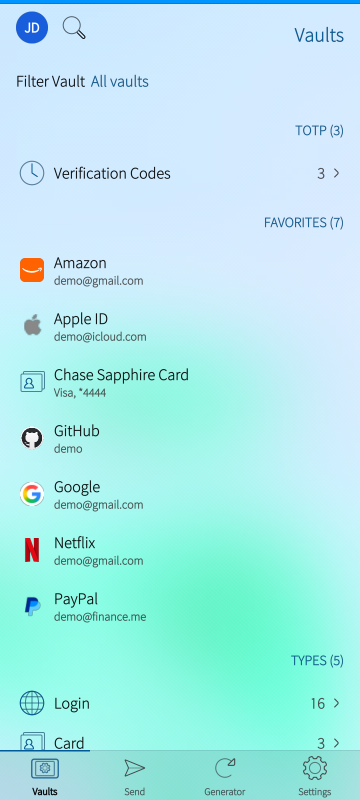
- Full Vault Support: View, edit, search, and manage your Logins, Secure Notes, Cards, Identities, and SSH Keys.
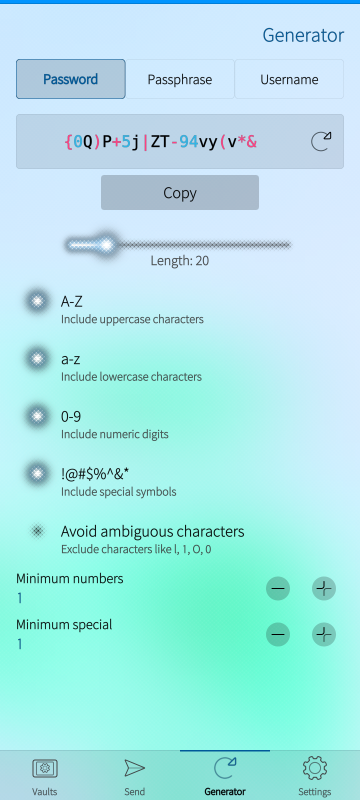
- Password Generator: Create secure passwords, passphrases, and email aliases.
- Organizations and Collections: Move secrets into Organizations and add/remove them from Collections.
- Bitwarden Send: Create and share secure text or file Sends with support for custom expiration and access counts.
- Device Login: Grant access to your Bitwarden vault from another device or vice versa
- SSO Support: Support for single-sign on accounts.
- Vaultwarden Support: Full support for Vaultwarden self-hosted instances.
- Multilanguage Support: Available in: English, Finnish, German, Spanish, French, Japanese, Norwegian Bokmål, Polish, Russian, Slovak, Swedish, Vietnamese, and Simplified Chinese.
Frequently Asked Questions
Q - Why did you make this app?
A - Bitwarden is one of the most important applications on my phone and without it, Sailfish could never be the phone I use daily so, I decided to make one. It turned out pretty well so I thought I'd share it with the Sailfish community to help grow the ecosystem. Hopefully somebody finds it useful as well.
Q - Is an "unofficial" Bitwarden client safe?
A - Well, I know it is because I made it but you should always exercise caution and use your best judgement. A few things you can try to help put your mind at ease:
- Since they're free, use a test Bitwarden account.
- Use the emulator - it's just a few clicks to try it out without installing on your phone.
- Monitor network traffic - you can check your router or DNS requests to see if it is making any calls to any non-bitwarden (or vaultwarden, if using self-hosted) addresses. The only time you'll see it make a request anywhere else is when you click the feedback link in the about section.
- Backup your vault secrets to a file so you can restore them should anything go wrong.
Q - I still don't trust it!
A - That is completely fair. If you don't feel comfortable using it, don't use it. Thanks to the Android compatibility layer, you can use the official android Bitwarden client.
Q - What permissions are required?
A -
- Internet to communicate with Bitwarden
- User Directories to access files for sending and for the import/export vault feature.
- Secrets to store your information securely
Q - Does the import overwrite or reconcicle existing vault items?
A - No, the import is strictly additive. It should never delete or modify existing items. Please do backup your secrets before using this feature though because it is new and needs more testing. The official apps require you to do this through the web vault and do not have this functionality in their mobile apps.
Q - What other features do you have planned?
A - The one thing I'd like to add is support for multiple accounts but if you have any requests or suggestions use the feedback link in the about section within settings.
Notes
- Translations: Every language besides English is machine translated so if you notice a mistake or would like to help translate, or, request a language - please use the feedback link within the app.
Disclaimer
SailWarden is an unofficial third-party client and is not affiliated with, endorsed by, or supported by Bitwarden Inc.
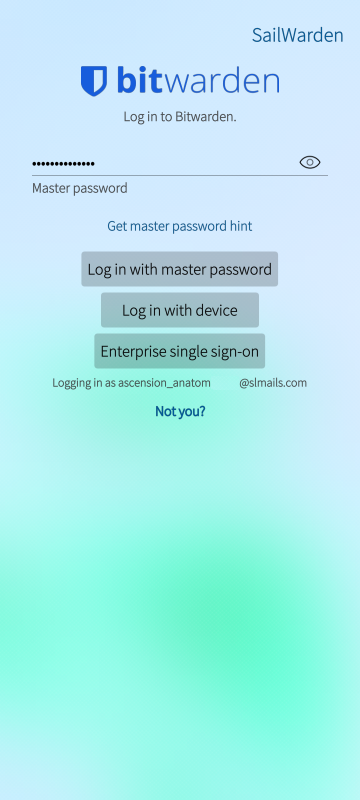
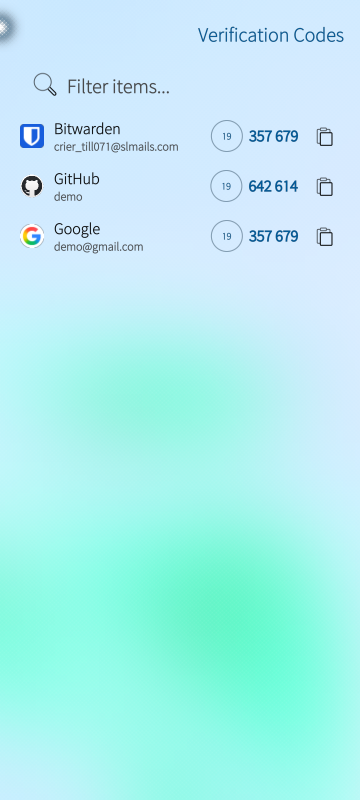
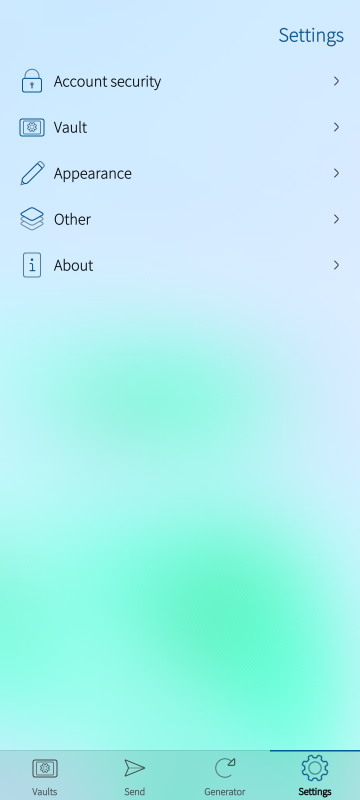
Screenshots:
Category:
Keywords:
Application versions:
| Attachment | Size | Date |
|---|---|---|
 harbour-sailwarden-1.3-1.i486.rpm harbour-sailwarden-1.3-1.i486.rpm | 997.08 KB | 18/08/2026 - 07:45 |
| harbour-sailwarden-1.3-1.armv7hl.rpm | 961.84 KB | 18/08/2026 - 07:45 |
| harbour-sailwarden-1.3-1.aarch64.rpm | 958.95 KB | 18/08/2026 - 07:45 |
Changelog:
- 0.1 - Initial Beta Release
- 0.2 - Moved non-sensitive configuration settings (custom server URL, cover layout, and session timeout options) out of the secure OS vault into local settings. Hopefully preventing the app from triggering endless device lock prompts.
- 0.3 Moved more configuration settings and prefetch others to avoid lock prompts.
- 0.5 Massive changes to how it works with sailfish secrets which I believe should solve the multiple prompts to confirm access.
- 0.6 Fixes for login issues with 2FA. Attempt at fixing biometric detection
- 0.7 Fixes Locked/Unlocked status on cover, moved decryption to background task to avoid locking UI on large collections, fixed issues (hopefully) decrypting some older organizations.
- 0.8 Added a "Sailfish Theme" which moves tabs to the top and uses Sailfish styled tabs. Also added option to change options in pull menu. Change them in Settings > Appearance
- 0.9 Moved pulley menu to above tabs on Sailfish theme, on selecting search input field is automatically selected, changed order of some pull down menus, adjust sailfish theme tab size based on device resolution/scale, attempts at fixing decoding of shared organizations, bug fix for not clearing 2FA session after failure.
- 1.0 - Optimized loading of secrets so hopefully it'll perform much better for people with large vaults. More improvements to Sailfish theme to match Sailfish OS better. Pressing enter on keyboard will now log submit/login. *Note* I removed biometrics since it did not work properly. I do not believe it is possible for Sailjailed applications to access the fingerprint reader. If you know otherwise, please contact me.
- 1.1 - Fixed various bugs with Sends including password not working, bug fixes and performance improvements for password generator, attempt at fixing decryption for older organizations.
- 1.2 - massive performance improvements when first logging in and decrypting your secrets - it should be near instant now. Fixed Sends for "specific people" and adjusted its UI. Fixed issue where it would ask for password instead of PIN code after restart. Allow the enter key to login/confirm on more screens. Minor UI tweaks to Sailfish theme.
- 1.3 Updated Identity and Card Icons, performance updates and filtering by vault for Search, bug fix for folders
Comments
dumol
Sun, 2026/08/16 - 19:42
Permalink
Folders are not fully supported? All my logins are in a folder named Browser, but your app says 'No folder' for any login.
Also, the 'Browser' folder is not listed under 'Folders', only 'No folder' with the entries not under the Browser folder: identity, card, notes.
FixFlare
Tue, 2026/08/18 - 06:27
Permalink
No, folders are definitely supported. Try version 1.3, added a fix for that.
amol
Fri, 2026/08/14 - 21:23
Permalink
I love that is super easy to setup, but the performance are so terrible with 1500 login items that I have to rely on the Android app. It's stuck with "Please Wait" whatever i try to do
Update: it's now faster, but searching still freezes app for seconds between each char I press
FixFlare
Tue, 2026/08/18 - 06:26
Permalink
Pushed 1.3 that should have much improved search speed. I offloaded all the search code to c++
FixFlare
Thu, 2026/08/06 - 07:20
Permalink
Thanks for the feedback-
I keep getting surprised by the amount of logins people have.
I'll see what I can do to improve performance even more.
Runs great for me but I don't have 1500 logins.
I'll have to add a bunch of bogus ones for testing or something and see if I can reproduce that.
*Update* - pushed version 1.0 with a bunch of performance improvements. Hoping it'll help your issue.
ronny_b
Thu, 2026/08/06 - 11:59
Permalink
Now the fingerprint login has disappeared from the settings on my Xperia 10-II again.
FixFlare
Fri, 2026/08/07 - 00:51
Permalink
Sorry I forgot to mention it in the changelog but I removed it.
Reason why is I finally got a Sailfish phone so I was able to actually test the biometrics and found they were not really working as I expected.
When I tried to fix it, I found that it was impossible as far as I know to access biometrics from a sailjailed app. It didn't seem worth giving up the jail security to allow biometrics. Hopefully Jolla will allow that in a future version of Sailfish.
ronny_b
Sat, 2026/07/25 - 13:45
Permalink
By the way, I really like the Sailfish theme in V0.8!!
ronny_b
Fri, 2026/07/24 - 20:11
Permalink
Unfortunately, I've noticed another error. About 40 of my entries aren't loading correctly. There's just some nonsense in there: the username, password, and website all start with "2." and consist of a huge string of random characters. I have a total of 369 logins in my database.
FixFlare
Sat, 2026/07/25 - 02:26
Permalink
That means those entries are failing to decrypt..
I just pushed 0.7 which I hope will fix that issue. I'm guessing that is an older organization maybe made quite a while ago?
I did all my testing with a recent organization and after checking, older organizations can use different encryption settings.
ronny_b
Sat, 2026/07/25 - 13:44
Permalink
The encoding error is unfortunately still present in V0.8.
I think I know which entries are affected now. I have a second vault that I shared with my wife. All entries from this vault don't seem to be decoded correctly.
FixFlare
Sun, 2026/08/02 - 14:53
Permalink
Sorry been out of town. I just made another attempt at fixing that.
Try 0.9 and let me know how it looks now.
ronny_b
Thu, 2026/08/06 - 11:59
Permalink
Even in V1.0, the entries are still not being decoded correctly.
FixFlare
Tue, 2026/08/11 - 10:52
Permalink
Made another attempt at fixing it.
Try 1.1 - feeling pretty good about it.
ronny_b
Wed, 2026/08/12 - 20:30
Permalink
V1.1 fixed the decoding error!
Unfortunately, loading my 370 entries takes a very long time on my Xperia10-II. Since the fingerprint sensor isn't working anymore either, I'm going back to using the competitor's product for now.
FixFlare
Thu, 2026/08/13 - 21:27
Permalink
Awesome - glad it is fixed.
One other user had mentioned the decrypting taking a long time and I made some fixes for it but never heard back. I don't know it is slow for you unless you guys tell me.
Since I have a phone now I tested an account with 500 logins and I saw exactly what you meant. Now that I was able to reproduce it, it was a lot easier to troubleshoot.
The long decryption ended up being a weird quirk with how Qt works. I've worked around that and the performance difference is insane. It went from 40 seconds to load 500 logins to probably less than a second.
I hear you on the biometrics but there isn't anything I can do about that without Jolla. I don't think it is worth dropping Sailjail for it. If you haven't given up entirely, I'd give the new 1.2 version a go so you can see what I mean about the speed.
dumol
Fri, 2026/07/24 - 19:48
Permalink
Very good, a 5-star app already! Thank you...
A bit slow on my XA2, many actions trigger the "not responding" popup from the OS though (e.g. biometric unlocking and syncing).
FixFlare
Sat, 2026/07/25 - 02:29
Permalink
Appreciate the feedback. Glad you like it.
With the latest version 0.7, I tried to move the decryption into a background task that hopefully will feel snappier to you. Let me know how it goes.
I left 0.6 just in case I broke anything.
ahjolinna
Tue, 2026/07/21 - 02:50
Permalink
2FA code doesnt work, just says its wrong
FixFlare
Thu, 2026/07/23 - 20:00
Permalink
Thanks for the report
Just pushed 0.6 - Believe it should fix that.
ahjolinna
Fri, 2026/07/24 - 01:56
Permalink
no luck, still fails (and I get emails that it has failed)
FixFlare
Fri, 2026/07/24 - 13:52
Permalink
What two factor method are you using? I've tested both email codes and the rotating authenticator app keys. Are you using vaultwarden or official bitwarden servers?
Also, do me a favor and check settings > about and confirm you are in fact using 0.6. I'm almost wondering if you're still on 0.5
ahjolinna
Sat, 2026/07/25 - 03:05
Permalink
using bitwarden (US) servers with auth app. And same issue with -7.
I also tried to clear apps data to see if that made any difference ...but no
btw. I saw this: [W] unknown:0 - [SecretsManager] Error async storing secure_session: "Collection sailwardenv2 in plugin org.sailfishos.secrets.plugin.encryptedstorage.sqlcipher is owned by a different application"
FixFlare
Sat, 2026/07/25 - 03:55
Permalink
ahh yup, that is almost certainly what is doing it.
Looks like you may have launched the app initially as a different user (root?). The secrets database gets owned by whoever created it.
Should be able to wipe out your existing collection and relaunch the app, see if that fixes it (adjust for your user):
ahjolinna
Sat, 2026/07/25 - 21:27
Permalink
OC I'm the one with this issue, early tester curse :D ..I dont remember what I have tested, doing so much different stuff here and there.
[W] unknown:0 - [SecretsManager] Error: "Collection sailwardenv2 already exists"
[W] unknown:0 - [SecretsManager] Failed to create collection during saveSecureSessionAsync
[W] unknown:0 - [ApiClient] Login failed: "Two-step token is invalid. Try again."
ahjolinna
Mon, 2026/07/27 - 08:02
Permalink
okay, did a clean up and it still didnt work...but now I dont see any error in terminal...sigh....brb
edit/update...nothing with GDB either
maybe this will fix it, they finally updated it after 13 years https://github.com/sailfishos/sqlcipher/commit/7e536c9f0296184df7cb1ea7d...
FixFlare
Sun, 2026/08/02 - 14:54
Permalink
Sorry been out of town. I believe I found a bug that was preventing the old 2FA token from being cleared during an error.
Try 0.9 and see if that maybe lets you in now.
ronny_b
Sun, 2026/07/19 - 13:10
Permalink
The "Unlock with biometrics" option is missing on my Xperia 10-II. I can only select "Unlock with PIN".
FixFlare
Thu, 2026/07/23 - 20:01
Permalink
I pushed 0.6 which I am hoping fixes that. Let me know.
ronny_b
Fri, 2026/07/24 - 19:51
Permalink
V0.6 is now showing the biometric unlock switch for me, thanks. Something else I noticed: even when the vault is locked, the app cover still says "Unlocked."
Pages