
sailfish-browser-darkmode


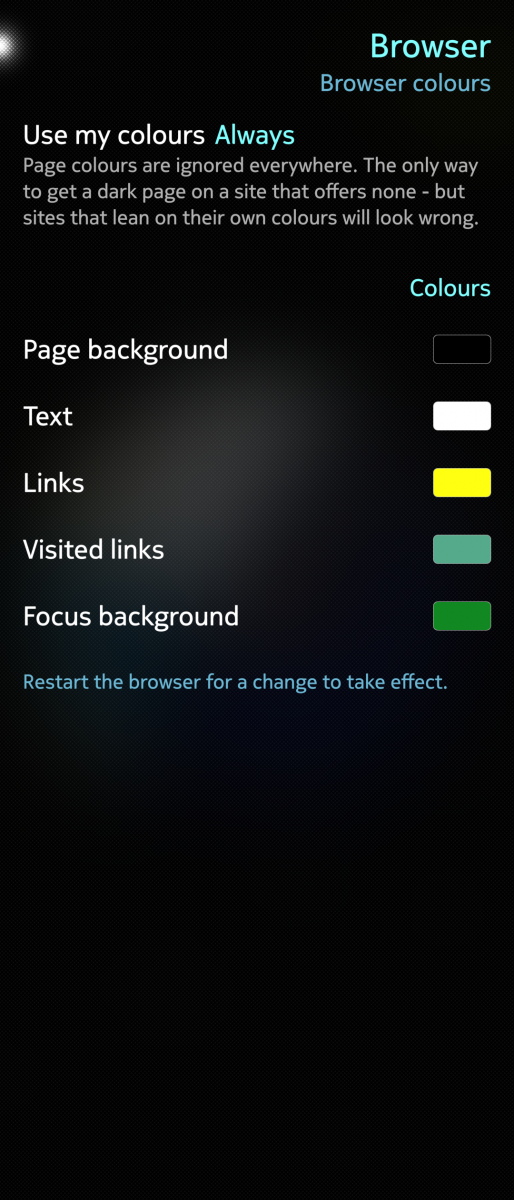
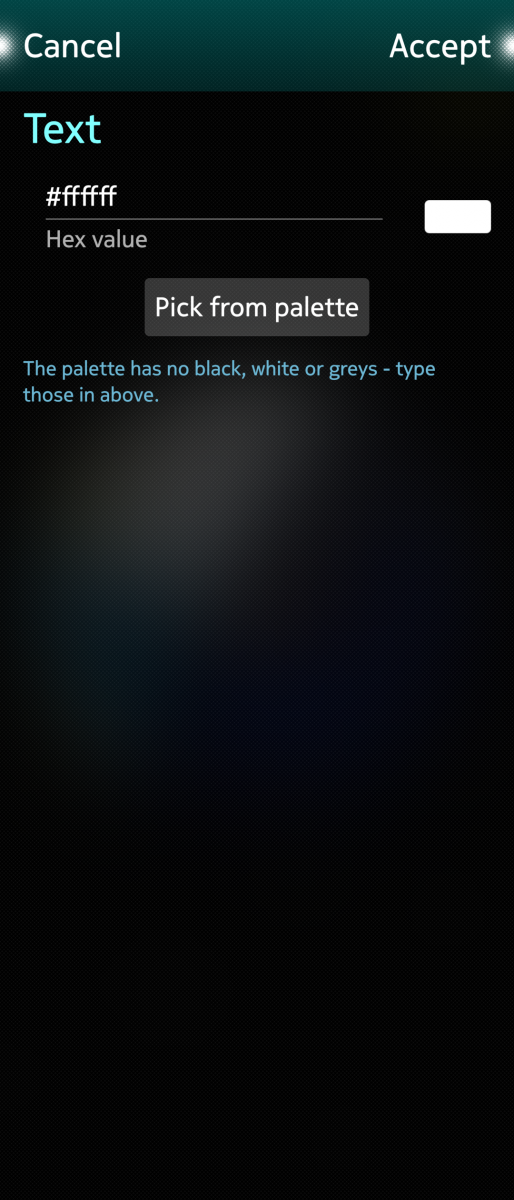
Choose the colours a Sailfish browser uses for web pages — and how insistently. Gecko can override the colours a page asks for. That is the only way to get a dark page on a site that offers no dark mode, and this package makes the setting reachable: a page under **Settings → Look and feel → Browser colours**, plus a `browser-darkmode` command. Works with the stock browser and with the ESR 140 and ESR 153 community builds. Whichever of them have been started at least once are listed, each with its own mode and its own colours. **Three modes** - **Never** — pages decide, as they normally would - **Where the page sets none** — your colours fill in the gaps - **Always** — page colours are ignored everywhere *Always* is the setting that gives you a dark page on any site. It is also the one that makes some sites look wrong, which is why it is a choice rather than a default. **Colours** Five are configurable: page background, text, links, visited links and focus background. Tap one to type a hex value or pick from the Silica palette — the palette has no black, white or greys, so those go in the text field. Defaults are white text on black with yellow links. **What it touches** Only the browser's own `user.js`, between two marker comments. That file is read at every start and never rewritten by the browser, so nothing installed by another package is modified, and removing this one leaves nothing behind beyond that block. Restart the browser for a change to take effect. **Command line** browser-darkmode [profile] [never|missing|always|status|apply] browser-darkmode detect `profile` is `browser`, `browser-next` or `browser-next153`, and defaults to the newest one installed. Sources: https://github.com/smatkovi/sailfish-browser-darkmode
Screenshots:
Category:
Keywords:
Application versions:
| Attachment | Size | Date |
|---|---|---|
 sailfish-browser-darkmode-2.0.1-1.noarch1.rpm sailfish-browser-darkmode-2.0.1-1.noarch1.rpm | 15.08 KB | 24/08/2026 - 23:07 |
Changelog:
- "detect" died with a syntax error: /bin/bash on the device can be busybox ash, which has no arrays. Rewritten in plain sh
Comments
dumol
Sat, 2026/09/19 - 11:35
Permalink
Very useful workaround when Use my colours is set to Always.
Problematic with any other setting. Including Never, unfortunately...
dumol
Sat, 2026/09/19 - 11:44
Permalink
Even worse, the problem persists after uninstalling this package.
To solve it, load about:config in the native browser, then change default background color to #FFFFFF.
Configuring a black-on-white color theme before uninstalling might be even better...
aviarus
Sat, 2026/09/19 - 12:07
Permalink
Or before uninstall you set to never use custom colors
dumol
Sun, 2026/09/20 - 09:11
Permalink
Setting Never is not a solution by itself. Same problems with the package installed or removed, sadly...
It looks like a Reset button is needed to get back to normal. Or the Never option should reset browser colours by itself. Thanks!
aviarus
Sat, 2026/09/19 - 12:06
Permalink
In about:config search for color and then set document_color_use to 0, to deactivate it. I don't remember the exact name of the setting
dumol
Sun, 2026/09/20 - 09:16
Permalink
browser.display.document_color_usewas set to 0, but there were still issues with some pages only setting foreground color, but not background colour.MeeGo
Tue, 2026/08/25 - 11:52
Permalink
That's cool, many thanks for providing this. Dark mode was desperately needed. Good work